When your business was smaller, connecting systems manually or through a quick custom fix made sense. It got the job done.
But as operations scale, maintaining custom code becomes a job in itself, and suddenly, your IT team is spending more time fixing integrations than improving operations.
That’s when the question comes: should you keep building integrations in-house, or move to a third-party platform that can evolve with your business? The answer isn’t one-size-fits-all, but understanding both approaches can save you a lot of time, money, and maintenance headaches down the road.
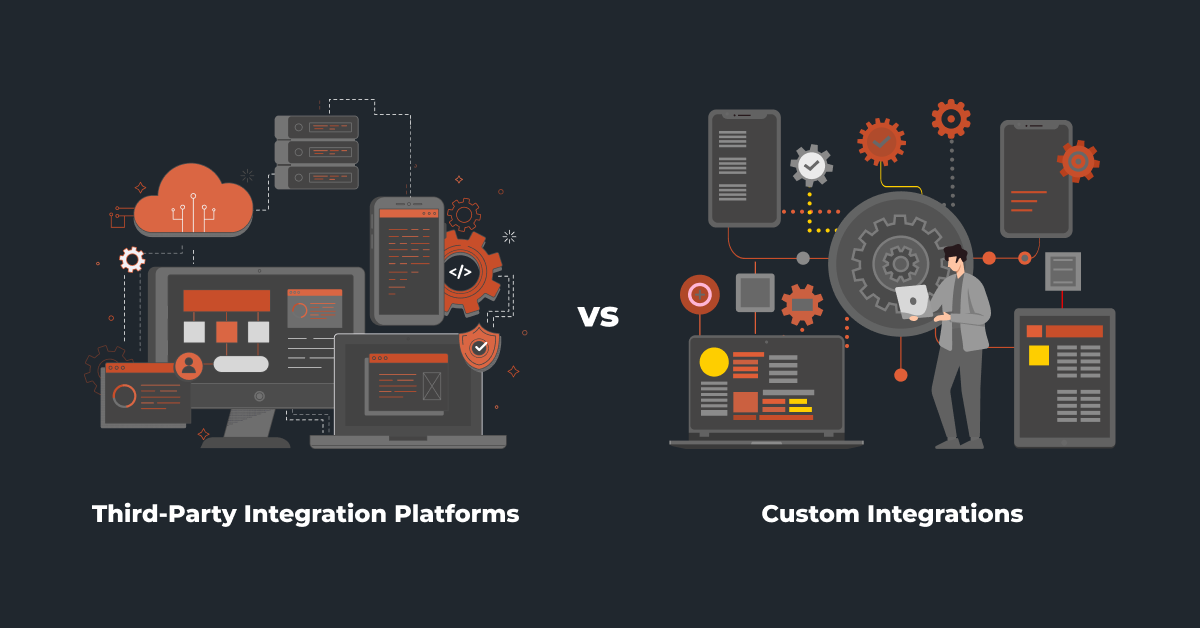
In-house vs Third-Party Integration Platforms: Understanding The Two Approaches
| Key Aspects | In-house Integration | Third-Party integrations |
| Customization | Fully customizable since it’s built from scratch but takes time and technical effort. | Highly configurable using pre-built tools and low-code options; custom logic possible, depending on platform flexibility. |
| Scalability | Can handle growth, but scaling requires new code, more testing, and stronger infrastructure. | Scales easily with business growth, new systems or channels can be added with minimal setup. |
| Data Handling | Data movement and mapping are entirely coded and managed by internal developers. | Offers built-in mapping, data modifiers, and automation tools to manage complex syncs faster. |
| Maintenance and Updates | All updates, API changes, and fixes must be handled internally by your IT team. | Provider manages updates, connectors, and API changes automatically. |
| Business Impact | Your team spends more time on upkeep than innovation. | Frees up your team’s time, reduces manual effort, and keeps operations running smoothly. |
In-house Integration (Custom Build)
This is a point-to-point connection built from scratch to make two or more of your business systems talk to each other. It’s like designing your own bridge tailored exactly to fit the systems and data flow you need. There’s no plug-and-play setup here; everything is built and maintained by your in-house or outsourced developers.
Pros:
- Tailored to your exact needs: Every business runs differently. With custom code, you can design the integration to match your exact workflows, data formats, and system logic.
- More control (through in-house developers): Since your internal team builds and manages the integrations, you have complete visibility into how things work. You’re not dependent on an external vendor, your developers handle the code, and you can directly oversee changes or fixes whenever needed.
- No third-party dependency: You don’t rely on an external vendor or platform. Your team handles everything internally.
- Flexibility for niche systems: If you’re using a less common ERP or a legacy system, custom coding might be the only way to connect it.
Cons:
- High maintenance: Every time one of your connected systems (like your ERP or CRM) updates its API, the integration needs to be adjusted. That means constant developer involvement and unexpected downtime if something breaks.
- Expensive in the long run: While the initial setup might seem cost-effective, ongoing maintenance, testing, and bug fixes can quietly add up. Many businesses underestimate this part.
- Hard to scale: When you add more systems, you often have to build new connections from scratch. A two-system setup might work fine, but connecting five or six becomes a tangled web of code that’s hard to manage.
- Managing infrastructure gets tougher as load increases: As transaction volumes grow, ensuring smooth data flow and maintaining server performance can demand more technical effort and resources.
- Limited visibility: Unless your developers build custom monitoring tools, you won’t easily see when data fails to sync or errors occur. That makes troubleshooting slow and frustrating.
- Developer dependency: If the person who wrote your integration leaves the company or isn’t available, you’re often left trying to decode someone else’s logic which can delay fixes and disrupt operations.
Ideal for:
- Custom integrations usually make sense for businesses that have very specific workflows or unique system setups that off-the-shelf connectors can’t handle.
Third-party Integration Platforms
A third-party integration platform is a cloud middleware that acts as a central hub to connect your business systems without having to build point-to-point code for every pairing. Instead of writing one code per system, you use pre-built connectors, mapping tools, and workflow builders to move and transform data between systems reliably. The platform also handles hosting, scaling, monitoring, and many of the technical updates for you.
Pros:
- Quicker Integration: You can connect systems and go live much faster than building everything from scratch. Pre-built connectors and templates cut down weeks or even months of development time.
- Hassle-free: The provider manages updates, connector changes, and infrastructure so your team spends less time fixing broken connections whenever a system updates its API.
- Scales easily as you grow: Adding a new system usually takes configuration, not fresh development. You can connect another eCommerce site, CRM, or marketplace using existing connectors and workflows without disrupting what’s already running.
- Visibility and reliability: With built-in monitoring, alerts, and detailed logs, it’s easier to track data flow and spot errors early. You don’t have to dig through code or rely on guesswork to fix sync issues.
- Low-code or no-code setup: Many platforms let your IT or operations team build and manage integrations through a visual interface, reducing dependency on developers for every change.
- Flexible customization (depends on the platform): Some integration platforms also let you take a hybrid approach which is using pre-built connectors for common systems and adding custom logic wherever needed. The best ones even offer provider-led customization for specific workflows, giving you flexibility without starting from scratch.
Cons:
- Subscription & usage costs: Platforms charge licensing, transaction, or connector fees. For very simple or tiny operations, costs can be higher than a one-time custom build. Calculate total cost of ownership over 2–3 years, not just upfront.
- Vendor lock-in / portability: Logic and mappings can be tied to a vendor’s platform. Migrating to another provider can be time-consuming and costly if you haven’t planned for portability.
- Security & data residency concerns: You’re trusting an external vendor with some access to your data or the movement of it. For highly regulated data, confirm compliance certifications, encryption, and where data is stored/processed.
- Feature fit & limits: Not all connectors or edge cases are supported out-of-the-box. Sometimes you’ll need workarounds or “custom connectors,” which add time and cost.
Ideal for:
- Growing distributors and manufacturers who manage multiple systems but don’t want the hassle of maintaining custom code. They suit teams looking for scalable, low-maintenance integrations that can evolve as their business expands.
Also read: Top 18 ERP Integration Tools & Platforms (Reviewed)
Why Choose a Third Party Platform Over Custom Coding?
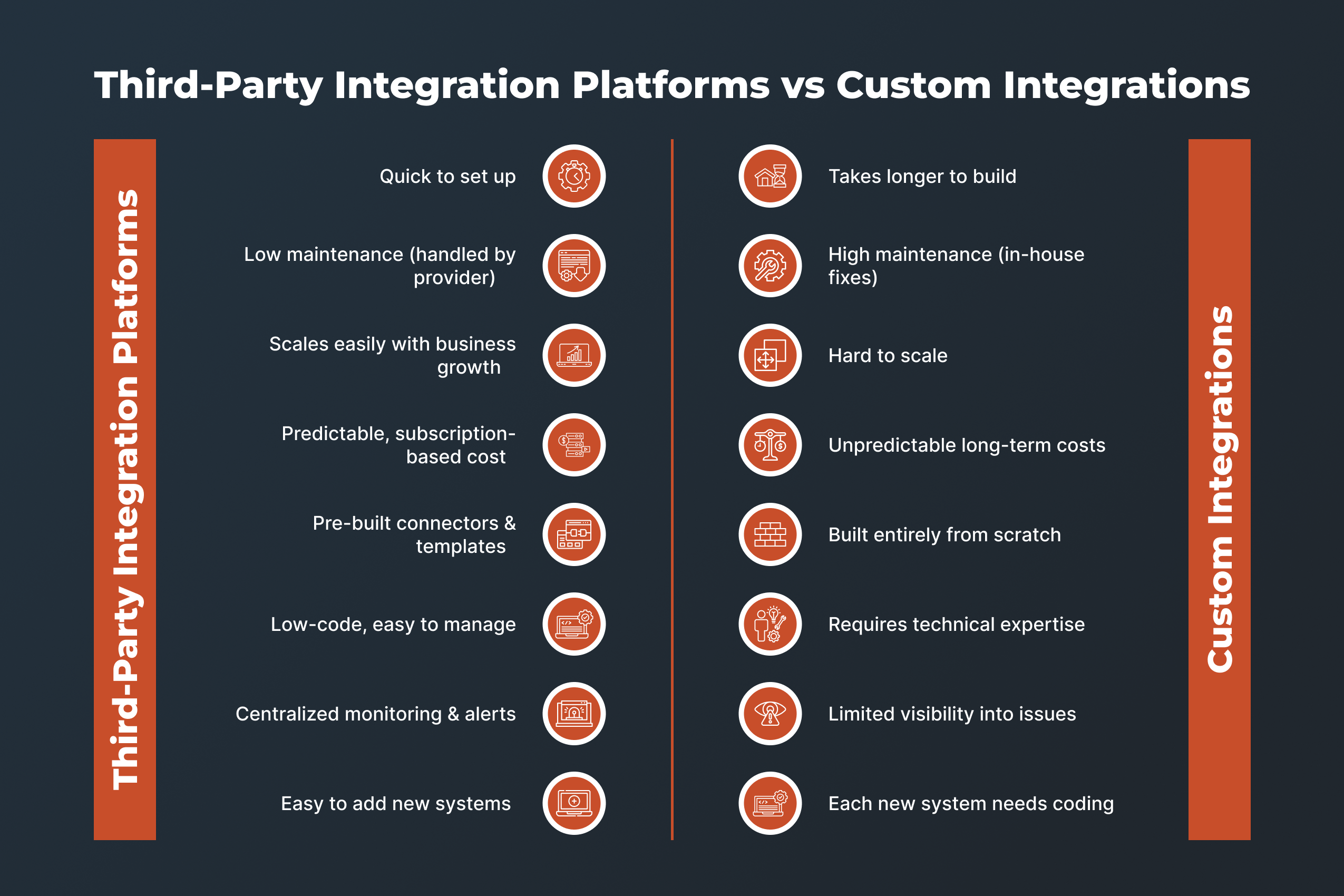
Let’s understand this with a single example:
Imagine you’re running a mid-sized distribution company. You have an ERP system for inventory and shipping, an eCommerce platform for orders, and a CRM for customer management. Everything works OK for now, but you’re planning growth: new sales channels, adding a marketplace, maybe drop-shipping, more SKUs, more data flows.
If you start by building custom integrations between each system, then it might look something like this: ERP – eCommerce, eCommerce – CRM, ERP – warehouse management. All the basics working.
But here’s what happens a year or two in:
- One of your platforms updates its API or changes how data is structured. Now the integration breaks, and you need a developer to dig in, fix, test, deploy.
- You add a new sales channel that means a new integration. It’s another custom build, another project, another timeline.
- Your developer who built the first version moves on or is busy elsewhere. Someone else must now understand the code, decode it, and maintain it.
- You realize monitoring and alerting weren’t built well initially: you miss some failed transfers or delays in stock updates, which lead to back-orders, unhappy customers, overstocking.
- Cost increases: each change, each fix, each new system, you’re spending more than you expected in maintenance rather than growth.
Now compare that to using a third-party integration platform instead:
- You connect your systems using pre-built connectors and visual workflows. The new system onboarding takes a few days instead of weeks.
- When one system updates its API, the platform’s connector handles much of the change or flags what needs adjustment, reducing developer time.
- You get dashboards and alerts out of the box so when something goes wrong (stock mismatch, failed order sync), you see it quickly, fix it faster, and avoid bigger issues.
- When you add a new sales channel or warehouse, it’s mostly configuration rather than a full custom build. Your tech team frees up to focus on higher value work (analytics, process improvement) instead of maintaining integrations.
- The result is you can scale operations, add new channels, respond to market changes faster and with less disruption to day-to-day logistics.
Here, most of the hassle including the updates, connectors, monitoring, and fixes, all of it is handled by the platform provider. You’re not spending weeks building or debugging connections. You’re saving time, money, and most importantly, your team’s attention.
For a distributor, that difference is huge. Your warehouse staff don’t wait on delayed order data. Your sales team doesn’t double-check customer information. Your managers get accurate reports without exporting and cleaning up spreadsheets. Everything moves as it should, and your people get back hours of their day.
Also read: Top 10 API Integration Platforms for Distributors 2025
What to Consider While Picking the Right Third Party Integration Tool
Here are 10 practical checkpoints so you can evaluate integration platforms clearly and confidently:
Flexibility
Make sure the tool supports the systems you already use (ERP, eCommerce, CRM, warehouses) and lets you add custom connectors if needed.
Ease of use
Your operations or IT team should be able to configure flows without heavy development; low-code or drag-and-drop interfaces help.
Scalability
The platform should handle growing volumes of orders, more SKUs, added channels without slowing down or becoming unstable.
Security and compliance
Considering sensitive data (customer info, inventory, orders), the tool must support encryption, access controls and meet any relevant industry regulations.
Total cost of ownership (TCO)
Don’t just look at the subscription price. Check what you’ll actually spend over time including setup fees, extra connectors, data volume charges, and support costs. Some tools look affordable at first but become expensive as your transactions grow. A good platform should offer clear, predictable pricing that fits your long-term plans, not just your starting budget.
Vendor credibility and support
Choose a vendor who has experience with businesses like yours (distribution/manufacturing), good references, and solid support for going live and staying running.
Monitoring, alerts and error handling
You need visibility when integrations fail or lag, so the platform should give you dashboards, alerts and easy ways to fix issues.
Customization and hybrid options
The tool should offer standard connectors and let you adapt workflows, logic or build custom parts when your business rules are unique.
Future-proofing
Make sure the platform is improving, supports new technologies (e.g., multi-channel selling, new marketplaces), and is not likely to be abandoned.
Fit with your business model
Confirm it supports the types of integration patterns you need (real-time sync vs batch updates, cloud to on-premises, number of systems) and aligns with your growth plans.
Also read: The Top 30 Data Integration Platforms (Reviewed)
Top Third-Party Integration Tool for Distributors and Manufacturers: DCKAP Integrator
If you’re looking for a reliable integration platform built specifically for distributors and manufacturers, DCKAP Integrator is one worth considering. It takes an ERP-first approach which is keeping your ERP system at the centre of your operations and connecting everything else around it.
Whether you prefer real-time or batch syncs, it aligns every system to create one dependable source of truth across your business. With automated updates, fewer manual fixes, and complete visibility into your data, it helps your team focus on growth instead of maintenance.
Some of the key points to note are:
Flexibility to do it your way
Not every business has a full-fledged technical team and that’s perfectly fine. DCKAP Integrator gives you the freedom to choose how you want to handle integrations.
If your in-house team prefers managing it themselves, our simple, connector-based platform makes it easy to build and maintain integrations on their own.
But if you need customization or don’t have the technical resources in place, our team can step in and tailor the integration exactly to your business needs. You get the best of both worlds.
ERP-first architecture
DCKAP Integrator keeps your ERP at the center of everything because that’s where your most accurate and updated data lives. Every other system, whether it’s your eCommerce store, CRM, or warehouse platform, connects through the ERP.
So instead of jumping between systems to find one piece of information, you get a single, reliable source of truth. This ERP-first approach ensures data consistency, reduces errors, and keeps every department aligned.
Pricing
You don’t have to dig around to understand how DCKAP Integrator is priced either. The platform keeps things simple and transparent right from day one with no hidden costs.
It offers three clear plans to match where your business stands:
- Standard Plan – $999/month (billed annually): best suited for small operational teams getting started with basic integrations.
- Professional Plan – $1499/month (billed annually): ideal for growing distributors managing multiple systems and slightly complex workflows.
- Enterprise Plan – $2499/month (billed annually): designed for large-scale businesses that need EDI, additional system connections, more savings, and top-tier support.
You can explore any plan that fits your needs or simply book a demo to see how DCKAP Integrator works in action before you decide.