Epicor ERP (enterprise resource planning) from Epicor Software Corporation has been a preferred choice of manufacturers for its ability to integrate business operations and reduce time-intensive workarounds. Epicor Kinetic, the cloud ERP solution, is equipped with a more modern and intuitive user interface so that companies can be ready for the future of manufacturing.
If you’re considering Epicor Kinetic, here’s a quick guide to the ERP software.
Key Modules and Use Cases of Epicor Kinetic
1. Product Management
The Product Management module helps manufacturers organize product information and prepare products for production. It ensures that engineering teams, production teams, and purchasing departments are all working with the same product data.
Common use cases include:
- Engineering Change Control: When a product design or specification changes, the system routes it through an approval process before it reaches production. This ensures everyone is working with the latest approved version.
- Bill of Materials (BOM) Management: Epicor Kinetic stores a complete Bill of Materials (BOM), listing every raw material, component, sub-assembly, and manufacturing step required to build a finished product. This helps manufacturers plan production accurately and calculate material costs.
2. Supply Chain Management
The Supply Chain Management module helps businesses manage inventory, purchasing, warehouses, and material movement. Its goal is to keep the right materials available while avoiding excess inventory.
Common use cases include:
- Real-Time Warehouse Tracking: Warehouse staff can use barcode scanners to update inventory as items are received, moved, picked, or shipped. This provides accurate, real-time inventory visibility.
- Inventory Traceability: Every inventory transaction is recorded, from issuing raw materials to production through shipping finished goods. This creates a complete history of inventory movement and improves traceability.
- Automated Purchasing: The system monitors inventory levels, customer demand, and supplier lead times to automatically generate purchase order recommendations before stock runs low.
3. Production Management
The Production Management module helps manufacturers schedule production, monitor shop floor activities, and improve operational efficiency.
Common use cases include:
- Advanced Planning and Scheduling (APS): Production schedules are automatically created based on machine availability, material availability, and workforce capacity, helping manufacturers reduce delays and maximize resources.
- Manufacturing Execution System (MES): Shop floor employees can view work instructions, record labor time, and report completed jobs through touchscreen terminals, giving managers real-time production updates.
4. Financial Management
The Financial Management module helps businesses manage accounting processes while providing better visibility into manufacturing costs and profitability.
Common use cases include:
- Job Cost Analysis: Epicor Kinetic compares estimated production costs with actual labor and material costs, allowing manufacturers to measure the profitability of every job.
- Accounts Payable and Receivable Automation: The system automates tasks such as matching supplier invoices with purchase orders and tracking customer payments, reducing manual work for finance teams.
5. Sales Management
The Sales Management module supports the complete sales process, from creating quotations to delivering finished products to customers.
Common use cases include:
- Configure-to-Order (CTO) Quoting: Sales teams can configure custom products based on customer requirements, while Epicor Kinetic automatically calculates pricing and generates accurate quotations.
- Order Tracking: Sales representatives can monitor every stage of an order from quotation and approval to production, shipping, and delivery without relying on updates from multiple departments.
6. Reporting and Business Intelligence (BI)
The Reporting and Business Intelligence module helps businesses turn operational data into meaningful insights for better decision-making.
Common use cases include:
- Real-Time Dashboards (Epicor Data Discovery): Managers can monitor live dashboards that display key business metrics such as production performance, inventory levels, and shipping status, allowing them to identify issues quickly.
- Business Analytics and Forecasting (Epicor Grow & EDA): Businesses can combine data from multiple sources, create custom reports, and build dashboards using drag-and-drop tools. Built-in analytics also help forecast future sales, inventory demand, and business trends.
7. Master Data Management (MDM) and Data Governance
The Master Data Management (MDM) module helps maintain consistent and accurate business data across multiple departments, locations, and connected applications.
Common use cases include:
- Enterprise Data Synchronization (Epicor Data Fabric): When important business information such as customer records, supplier details, or payment terms is updated, the changes are automatically shared across connected systems to keep data consistent.
- Product Information Management (PIM): Epicor Kinetic helps maintain a single, accurate source of product information so that engineering, procurement, manufacturing, and ecommerce teams all work with the same specifications and product details.
Also read: Epicor Implementation Explained
Top Examples of Epicor Kinetic Business Workflows
Managing Engineering Changes
Scenario: An engineer updates a product design, but the production team continues using the old version, leading to mistakes and material waste.
How Epicor Kinetic helps:
- The engineer updates the product’s Bill of Materials (BOM) in Epicor Kinetic.
- The updated design is automatically sent for approval.
- Once approved, the new product revision becomes the official version.
- The updated information is instantly shared with purchasing and production teams.
The Result: Everyone works from the latest approved design, reducing errors, rework, and wasted materials.
Creating Custom Product Quotes
Scenario: A customer requests a customized product, and preparing an accurate quote takes several days because multiple departments need to be involved.
How Epicor Kinetic helps:
- The sales representative enters the customer’s product requirements into the configurator.
- Epicor automatically calculates material, labor, and production costs.
- The system generates an accurate price and estimated delivery time.
- The quote is ready to send within minutes.
The Result: Sales teams can respond to customers faster while providing accurate pricing for customized products.
Tracking Shop Floor Progress
Scenario: Production managers struggle to track the progress of manufacturing jobs without visiting the shop floor.
How Epicor Kinetic helps:
- Production jobs are scheduled and released through the system.
- Operators record their work using shop floor terminals or barcode scanners.
- Every completed task automatically updates the production status.
- Managers can monitor progress through live dashboards.
The Result: Production teams gain real-time visibility into manufacturing without relying on manual updates.
Replenishing Inventory Automatically
Scenario: Production stops because an important raw material runs out unexpectedly.
How Epicor Kinetic helps:
- The system continuously monitors inventory levels and future demand.
- When stock falls below the required level, Epicor identifies the shortage.
- A purchase order is automatically created for review.
- The purchasing team approves and sends the order to the supplier.
The Result: Materials are reordered before inventory shortages disrupt production.
Comparing Estimated and Actual Costs
Scenario: A manufacturing job is completed, but the business is unsure whether it was actually profitable.
How Epicor Kinetic helps:
- The system estimates material, labor, and production costs before work begins.
- Actual costs are recorded throughout the manufacturing process.
- Once the job is complete, Epicor compares estimated and actual costs.
- Managers review the results to identify cost overruns and improve future pricing.
The Result: Businesses can accurately measure job profitability and make better financial decisions for future projects.
Also read: Salesforce CRM Epicor Integration Explained [+ Top Methods]
Epicor Kinetic: Integration and Extensibility
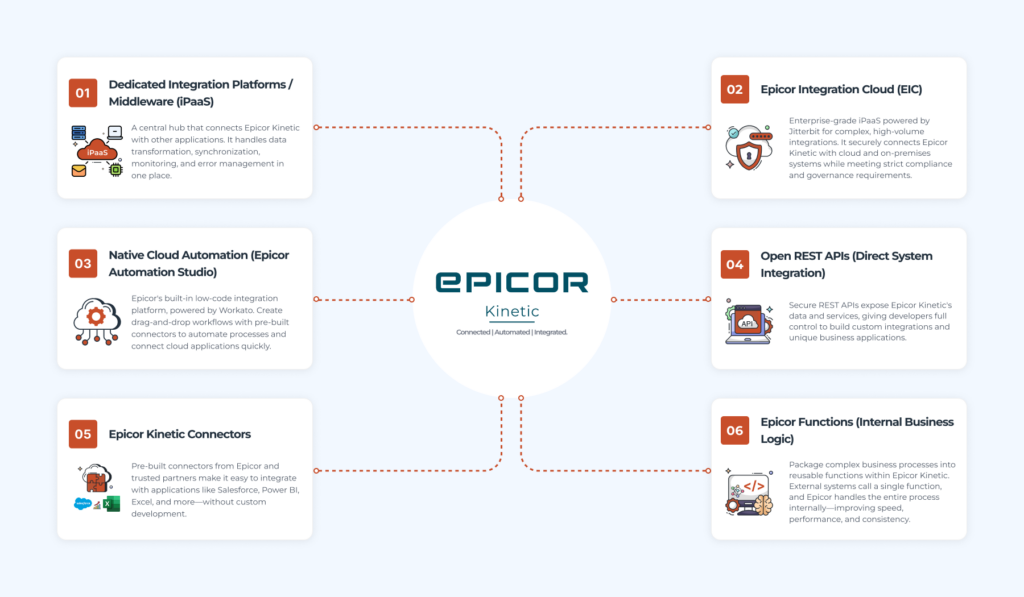
1. Dedicated Integration Platforms / Middleware
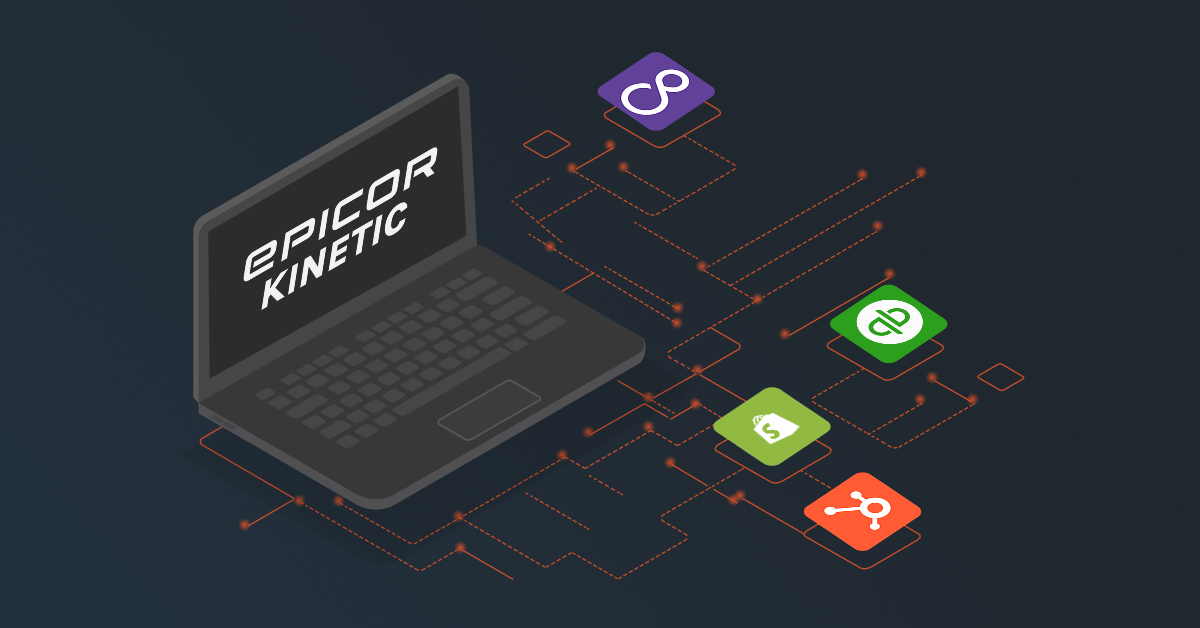
A dedicated Integration Platform as a Service (iPaaS) acts as a central hub that connects Epicor Kinetic with other business applications, such as CRM, ecommerce, accounting, or warehouse management systems. Instead of building separate integrations between every application, each system connects to the integration platform, which manages how data is exchanged, transformed, and synchronized across your entire technology ecosystem.
This approach makes integrations more reliable and easier to maintain because each application remains independent. If one connected system is upgraded or modified, the integration platform can often handle the changes without disrupting Epicor Kinetic. It also provides a centralized dashboard for monitoring data transfers, identifying failed transactions, and resolving integration issues quickly.
2. Epicor Integration Cloud (EIC)
Epicor Integration Cloud (EIC) is Epicor’s enterprise-grade integration platform designed for organizations that need to manage complex integrations across cloud and on-premises environments. Powered by Jitterbit, EIC enables businesses to securely exchange data between Epicor Kinetic and other enterprise systems, including legacy databases, proprietary applications, and third-party software.
EIC is particularly valuable for large organizations with strict security and compliance requirements. It supports advanced data transformation, workflow orchestration, and secure data movement while helping businesses meet industry regulations and internal governance standards. It is often the preferred solution for enterprises managing high-volume, mission-critical integrations.
3. Native Cloud Automation (Epicor Automation Studio)
Epicor Automation Studio is Epicor Kinetic’s built-in low-code integration solution, powered by Workato. It enables businesses to automate workflows and connect Epicor with cloud applications through a visual drag-and-drop interface instead of writing extensive custom code. With pre-built connectors and workflow templates, businesses can quickly integrate Epicor Kinetic with popular applications and automate routine processes.
Because it is built specifically for the Epicor ecosystem, Automation Studio simplifies common integrations such as synchronizing customer records, processing online orders, or updating inventory across systems. It reduces development effort, lowers maintenance requirements, and allows organizations to build and manage integrations more efficiently without relying heavily on custom development.
4. Open REST APIs (Direct System Integration)
Epicor Kinetic provides secure REST APIs that allow developers to connect external applications directly with the ERP system. These APIs expose business data and services, enabling custom applications to send information to Epicor or retrieve data in real time. This approach gives organizations complete control over how their integrations are designed and implemented.
REST APIs are ideal for businesses with unique operational requirements or proprietary software that cannot use standard connectors. While they offer maximum flexibility, they also require ongoing development and maintenance, as integration code may need updates whenever connected systems or APIs change.
5. Epicor Kinetic Connectors
Epicor Kinetic Connectors are pre-built adapters developed by Epicor partners or third-party software vendors to simplify integration with specific applications. Instead of building custom integrations from scratch, these connectors allow systems such as CRM platforms, analytics tools, and business intelligence software to communicate with Epicor Kinetic using ready-made interfaces.
These connectors reduce implementation time and development effort by handling data mapping and communication automatically. For example, Salesforce offers an Epicor Kinetic Connector for synchronizing ERP data with Salesforce Data Cloud, while providers such as CData enable reporting tools like Microsoft Power BI and Excel to securely access live Epicor data without requiring custom API development.
6. Epicor Functions (Internal Business Logic)
Epicor Functions allow businesses to package complex business processes into reusable functions that run directly inside Epicor Kinetic. Instead of making multiple API calls to complete a task, an external application can trigger a single function, and Epicor performs all the required processing internally.
This approach improves integration performance by reducing unnecessary API requests while ensuring business rules are applied consistently. Epicor Functions are commonly used alongside REST APIs and integration platforms to simplify integrations, speed up data processing, and make connected applications easier to develop and maintain.
Final Words
Epicor Kinetic has earned its reputation as one of the leading ERP solutions for manufacturers because it is built around the realities of production environments not adapted to them. From engineering and product configuration to production scheduling, supply chain management, financials, and shop floor execution, every module is designed to work together on a single platform.
This unified approach gives manufacturers real-time visibility into their operations, helps eliminate manual processes, and enables faster, data-driven decision-making. Epicor also continues to invest in cloud capabilities, AI-powered insights, automation, and industry-specific functionality, making Kinetic a future-ready ERP for businesses looking to scale.
That said, implementing Epicor Kinetic is only the first step. The organizations that see the greatest return are those that tailor the platform to their workflows, integrate it with the rest of their technology stack, and continuously optimize it as business needs evolve. Reach out to us to know more.
FAQs
What is Epicor?
Epicor is an enterprise resource planning (ERP) software company that provides integrated solutions for manufacturing and distribution businesses to manage and automate their core processes. Epicor Kinetic is one such solution, with others including Prophet 21, Prelude and Epicor Eclipse.
What does Epicor Kinetic do?
As an ERP software, Epicor Kinetic helps businesses manage their resources. It offers features including supply chain management, financial management, inventory management, quoting and sales, human resource management, and more.
Is Epicor Kinetic cloud-based?
Yes, Epicor Kinetic is a cloud-based ERP solution. It is designed to be deployed and accessed through the cloud, providing users with the benefits of scalability, flexibility, and accessibility from anywhere with an internet connection. With Epicor Kinetic, organizations can leverage cloud technology to streamline their operations and enhance productivity.
How much does Epicor Kinetic cost?
Because every deployment is tailored to a business’s specific operational footprint, you will need to get in touch with the Epicor team directly to get an exact quote for your user count. The pricing model includes a flat monthly cost to access the core ERP framework. Epicor utilizes a concurrent user model, meaning you pay for the maximum number of people accessing the system at the exact same time, rather than every single employee on the payroll. And core financials and basic inventory are included, specialized modules like advanced Warehouse Management (WMS) or Manufacturing Execution Systems (MES) are priced as separate add-ons.
Do I need an ERP software solution?
If you are still on the fence about whether you should go for ERP software. Here are more reasons to convince you.
- Although your work may be getting done with basic tools, if they limit your market growth and expansion, then it is time to go for an ERP system that is flexible enough to align with your business growth.
- Disparate, legacy systems may not be compatible with each other. For instance, your old accounting software is not working well with your new HR system, resulting in a waste of time and resources to ensure consistent data flow between the two.
- If you are not able to offer an exceptional customer experience, then it is high time to look for ERP systems that fulfill your team’s needs. It is important that you equip them with the right tools so they are able to meet customer needs and expectations