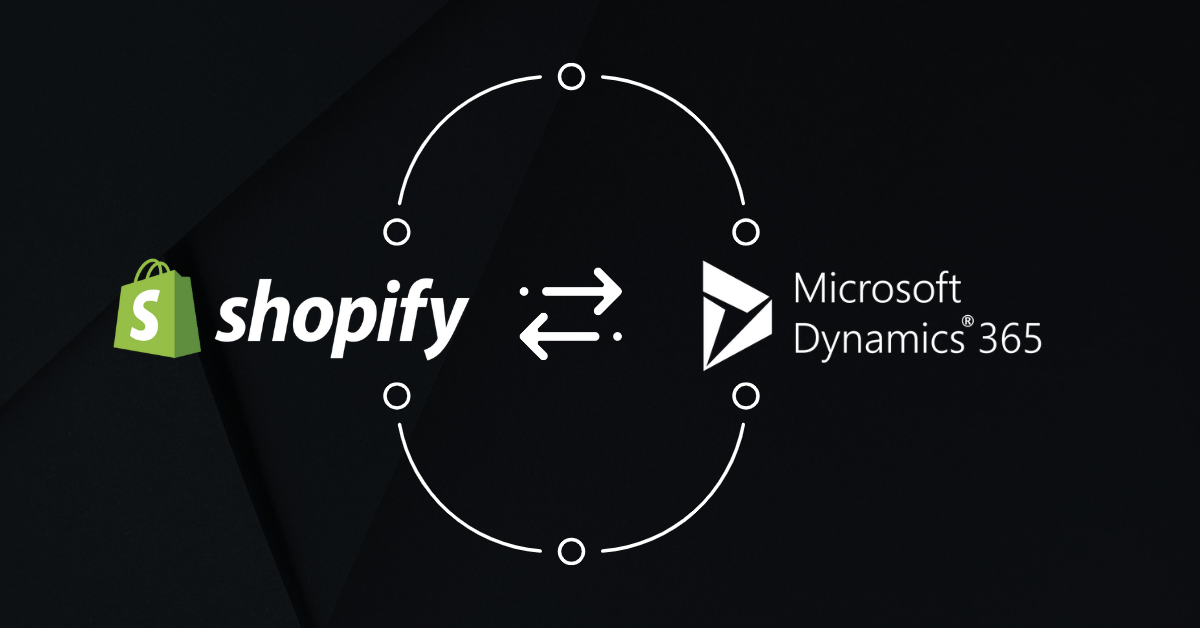
As an online business owner, you’re always looking for ways to improve your sales, operations, and customer experience. With Shopify Microsoft Dynamics 365 Integration, you can take your online store performance to the next level.
Microsoft Dynamics and Shopify are two powerful platforms that have changed the way businesses operate. While Dynamics helps online merchants manage operations, sales, customer service, and finance, Shopify is an eCommerce platform that helps businesses sell products online. Microsoft Dynamics Shopify Integration can result in a streamlined and efficient business process.
Top Shopify Microsoft Dynamics 365 Integration Methods to Consider
There are a few ways to connect Shopify with Microsoft Dynamics. The right option depends on the Dynamics product you use, how complex your workflows are, and how much customization you need.
Native Shopify Connector
For Dynamics 365 Business Central, Microsoft provides a native Shopify Connector. It connects Shopify and Business Central directly and supports common workflows such as products, inventory, customers, orders, pricing, and fulfillment. It is the simplest option because you don’t need a separate middleware platform or custom integration.
Best for: Businesses using Business Central with standard Shopify workflows and relatively straightforward integration needs.
Power Automate
Power Automate lets you build custom workflows between Shopify and Microsoft Dynamics using low-code automation. You can add conditions, field transformations, notifications, and other custom steps around your integration. It offers more flexibility than a native connector without requiring a fully custom integration.
Best for: Businesses that need to extend standard workflows or automate specific processes without building a complete integration from scratch.
Third-Party Middleware
A middleware sits between Shopify and Dynamics and manages data movement, mapping, error handling, and synchronization. This is especially useful for Dynamics 365 Finance & Operations and Supply Chain Management, where a simple native Shopify connector isn’t available in the same way as Business Central.
The biggest benefit is that the integration provider handles the technical work. From implementation and configuration to monitoring, maintenance, troubleshooting, and ongoing support, much of the integration management is handled for you. Platforms such as DCKAP Integrator can also support complex customizations based on specific distribution requirements, rather than forcing businesses to work around a standard connector.
Best for: Mid-market and enterprise businesses with high transaction volumes, multiple Shopify stores, complex workflows, or Dynamics F&O/Supply Chain environments.
Custom API Integration
Unlike the other options, the integration is built specifically around the company’s business rules and systems. A custom API integration connects Shopify and Dynamics through custom APIs, often using Azure services. It gives businesses complete control over how data is transformed, routed, and processed.
Best for: Large businesses with highly customized processes, complex product or pricing logic, or integration requirements that standard connectors and iPaaS platforms cannot handle.
Relevant Reading: ERP Integration with Shopify [Methods & Challenges]
Microsoft Dynamics Shopify Integration: Key Use Cases
Product and Inventory Synchronization: Shopify products and their respective inventory levels are automatically updated in Dynamics , ensuring the accuracy of data across both platforms.
- Sales Orders Management: Orders placed on the Shopify store are automatically synced with Dynamics, enabling centralized order management and fulfillment.
- Customer Management: Customer information is seamlessly shared between Shopify and Microsoft Dynamics, ensuring that customer data is up to date and accurate across both platforms.
- Payment Processing: Payment processing can be managed through Dynamics, providing a centralized view of payments and helping to streamline the payment process.
- Shipping and Tax Management: Shipping and tax information can be managed within Dynamics, providing a centralized view of shipping and tax information for all Shopify orders.
- Reporting and Analytics: Shopify data can be analyzed in Dynamics, enabling retailers to gain valuable insights into their business operations and make informed decisions.
- Integration with Other Applications: Dynamics can be integrated with other applications, such as accounting systems, marketing automation tools, and more, enabling retailers to automate and streamline their business processes.
Top Benefits of Shopify Microsoft Dynamics Integration
Real-time Data Integration
One of the key benefits of integrating Shopify with Microsoft Dynamics is real-time data sync. This means that businesses can access accurate, up-to-date information about their sales, inventory, and customer information in real-time. This can help businesses make better-informed decisions and respond quickly to changes in their operations, ensuring visibility across departments.
Improved Inventory Management
Integrating Shopify with Microsoft Dynamics can also help businesses improve their inventory management. With real-time data integration, businesses can easily track their inventory levels, manage stock, and reorder products as needed. This can help businesses avoid stock shortages and ensure that their customers always have access to the products they need.
Streamlined Order Processing
With the integration of Shopify and Microsoft Dynamics, businesses can streamline their order processing. Orders placed on the Shopify store can be automatically synced with Microsoft Dynamics, eliminating the need for manual entry. This can help businesses process orders more efficiently, reduce the risk of errors, and improve the customer experience.
Enhanced Customer Experience
Integrating Shopify with Microsoft Dynamics can also enhance the customer experience. With real-time data integration, businesses can access customer information and track their purchasing history. This can help businesses provide a more personalized and seamless shopping experience for their customers.
Improved Business Insights
Integrating Shopify with Microsoft Dynamics can also provide businesses with improved business insights. With real-time data and analytics, businesses can make data-driven decisions and understand their operations in greater detail. This can help businesses identify trends, improve their operations, and make better-informed decisions.
Best Practices for Shopify and Microsoft Dynamics Integration
A Shopify and Microsoft Dynamics integration needs to keep data accurate without slowing down either system. A few practices can help make the integration more reliable and easier to manage.
1. Define Which System Owns the Data
Decide which system should be the single source of truth for each type of data before setting up the integration.
For example:
- Dynamics: Product data, inventory, pricing, financial data, and B2B customer information
- Shopify: Online orders, cart data, payment information, and storefront-specific attributes
This helps avoid conflicting updates and unnecessary two-way syncing.
2. Use Real-Time, Event-Driven Sync Where Needed
Instead of constantly polling both systems for changes, use events or webhooks for time-sensitive data such as orders, cancellations, and customer updates.
For larger integrations, routing these events through a message queue can also help. If Dynamics is temporarily unavailable, the data can wait in the queue instead of being lost.
3. Plan Inventory and Product Data Carefully
Shopify and Dynamics may handle inventory and units of measure differently, especially when you sell products as eaches, cases, or pallets.
Map Shopify locations to the correct Dynamics warehouses and define how inventory should be converted and displayed. You can also set safety stock levels to account for sync delays and warehouse operations.
4. Validate Orders Before Processing Them
Don’t send every Shopify order directly into Dynamics without validation.
Check important details such as:
- SKU and product mapping
- Customer information
- Shipping addresses
- Taxes and discounts
- Inventory availability
Orders with errors should be flagged for review instead of failing silently.
5. Support Partial Shipments and Multiple Fulfillments
An order may be fulfilled from more than one warehouse or shipped in multiple packages. The integration should be able to send individual shipment, carrier, and tracking information from Dynamics back to Shopify without marking the entire order as fulfilled too early.
6. Handle Taxes, Discounts, and Payments Carefully
Make sure Shopify’s taxes, discounts, refunds, and payment payouts are mapped correctly to Dynamics. Payment reconciliation is also important. Shopify payouts should be matched against sales, refunds, processing fees, and the corresponding financial records in Dynamics.
7. Build in Error Handling and Monitoring
Some transactions will fail because of missing SKUs, invalid customer data, API issues, or other exceptions.
The integration should provide:
- Automatic retries for temporary failures
- Error alerts for issues that need attention
- Logs to identify what went wrong
- A way to reprocess failed transactions
This gives the operations team visibility instead of leaving failed orders or updates unnoticed.
8. Test Before Peak Sales Periods
Test the integration with realistic transaction volumes before major sales periods such as Black Friday and Cyber Monday. Make sure Shopify, the integration layer, and Dynamics can handle higher order volumes without hitting API limits or creating processing delays.
9. Keep API Access Secure
Use secure, limited-access credentials for Shopify and Dynamics instead of administrator accounts. Access keys and secrets should also be stored securely and rotated regularly. This protects customer, order, inventory, and financial data as it moves between systems.
Challenges of Shopify & Microsoft Dynamics Integration
Connecting Shopify with Microsoft Dynamics can get complicated when the business has customized ERP workflows, complex B2B requirements, or large amounts of existing data.
Custom ERP Workflows
Many Dynamics environments have custom fields, tables, or workflows that aren’t part of the standard ERP setup. A basic connector may not know how to handle these requirements, which can lead to failed transactions or missing data.
Complex B2B Requirements
Dynamics is built to handle complex B2B relationships, including parent-child accounts, separate Bill-To and Ship-To customers, customer-specific pricing, volume discounts, and credit limits. Mapping these structures into Shopify can require more than a standard connector.
Product and Variant Differences
Dynamics can have complex product structures, multiple units of measure, and detailed product attributes, while Shopify uses a different product and variant structure. Mapping this data without losing important product information can be challenging.
Existing Data Quality Issues
Years of ERP data can include duplicate customers, outdated SKUs, inconsistent addresses, or incorrect tax information. When Shopify and Dynamics are connected, these data issues can become more visible and can affect synchronization.
Different Teams and Processes
eCommerce teams often need to make quick changes to products, promotions, and storefronts, while finance and IT teams need tighter controls around ERP data and transactions. Agreeing on workflows, approvals, and how integration errors should be handled can become a challenge.
A Simpler Way to Connect Shopify and Microsoft Dynamics
For businesses that need more than a basic plug-and-play connector, DCKAP Integrator provides a managed way to connect Shopify and Microsoft Dynamics.
It connects Shopify and Shopify Plus with Dynamics products such as Business Central, Finance & Operations, NAV, and AX, while allowing businesses to customize the integration around their specific requirements.
Why use DCKAP Integrator?
- Managed integration: DCKAP handles implementation, data mapping, monitoring, troubleshooting, and ongoing maintenance, so your team doesn’t have to manage the integration on its own.
- Flexible customization: Complex fields, workflows, and business rules can be customized based on specific distribution and manufacturing requirements.
- Complex B2B support: Supports customer-specific pricing, tiered pricing, multi-warehouse inventory, and complex customer relationships.
- Data mapping and transformation: Businesses can map and transform data between Shopify and Dynamics without building every workflow from scratch.
- Monitoring and error handling: Centralized logs, alerts, retries, and visibility into failed transactions make it easier to identify and resolve integration issues.
- ERP and ecommerce expertise: The integration is supported by a team familiar with both ERP and e-commerce environments, including the ongoing changes that come with them.
Learn more about the DCKAP Integrator or schedule a conversation with our integration experts to know more about the right data sync solution for you.