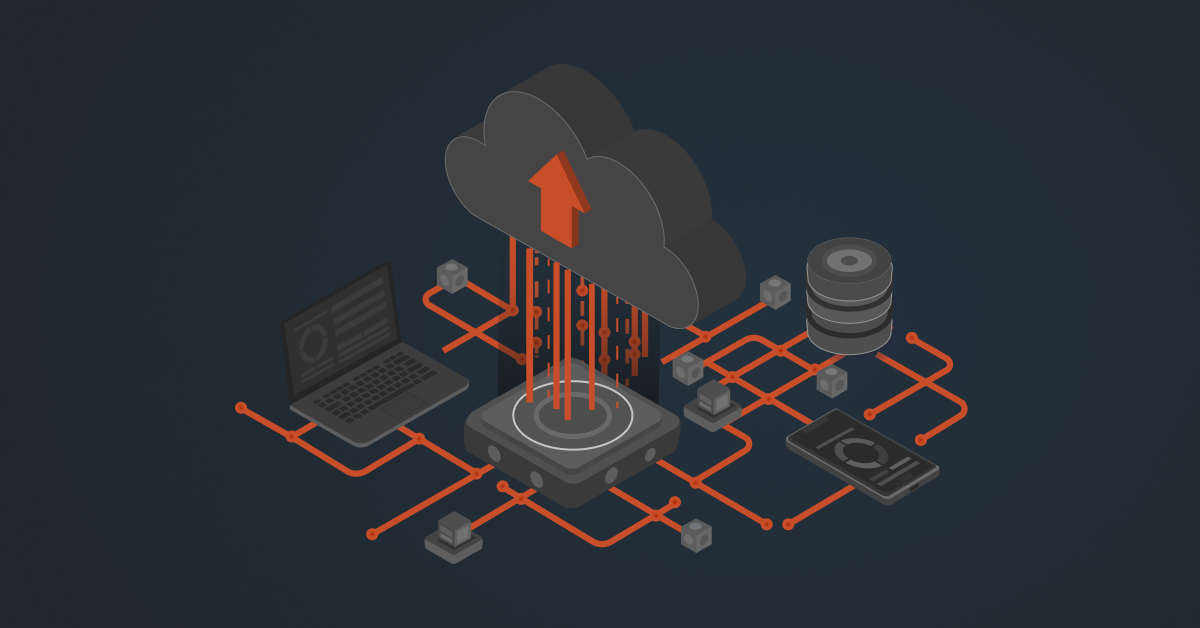
Most Acumatica shops eventually run into the same problem: the ERP has all the data, but it needs to reach the storefront, the CRM, or whatever else runs the business. Acumatica API integration is the plumbing that makes that happen; data moves in and out on its own instead of someone copying orders over by hand.
Right now, that mostly relies on the contract-based REST API, which Acumatica directs new integrations to, with OData, push notifications, and webhooks handling the more specific jobs. Here’s what matters: the methods worth knowing, why they pay off, and how to set them up without creating a mess later.
Top Methods of Acumatica API Integration
There are several ways to get data into and out of Acumatica, and the best method depends on the situation. A one-off report, a real-time sync, or a full two-way integration with a third-party application.
Contract-Based REST API
The contract-based REST API is currently the most common entry point for most Acumatica integrations. Acumatica ships pre-built default endpoints, versioned by release (for example, 24.200.001), which allow an external system to retrieve, create, and update entities such as sales orders, purchase orders, bills, and accounts.
The endpoint call can return all records of an entity or a record based on its identifier. For example, a GET call to the SalesOrder entity with a specific GUID returns that single sales order.
You can view the available endpoints on the Web Service Endpoints screen. You can extend the default endpoint with custom fields or new entities rather than changing it directly so that the extension will survive future upgrades. There are also things that you can do on a screen (e.g., releasing a bill) that can be done through the API as a POST call.
Push Notifications and Webhooks
Acumatica offers push notifications and webhooks for real-time synchronization. Generic Inquiry-based OData lets users develop a data view or query in Acumatica ERP and expose it to the API without writing code.
When data covered by a defined query changes, Acumatica ERP sends push notifications to an external application. This eliminates the need for the external system to poll the API on a schedule.
Webhooks work the other way around: an external application posts data in its own format, and Acumatica maps it to the right records.
Using this event-driven layer of the Acumatica API, integration platforms such as DCKAP enable real-time synchronization of updates to sales orders, inventory, and pricing with Acumatica and associated eCommerce or CRM applications.
OData (Open Data Protocol): Generic Inquiry and DAC-Based
Acumatica also makes data available through OData in two ways. With Generic Inquiry-based OData, a user can create a data view or query within the Acumatica ERP screens using the Generic Inquiry screen and then expose that query to the API without writing code.
This method works best for complex queries that you also need to view on screen or export to Excel. However, DAC-based OData calls return data directly from a Data Access Class and its associated data, making them a common choice for providing data to Power BI or other reporting tools for financial analysis.
Acumatica also provides tracking of removed records via OData, so the system you are integrating with can stay current with deletions as well as changes.
Integration Platforms
Worth saying plainly: an integration platform isn’t another method competing with the ones above. It’s how most companies end up running them. A platform like DCKAP still talks to Acumatica through the contract-based REST API and subscribes to the same webhooks. It just handles the parts nobody enjoys building: authentication, field mapping, retries, scheduling, error alerts, and endpoint changes after an upgrade.
Native Commerce Connectors
Acumatica maintains its own connectors for Amazon, Shopify, and BigCommerce. Products, inventory, pricing, and orders move between the ERP and the storefront without anyone touching an endpoint.
The Amazon one goes further than you’d expect: FBA and FBM orders are handled separately, and it will reconcile Amazon’s settlement statements, fees included. Check what these cover before scoping anything custom. Teams have paid to build integrations Acumatica was already shipping with.
Best Practices for Acumatica API Integration
Most successful Acumatica API integration projects, whether built in-house or via a partner platform, follow these practices.
Build on the Contract-Based REST API
Acumatica has recommended the contract-based REST API for all new integration work since its inception, as it is more customizable. Unless a unique case requires a screen-based approach, new development should use it.
Authenticate with OAuth 2.0
Configure the API integration using Acumatica’s OAuth and OpenID framework instead of basic cookie-based login. Provide role-based access. It avoids technical debt later and keeps the integration secure by design.
Extend Endpoints, Don’t Overwrite Them
Adding a custom field or object to a customization package makes the expanded endpoint shareable and compatible with version updates.
Test and Handle Errors Before Going Live
Validate each request, unit test the error handling for the integration, and verify the behavior in a sandbox before connecting to a production Acumatica ERP system. Monitoring API-level error codes and business-logic failures (e.g., an expected field coming back empty), catches problems before they get to real orders or accounts.
Watch Usage Limits
There is a set limit for the number of web services API users and the maximum number of API requests per minute for each Acumatica ERP instance. It is wise to check these limits during design so a growing integration does not hit a ceiling that it was unaware of.
DCKAP’s Integrator: ERP-First Integration For Acumatica
Acumatica rarely runs alone. Most teams need it connected to an eCommerce platform, a CRM, a PIM, and a few other tools, all at the same time.
DCKAP is built for exactly that. Rather than treating the ERP as one connector among many, it uses Acumatica’s contract-based REST API and webhook layer to set up a clean, secure data flow between Acumatica and the systems a distributor actually depends on.
Its excellent service and support coupled with a robust ERP-first integration platform helps sync the most common platforms: Adobe Commerce, BigCommerce, Shopify, and WooCommerce for ecommerce, and Salesforce and HubSpot for CRM. That means you can get moving without building an Acumatica API integration from scratch.
From there, DCKAP keeps the important records in sync between Acumatica and everything connected to it:
- Sales orders
- Accounting data
- Inventory
- Pricing
- Customer data
- Purchases
Low-code flow designers and detailed mapping handle the logic, so every team is looking at the same real-time information.
The DCKAP team also owns the upkeep — mapping, validation, and any API or endpoint changes across connected applications. Your staff stays focused on the business instead of the plumbing.
For a distributor or manufacturer weighing how to approach Acumatica API integration, that mix of pre-built connectors, real-time sync, and hands-on support usually decides it.
Conclusion
Acumatica API integration isn’t a niche developer project anymore — it’s part of running the ERP well. Between the contract-based REST API, OData, push notifications, and webhooks, there’s a sensible way to connect almost anything. Stick to OAuth authentication, extend endpoints instead of overwriting them, and filter your calls, and the integration will hold up as you grow.
Build it yourself with the Acumatica REST API Client, or let DCKAP Integrator handle it. Either way, the goal is the same: accurate, real-time data moving between every system that touches it.
Schedule a chat with our integration experts to know how DCKAP can help your integration needs.
FAQs
How do I get started building an Acumatica REST API Client?
Import an OpenAPI 2.0 (Swagger) schema for a Web Service Endpoint into Visual Studio or use the Acumatica Endpoint Model Generator to create C# classes for the Acumatica REST API Client on GitHub. Acumatica’s Example Console Application is a useful reference for common API calls.
Can I integrate Acumatica with an eCommerce platform or CRM without writing any code?
Yes. Acumatica includes native bi-directional connectors for platforms such as Shopify and Adobe Commerce, and third-party integration platforms such as DCKAP Integrator helps integrate Acumatica with eCommerce, CRM, and other third-party applications, so a business doesn’t need to have in-house developers to set up the integration.
What is a DAC in Acumatica, and how does it relate to API integration?
In Acumatica ERP, a Data Access Class (DAC) is a class that defines a table and its business logic. Contract-based APIs and DAC-based OData calls access data directly, including associated data, so that changes in the layout of a screen do not affect the functionality of an API.