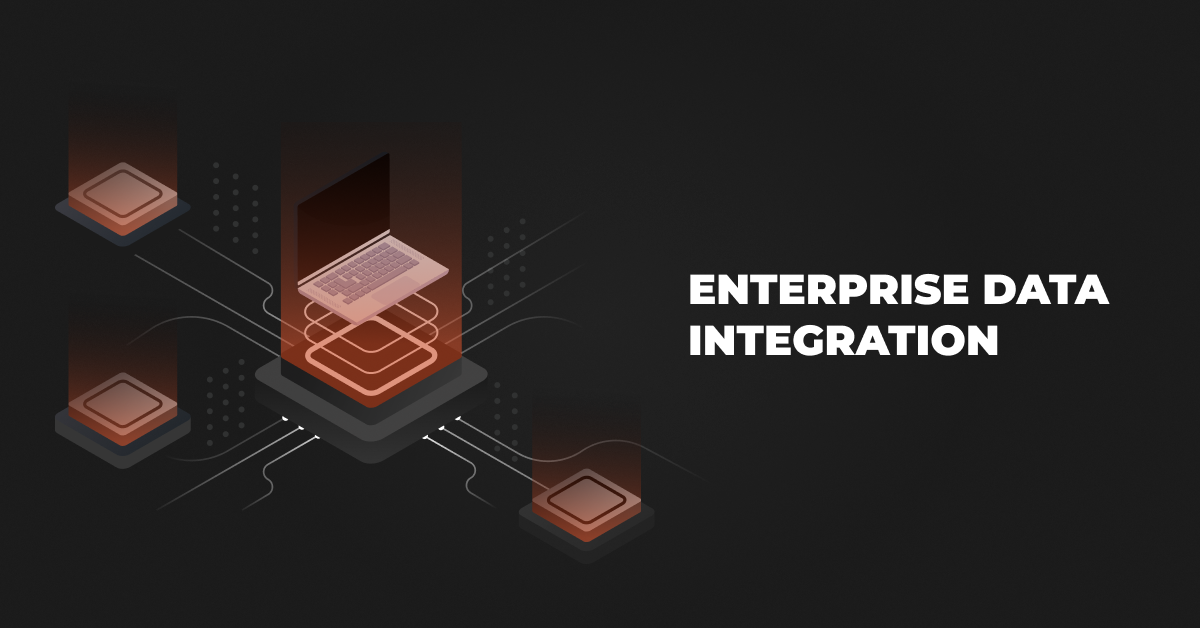
Enterprise data integration unifies raw data from different sources. It assists in business processes, analytics, and decision-making processes. It includes a variety of processes, technologies, and tools that enable the high-speed, seamless flow of data across systems and applications. This provides stakeholders with accurate and timely information, improves overall efficiencies, and helps with data compliance.
Key Data Integration Methods
Here are the most common enterprise data integration technologies:
API Integration
API integration allows different software systems to communicate with each other directly and in real time. It is commonly used to automate data exchange between modern applications such as ERPs, CRMs, eCommerce platforms, warehouse systems, and shipping software.
Example: When a customer places an order on an eCommerce website, the API automatically sends the order details to the ERP system, updates inventory levels, and triggers shipment processing without manual intervention.
EDI Integration
EDI (Electronic Data Interchange) enables businesses to exchange standardized business documents electronically between systems. It is widely used in distribution, manufacturing, retail, logistics, and supply chain operations for documents like purchase orders, invoices, and shipping notices.
Example: A retailer automatically sends a purchase order directly into a manufacturer’s ERP system using EDI, eliminating emails, paper documents, and manual data entry.
Middleware Integration
Middleware integration uses a central platform to connect multiple business applications and manage communication between them. Solutions like ESB and iPaaS help organizations simplify integrations, reduce complexity, and scale operations more efficiently.
Example: A distributor uses middleware to connect its ERP, CRM, warehouse management system, and shipping software so all systems stay synchronized through one centralized integration layer.
Event-Driven Integration
Event-driven integration triggers automated actions whenever a specific event occurs within a system. This approach supports faster responses and real-time automation across business operations.
Example: When warehouse inventory drops below a predefined threshold, the system automatically sends a replenishment request to the supplier without requiring manual action.
Custom/Bespoke Integration
Custom integration is developed specifically for a company’s unique systems and workflows when standard integration solutions are not suitable. It is commonly used in organizations with legacy systems or highly specialized business processes.
Example: A manufacturer builds a custom integration between its proprietary production system and an older ERP platform that does not support modern APIs or third-party connectors.
Database-Level Integration
Database-level integration connects systems directly through their databases to synchronize or share information. This approach is often used in enterprises with legacy applications, reporting systems, or complex data environments.
Example: A manufacturer replicates ERP transaction data into a reporting database every few minutes to provide near real-time operational dashboards for management teams.
File-Based Integration
File-based integration exchanges data through files such as CSV, XML, or Excel documents instead of direct system connections. Although older, it is still widely used across supply chains and partner ecosystems.
Example: A supplier uploads a daily inventory file to a secure server, and the distributor’s ERP system automatically imports the data each night to update stock availability.
Also see: Top 15 iPaaS Solutions & Platforms for Distributors
Data Integration Challenges In Enterprises
Data integration combines data from different sources into a unified view, playing a crucial role in modern enterprise operations. It presents several significant challenges that require careful attention:
1. Data Silos
Enterprises struggle with data silos, storing information in isolated systems across business units. Silos block seamless data flow between applications, causing fragmented insights and inefficiencies.
Data silos hinder decision-making. They create redundant, conflicting data in systems. This reduces efficiency and alignment. Overcoming this needs complex integration and change management to boost cross-departmental collaboration.
2. Data Quality Issues
Integrating multiple sources creates a major challenge for data consistency and accuracy. Systems may have different data formats. They may also have duplicates, outdated, or incomplete information. This affects business intelligence and leads to inaccurate insights and poor decisions.
Enterprises must validate and cleanse data during integration to ensure data quality. To ensure data accuracy, ongoing monitoring and governance may be needed. This complicates efforts to provide reliable, high-quality data for analytics and operations.
3. Complexity of Legacy Systems
Many enterprises rely on legacy systems that lack modern integration capabilities. Outdated systems often lack EDIs or standard data exchange methods. This makes integration difficult and costly.
Organizations can need custom connectors or middleware to link legacy systems to modern platforms. This adds complexity. Migrating or connecting these systems can disrupt business operations. This is risky, especially with legacy apps that contain critical financial data. It must remain accessible during integration.
4. Scalability
As enterprises grow, their data needs increase, creating scalability challenges. Traditional integration methods struggle with large volumes of big data. They also struggle with real-time data exchange between cloud and on-premise systems.
Organizations must adopt flexible, scalable integration solutions. They are needed to support growth and high performance in the future. Ignoring scalability causes bottlenecks and slow data access.
It also hurts the user experience and impacts business growth as data sources and processes grow.
5. Data Security and Compliance
Data integration requires sharing sensitive information between systems. This creates security and compliance challenges. Data engineers must ensure their integration processes follow strict rules on data. These include GDPR and HIPAA. They govern data handling, storage, and transfer.
Data encryption, access control, and governance increase complexity. Poor data handling during integration can create vulnerabilities. This raises the risk of breaches and legal issues.
6. Real-Time Integration Needs
Modern business needs real-time data integration. It must allow instant data exchange and updates across systems. This is tough. It requires managing large data volumes of disparate data with minimal latency.
Real-time integration strains infrastructure and demands specialized tools to maintain performance. Without real-time capabilities, businesses risk losing competitiveness. Delayed data slows decision-making, affects customer interactions, and hinders quick responses to market changes.
7. Costs and Resource Demands
Data integration projects may need a big investment in tools, middleware, or third-party services. Data analysts and other skilled personnel are needed to manage integration, data governance, and maintenance.
Custom integrations can be costly. Unexpected challenges during implementation may increase expenses impacting development costs. Resource-intensive projects strain IT departments in large, complex firms. They lead to budget overruns and delays in implementation.
Top Middleware Tools for Enterprise Data Integration
Enterprises use various tools to manage data and data pipelines. This ensures systems and apps work together. Each platform offers unique strengths and capabilities to meet diverse organizational needs. Here are the best tools for enterprise data integration.
1. DCKAP Integrator
DCKAP Integrator stands out by acting as a highly reliable, cloud-based middleware hub specifically optimized for complex supply chain ecosystems.
While traditional enterprise integration tools offer a blank canvas for general data mapping, DCKAP uses an “ERP-First” approach that automatically aligns all incoming data streams whether from ecommerce storefronts, CRMs, or inventory management systems to your central system as the absolute single source of truth.
The platform smoothly handles both real-time synchronization and high-volume batch processing, effortlessly navigating complex enterprise data transformations like tier-based contract pricing and massive multi-warehouse SKU counts. Additionally, it features advanced Transaction Logging and intuitive dashboards that track pipeline health in real time, giving enterprise operations teams total visibility and control over their data flows without requiring a massive internal team of specialized coders to maintain it.
Key Features:
- ERP-First Approach: Puts your ERP in the front-and-center of the business integration, allowing flexibility and scalability.
- Pre-built Connectors: DCKAP Integrator has many pre-built connectors for ERP systems like Epicor, SAP, and Microsoft Dynamics. They enable quick and effective integration.
- B2B: DCKAP Integrator also acts as a single platform to connect applications, as well as B2B integrations via EDI: handling both EDI transmissions, as well as syncing EDI data with the ERP.
- Backed By A Team Of Experts: The product is backed by a team that can customize integrations as per requirements, and is backed by years of experience working with manufacturers and distributors.
2. MuleSoft Anypoint Platform
MuleSoft’s Anypoint Platform integrates ESB capabilities with API-led integration. Its platform connects apps and data sources. It helps organizations use their data effectively.
Key Features:
- ESB Capabilities: MuleSoft Anypoint is a powerful ESB. It enables constant communication among many apps and systems. Its strengths in message routing, transformation, and protocol mediation enable enterprises to integrate disparate systems, irrespective of their underlying technology.
- API-Led Integration: MuleSoft supports an API-led integration approach. It lets firms create reusable APIs for use in many projects. It speeds up development and fosters innovation. Teams can quickly build and implement apps.
- Real-Time Data Access: The platform enables real-time data integration. It lets enterprises access and handle data instantly.
3. Boomi
Boomi offers a flexible way to integrate cloud and on-premise apps. Its simple interface and quick setup make it a top choice for organizations wanting to streamline data integration.
Key Features:
- Usability: Boomi’s low-code platform lets business users quickly create integrations with little coding skill, substantially decreasing the time necessary for implementing new integrations.
- Extensive Connector Library: The platform has a large library of pre-configured connectors. They work with popular apps and services. This helps integrate cloud and on-premise systems.
- Flexible Deployment Options: Boomi supports a hybrid approach. It lets enterprises connect apps, no matter their location: on-premise, in the cloud, or both.
- Data Quality Management: The platform has tools to purify and transform data, ensuring the integrated data is accurate and ready for analysis.
4. Informatica
Long considered the gold standard for large-scale enterprise data management. Its Intelligent Data Management Cloud (IDMC) handles massive volumes of data across hybrid cloud and on-premise setups. It features deep data transformation capabilities, strict compliance tracking, and AI-powered data mapping.
Key Features:
- Cloud ETL/ELT: High-volume pipelines built for modern data warehouses like Snowflake.
- CLAIRE AI: Metadata-driven AI that automates data mapping and anomaly detection.
- Universal Connectors: Thousands of pre-built links for multi-cloud, on-premise, and SaaS apps.
- Master Data Management: Consolidates disconnected data into a single, master business record.
5. IBM
IBM DataStage serves as a powerful ETL tool for large-scale enterprise data integration. Its strong features and support for hybrid, multi-cloud setups make it a top choice for organizations needing complex data transformations.
Key Features:
- Usability: IBM DataStage has a user-friendly graphical interface. It simplifies building and managing ETL jobs. So, it’s accessible to users with minimal coding skills.
- Extensive Connector Library: It has a wide range of connectors. They integrate databases, cloud services, and legacy systems for efficient data movement.
- Flexible Deployment Options: The tool supports on-premises, cloud, and hybrid environments. This lets enterprises deploy integrations based on their needs.
- Advanced Data Processing Capabilities: IBM DataStage uses parallel processing for complex tasks. It has high performance and scalability for large datasets.
Benefits of a Well-Executed Data Integration Strategy
1. Improved Decision-Making
A strong data integration strategy unifies an organization’s data. It improves analytics’ accuracy and completeness. Leaders can merge data from sales, marketing, finance, and more. They can then use advanced data analytics tools for insights. Integrated data helps identify risks and opportunities, enabling organizations to adapt marketing strategies in real-time.
2. Operational Efficiency
Integrated systems cut manual data entry, reconciliation, and separate processes across various departments. Organizations can automate workflows, reduce errors, and enhance data flow between systems. This efficiency lowers costs and frees resources for strategic work, not repetitive tasks.
3. Enhanced Customer Experience
Effective data integration helps deliver timely, accurate information at every touchpoint. Integrated systems let customer-facing apps access real-time data: including order status, inventory levels, and customer preferences.
It personalizes interactions, boosting customer satisfaction and loyalty. Faster access to data lets organizations quickly address customer issues and minimizes response times.
4. Increased Business Agility
In a changing market, business agility is key to staying competitive. A strong data integration strategy helps organizations quickly adapt to market changes, customer demands, and regulations. Organizations can quickly assess the impact of changes and adjust their strategies by unifying their data.
This agility speeds up decision-making, enabling businesses to seize opportunities or address threats. Integrated data speeds up time-to-market for new products.
5. Better Compliance and Risk Management
Data integration improves compliance and risk management. It gives firms accurate, up-to-date info on regulations. A centralized location for a unified data strategy can improve data governance. It will simplify tracking, monitoring, and reporting on compliance.
Integrated systems improve data quality. They lower error risks. They help enterprise organizations meet regulatory standards. Comprehensive data helps businesses spot risks and act to reduce them, safeguarding their reputation in the long-term.
6. Data Quality and Consistency
A strong data integration strategy boosts data quality and consistency in an organization. Organizations can eliminate duplicates, inconsistencies, and inaccuracies by consolidating data from various sources.
Consistent data improves team collaboration by ensuring everyone uses the same accurate information. Organizations can validate and cleanse data when they integrate systems, ensuring high-quality data for business operations and analytics.
7. Cost Savings
A strong data integration strategy can save organizations significant costs. Cutting data silos and manual processes boosts efficiency and saves resources. Automated workflows cut operational costs and errors. They let teams focus on higher-value tasks. Streamlined data management processes can cut costs for data storage and maintenance.
8. Enhanced Collaboration
Data integration improves departmental and teamwork within the organization. Multiple share insights. They can also cooperate with unified, integrated data views.
Real-time data access boosts coordination and enhances problem-solving and strategy development. They drive innovation and align subject matter experts and stakeholders on key goals, leading to better business outcomes.
Conclusion
Businesses seeking sustainable success must integrate data strategically and technologically. A robust, scalable, and secure integration architecture can help enterprises. It can maximize data value, drive innovation, and boost efficiency. A strong data integration strategy will become increasingly important as data drives decision-making.
Speak to one of our integration experts today to find an integration strategy that matches your needs.
FAQs
How do you know if your business needs enterprise data integration?
If your teams manually transfer data between systems, rely heavily on spreadsheets, experience inventory mismatches, or struggle with delayed reporting and disconnected operations, your business likely needs enterprise data integration.
What is the ROI of enterprise data integration?
Enterprise data integration helps businesses reduce manual work, improve operational efficiency, increase inventory accuracy, accelerate order processing, and make faster business decisions, leading to long-term cost savings and productivity improvements.
How do businesses choose the right integration approach?
The right integration approach depends on factors such as existing systems, real-time data requirements, scalability needs, operational complexity, and whether the business uses modern cloud applications or legacy infrastructure.
What are the future trends in enterprise data integration?
Future enterprise integration strategies are increasingly focused on AI-driven automation, event-driven architectures, IoT-enabled operations, low-code integration platforms, and real-time business visibility.