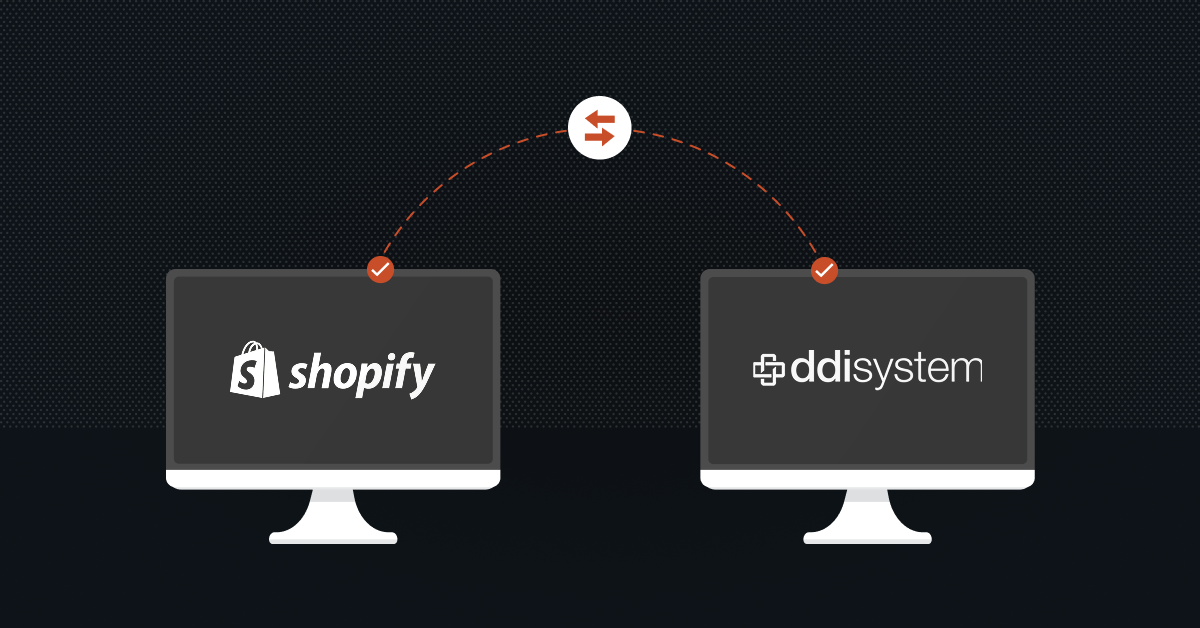
Modern B2B buyers expect a flawless self-serve shopping experience online, but they still require the intricate contract pricing and open credit terms they utilize offline. While a premium storefront handles the front-end user interface, your ERP holds the keys to specialized customer matrices.
Prioritizing a seamless Shopify Plus DDI system integration allows you to satisfy today’s digital buyers by giving them a secure, 24/7 portal where they can instantly log in, view their unique negotiated rates, and place open-term orders that process immediately.
Methods of Integrating Shopify Plus with DDI Inform ERP
Because DDI System is uniquely engineered to manage the complex logistics, contract matrices, and deep inventory cycles of wholesale distribution, your choice of integration method will dictate how effectively your storefront communicates with your back-office operations.
The primary options and technical approaches available to users include:
Custom Point-to-Point Integration
If your business has an in-house development team, along with the time and resources to invest, a custom point-to-point integration gives you the highest level of flexibility and control.
With this approach, your developers build a direct connection between Shopify Plus’s GraphQL/REST APIs and Advantive’s official API suite, allowing you to customize every workflow, data mapping, and business rule according to your operational needs.
Advantive provides three key APIs to support this integration:
- eCommerce Pro API: Retrieves real-time inventory, customer-specific pricing, contract price matrices, and customer information while pushing orders directly into DDI Inform.
- Data Import API: Automates bulk imports such as product updates, customer segmentation, product attributes, and other operational data.
- Advanced Report Writer (ARW) API: Extracts custom reports, financial data, sales insights, and inventory analytics for reporting and business intelligence.
Best for: Enterprise distributors that require highly customized workflows and have the technical expertise to build and maintain their own integration.
Enterprise Middleware or iPaaS Platforms
If you don’t have the internal expertise or simply want a faster, hassle-free implementation, a middleware platform is often the better choice.
Instead of building and maintaining the integration yourself, an integration partner manages the connection between Shopify Plus and DDI Inform. The middleware takes care of authentication, data mapping, workflow automation, synchronization, and error handling, significantly reducing the time, cost, and ongoing maintenance required compared to a custom integration.
Another major advantage is operational visibility. Most enterprise middleware platforms include centralized dashboards with transaction logging, validation rules, retry mechanisms, and real-time error reporting, allowing your operations team to monitor and troubleshoot integrations without relying on developers.
Best for: Businesses looking for a scalable, low-maintenance integration that can be deployed quickly without investing heavily in internal development resources.
Hybrid ETL and FTP
Not every piece of business data needs to be synchronized in real time. For large datasets that change less frequently, many distributors use a hybrid ETL (Extract, Transform, Load) approach alongside their live API integration.
In this model, Shopify Plus continues to handle real-time processes such as orders, inventory updates, and customer pricing, while larger datasets are exchanged in scheduled batches using secure SFTP or automated flat-file transfers.
This approach is commonly used for:
- Large supplier product catalogs
- Vendor pricing files
- Multi-warehouse inventory updates
- Product attribute synchronization
- Financial reconciliation reports
- Historical data exports
Many distributors also combine this approach with DDI Inform’s built-in EDI capabilities to automate document exchange with suppliers and manufacturing partners.
Best for: Distributors managing large product catalogs, multiple warehouses, or high-volume supplier data where real-time synchronization of every record isn’t necessary.
Also read: Hub-and-Spoke vs Point-to-point Integration: All You Need To Know
Key Workflows To Streamline Between Shopify plus and DDI Inform
To successfully automate your wholesale operations, focus on streamlining these six essential workflows between Shopify Plus and DDI Inform ERP:
1. B2B Customer Pricing Matrix Sync
- Direction: DDI Inform → Shopify Plus
- What it does: Syncs your intricate ERP contract pricing, tiered quantity breaks, and customer-specific discount matrices to Shopify’s B2B Price Lists.
- Why it matters: Customers see their exact negotiated rates immediately when they log in, eliminating pricing discrepancies.
2. Sales Order Automation
- Direction: Shopify Plus → DDI Inform
- What it does: Automatically pushes web orders, customer notes, and authorized payment types (Credit Card, ACH, or Net Terms) directly into the DDI sales order control panel.
- Why it matters: Completely eliminates manual order entry and data transcription errors for your back-office team.
3. Real-Time Inventory Control
- Direction: DDI Inform → Shopify Plus
- What it does: Syncs physical stock counts across your multi-warehouse network directly to corresponding Shopify Location IDs.
- Why it matters: Uses targeted delta updates for high-velocity SKUs to reflect physical warehouse changes instantly and prevent online overselling.
4. Fulfillment and Carrier Tracking
- Direction: DDI Inform → Shopify Plus
- What it does: Once the warehouse picks, packs, and ships an order, the ERP sends the shipment status, quantities, and carrier tracking numbers back to Shopify.
- Why it matters: Automatically triggers Shopify customer shipping notifications and handles split or partial shipments cleanly without manual tracking entry.
5. Company Hierarchy & Credit Boundary Mapping
- Direction: Bi-directional (DDI ↔ Shopify)
- What it does: Maps Shopify’s corporate accounts (Company → Locations→ Buyers) to DDI’s master billing and shipping accounts. Simultaneously syncs real-time credit limits and outstanding balances.
- Why it matters: Automatically blocks or approves checkout on open terms based on the client’s current credit health inside the ERP.
6. Product Data Ingestion
- Direction: DDI Inform → Shopify Plus
- What it does: Pushes core transactional parameters such as part numbers, SKUs, physical weights, dimensions, and base costs from DDI to Shopify.
Why it matters: Establishes the foundational data structure for your online store catalog, allowing your marketing team to enrich descriptions and media without breaking the core ERP link.
Essential Considerations Before Integrating Shopify Plus with DDI Inform ERP
Before you start integrating Shopify Plus with DDI Inform ERP, take some time to evaluate how both systems handle pricing, inventory, orders, and data synchronization. Here are the key areas you should focus on before development begins.
1. Decide How You’ll Handle Customer-Specific Pricing
One of DDI Inform’s biggest strengths is its ability to manage complex wholesale pricing, including contract pricing, customer-specific price lists, volume discounts, and vendor rebates. The important question is where those prices should be calculated.
While you can fetch pricing directly from DDI every time a customer views a product, doing so can slow down your storefront and increase API usage. A better approach is to sync DDI’s pricing data into Shopify Plus B2B Price Lists and Company accounts, then update only the changes through scheduled or incremental syncs.This gives customers the correct negotiated pricing without sacrificing storefront performance.
2. Build Around Shopify’s Modern Architecture
If you’re integrating with Shopify Plus in 2026, your solution should be built using Shopify’s latest development framework, not legacy customization methods.
Any checkout rules, shipping logic, payment conditions, or ERP-driven business workflows should be implemented using Shopify Functions. If your integration needs information from DDI Inform, such as credit terms or shipping rules, store that data in Shopify metafields so Shopify Functions can use it during checkout.
Building on Shopify’s modern architecture makes your integration easier to maintain and compatible with future platform updates.
3. Define Your Inventory System of Record
Before writing a single line of integration logic, decide which system owns your inventory.
For most distributors, DDI Inform should remain the single source of truth, while Shopify simply displays inventory that’s available for purchase.
Your integration should map DDI warehouse codes to Shopify’s Location IDs and synchronize inventory through incremental updates instead of full catalog refreshes. This keeps stock levels accurate across multiple warehouses while reducing unnecessary API traffic and helping prevent overselling.
4. Plan for Large Data Volumes
Wholesale businesses often synchronize tens of thousands of products, customer records, pricing tables, and orders every day. Without the right integration strategy, these large data transfers can slow down both your ERP and your storefront.
Instead of continuously polling APIs, use GraphQL Bulk Operations for large catalog updates and batch synchronization wherever possible. If you’re using a middleware platform, make sure it provides features like transaction logging, validation rules, error reporting, and retry mechanisms so your team can easily monitor integrations and resolve issues before they impact customers.
A well-designed integration should be fast, reliable, and easy to monitor, not something your developers constantly have to troubleshoot.
5. Plan How You’ll Manage B2B Company Accounts
Shopify Plus handles B2B customer accounts differently than many traditional ERP systems. Instead of treating every customer as a single record, it organizes customers into companies with multiple locations, buyers, shipping addresses, and purchasing permissions.
Before integrating the two systems, decide how these company structures will map into DDI Inform. Your integration should preserve relationships between buyers, bill-to accounts, and ship-to locations while ensuring every order is linked to the correct customer record.
6. Decide Where Product Data Will Be Managed
Not all product information belongs inside your ERP. DDI Inform should remain the source of truth for operational data such as SKUs, inventory, pricing, weights, and other transactional information.
Customer-facing content including product descriptions, images, videos, marketing copy, and SEO content is usually better managed within Shopify Plus or a dedicated Product Information Management (PIM) system. Defining these responsibilities early prevents one platform from accidentally overwriting valuable data maintained in the other.
7. Make Integration Visibility a Priority
Even the best integrations occasionally encounter synchronization errors. The difference is whether your team can identify and resolve them quickly. Whether you’re using a custom integration or middleware, make sure it provides transaction logging, automated alerts, retry mechanisms, validation rules, and clear error reporting.
Your operations team should be able to understand why an order, inventory update, or customer record failed to sync without relying on developers to interpret technical API logs. Good visibility doesn’t just reduce troubleshooting time, it helps keep your entire order-to-cash process running smoothly.
Similar Reading: Understanding SAP Business One Shopify Integration
Common Challenges When Integrating Shopify Plus with DDI Inform ERP (and How to Solve Them)
Even with the right integration strategy, connecting Shopify Plus with DDI Inform ERP comes with its own set of challenges. Most of these issues occur because Shopify is designed to deliver fast, customer-facing experiences, while DDI Inform is built to manage complex wholesale operations behind the scenes.
The good news is that with the right architecture and planning, each of these challenges can be addressed before they impact your business.
1. Rebuilding Custom Checkout Rules
Many wholesale distributors rely on custom checkout rules, such as restricting customers on credit hold, offering Net 30 payment terms only to approved buyers, or displaying specific shipping options based on customer agreements.
Since Shopify has moved away from its legacy Scripts framework, these custom workflows need to be rebuilt using Shopify’s modern checkout architecture.
How to solve it: Build your checkout logic using Shopify Functions and keep customer-specific information such as payment terms, credit status, and shipping rules, synchronized from DDI Inform into Shopify. This ensures customers always see the correct checkout experience without relying on outdated customizations.
2. Managing LTL Freight and Complex Shipping Rates
Unlike standard eCommerce businesses, wholesale distributors often ship pallets, oversized products, and Less-Than-Truckload (LTL) freight. Calculating these shipping rates accurately at checkout can quickly become a challenge.
Trying to fetch freight rates directly from DDI Inform every time a customer reaches checkout can slow down your website and create an inconsistent buying experience.
How to solve it: Use a dedicated freight management solution such as ShipperHQ, Freightos, or another enterprise shipping platform. By synchronizing your DDI shipping rules with a specialized freight engine, you can provide accurate shipping estimates without putting unnecessary load on your ERP.
3. Maintaining Fast Storefront Performance with Complex Pricing
One of DDI Inform’s biggest strengths is its ability to manage customer-specific pricing, contract pricing, rebates, and quantity discounts. However, requesting pricing directly from the ERP every time a customer browses your website can significantly impact performance.
How to solve it: Instead of calculating prices in real time, synchronize pricing data into Shopify Plus B2B Price Lists and update only the changes through scheduled or incremental synchronization. This reduces API usage, keeps your storefront responsive, and still ensures customers see accurate negotiated pricing.
4. Keeping Multi-Warehouse Inventory Accurate
When inventory is spread across multiple warehouses, stock levels can change throughout the day as orders are placed, products are damaged, or inventory is adjusted.
If Shopify isn’t updated quickly enough, customers may purchase products that are no longer available, resulting in backorders and poor customer experiences.
How to solve it: Treat DDI Inform as your inventory system of record and synchronize inventory using event-driven or incremental updates instead of scheduled full database refreshes. This keeps inventory accurate across all warehouse locations while minimizing API traffic.
5. Managing Tax-Exempt B2B Customers
Many wholesale customers purchase products under resale certificates or other tax-exempt arrangements. If those exemptions aren’t synchronized correctly, customers may be charged tax incorrectly, leading to invoice corrections and unnecessary work for your accounting team.
How to solve it: Ensure tax-exempt customer records are synchronized between DDI Inform and Shopify Plus. If your business operates across multiple tax jurisdictions, consider integrating a solution like Avalara AvaTax to automate tax calculations and exemption management across both systems.
6. Handling Partial Shipments and Payments
Partial shipments are common in wholesale distribution. A customer may place one order, but products are shipped over several days or weeks as inventory becomes available.
Without proper coordination between Shopify Plus and DDI Inform, payments, invoices, and fulfillment statuses can quickly fall out of sync.
How to solve it: Map your order lifecycle carefully so fulfillment updates flow from DDI Inform back into Shopify. Payments, invoices, and order statuses should reflect only the items that have actually shipped, keeping both customer records and accounting data accurate throughout the order-to-cash process.
Also read: A Practical Guide to Supply Chain Data Integration
Hassle-Free Shopify Plus DDI System Integration With DCKAP Integrator
Most standard integration tools on the market were designed for simple ecommerce transaction moving a single product to a single customer at a standard retail price. They quickly fall apart when forced to handle the heavy, multi-layered realities of B2B wholesale distribution, such as custom contract matrices, fractional inventory counts, and multi-warehouse routing.
To bridge this gap successfully, distributors need a solution that doesn’t treat their backend software as an afterthought. It requires an ERP-first integration approach. This means the integration tool recognizes your ERP as the absolute system of record and maps all data workflows around how complex distribution databases naturally function, ensuring your back-office operations and inventory logic remain completely protected.
This exact philosophy is why DCKAP Integrator has become a premier choice for connecting Shopify Plus with DDI Inform.
Here’s Why It Fits the Shopify Plus and DDI Inform Ecosystem:
Distribution-Specific:
Because it is built for the distribution sector, the platform easily handles complex B2B data structures such as customer-specific contract pricing tables, tier-based quantity discounts, and multi-location inventory tracking without requiring massive custom coding loops.
Deep ERP Architecture Expertise:
Having integrated with a wide variety of enterprise systems, the platform inherently understands the technical parameters, API constraints, and data-pacing rules required to communicate cleanly with DDI Inform without overloading your database.
Operational Control through Transaction Logging:
It eliminates the technical guesswork for your back-office staff. Rather than forcing your team to decipher raw developer code when a sync error occurs, the platform provides a clear, business-friendly dashboard featuring comprehensive Transaction Logging. If a specific customer credit limit or freight calculation fails to sync, your operations manager can instantly see the cause and trigger a manual retry with a single click.
Built-In API Throttling (The “Sleep” tool)
Shopify Plus handles immense traffic loops with high enterprise API limits, but your back-office DDI database can get overwhelmed if flooded with thousands of concurrent data requests during peak business hours.
The platform features an intelligent pacing tool that applies micro-pauses (or “sleep” states) to its data transfers. By regulating the speed of incoming data flows, it prevents your internal ERP server from lagging or crashing, keeping your back-office accounting operations running smoothly while your web store continues to process orders without interruption.
Advanced Data Modifiers and Text Formatting
Distribution data is notoriously messy. DDI Inform might save internal part dimensions in one format, while Shopify Plus requires standardized variant options for your dropdown menus.
Built-in data modifiers allow you to transform data mid-flight. You can set up rules to instantly rewrite short, internal warehouse names into clean, customer-facing product titles, automatically convert units of measure, and format raw price codes into clear tiered discounts before the information ever reaches your live storefront.
Visual, Low-Code Flow Designers
Business rules change constantly. If your management team decides to alter how freight codes are mapped or how specific sales territories are assigned, you shouldn’t have to wait weeks for an outside software engineer to rewrite custom code.
The platform utilizes an intuitive drag-and-drop workflow designer. This allows your regular operations or marketing managers to adjust data pipelines, change schedule frequencies, and alter system mapping entirely on a visual layout, without needing any programming expertise.
Hybrid API and Legacy EDI Handling
Many US B2B distributors don’t just sell through a website; they also process high-volume bulk transactions through Electronic Data Interchange (EDI) with legacy enterprise partners. Running separate software systems for your web store and your EDI accounts creates disjointed data silos.
The platform handles modern web APIs and legacy EDI translation natively inside a single cloud dashboard. This means your self-serve web store sales from Shopify Plus and your corporate EDI purchases flow through the exact same centralized integration system, providing your team with complete visibility over all digital sales channels.
FAQs
How does a Shopify Plus DDI system integration handle complex wholesale contract pricing?
Your integration should map DDI Inform’s multi-dimensional pricing matrices into Shopify Plus’s native B2B Price Lists using an asynchronous background sync (like an overnight batch update or continuous delta sync). Do not use live, real-time API calls every time a customer loads a product page, as this will slow down your website and trigger ERP server rate limits.
How do we handle custom checkout rules now that Shopify Scripts is dead?
Shopify fully deprecated and shut down Shopify Scripts on June 30, 2026. Any logic that checks a customer’s DDI credit status or applies specialized wholesale rules at checkout must now be built using Shopify Functions paired with Shopify App Metafields. Your integration layer must push critical ERP flags (like “Credit Hold”) into Shopify Metafields so the checkout engine can read them instantly.
Can we sync data bi-directionally between Shopify Plus and DDI Inform?
No. You should never sync core transactional data like pricing and inventory both ways. DDI Inform must remain the absolute System of Record for stock counts and contract pricing. Allowing Shopify to push inventory or price changes back to the ERP will corrupt your warehouse data and financial ledgers. Instead, pipelines should be strict one-way streets that work together to form a closed loop.
How do split shipments and backorders inside DDI affect Shopify Plus orders?
When an order is placed on Shopify, the integration should authorize the funds but not capture payment immediately. As DDI Inform’s warehouse management system fulfills and invoices partial shipments, the ERP passes that specific fulfillment data back to Shopify. Shopify then captures payment only for the items shipped, ensuring your online accounting matches your physical inventory.
How do we handle tax-exempt US B2B buyers between the two systems?
Map your customer tax profiles directly. When a tax-exempt corporate customer is created or verified inside DDI Inform, the integration must automatically assign that customer’s profile to a tax-exempt Company group inside Shopify Plus. For highly complex multi-state distribution, link both platforms to a unified tax engine like Avalara.
What happens to our storefront if our on-premise DDI server experiences an outage?
If you use a direct point-to-point connection, web orders will fail to sync and error out during an ERP outage. To prevent this, use an enterprise middleware platform or cloud message broker (like AWS SQS). If DDI goes offline, the middleware safely holds incoming Shopify orders in a secure cloud queue and automatically processes them once your ERP server recovers.
How can our team track down an order that gets stuck between the website and the warehouse?
Look for an integration solution like DCKAP Integrator that features built-in Transaction Logging inside a non-technical dashboard. This converts raw API errors into clean, business-understandable notifications, allowing your operations manager to see exactly why a sync failed (such as an incorrect zip code or a missing warehouse ID) and fix it without a developer.