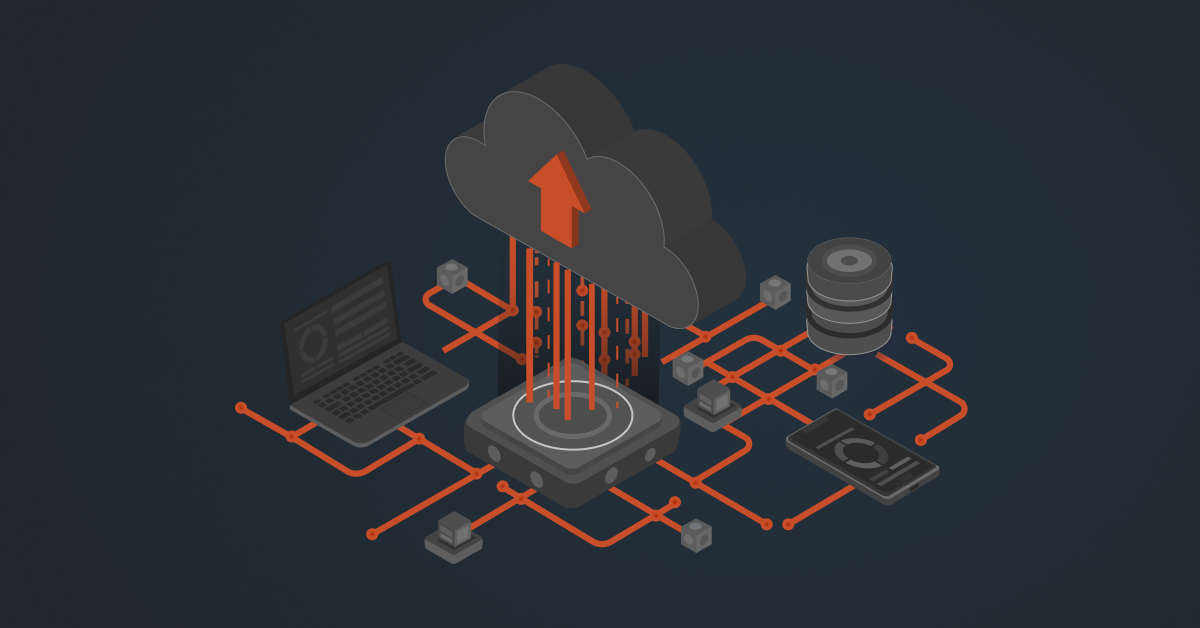
Your ERP already runs critical business operations. Replacing it just to adopt cloud applications may not make sense immediately. Instead, you can connect your existing on-premises ERP with cloud applications and modernize your tech stack in stages.
Let’s look at why this approach works and the best practices for integrating your systems.
Why Businesses Choose Cloud-to-On-Premises ERP Integration
Here are six reasons businesses choose this approach.
1. Protecting Existing ERP Investments
Implementing an ERP takes time, money, and considerable customization. Replacing it with a cloud-based system can mean starting that process all over again, along with the risks and disruption that come with migration.
Connecting cloud applications to an existing ERP lets businesses modernize their tech stack while continuing to use the system they already rely on.
2. Adopting Cloud Applications That Meet Specific Needs
An ERP can handle core processes like accounting, inventory, and order management, but businesses may need other applications for specialized tasks or better customer experiences.
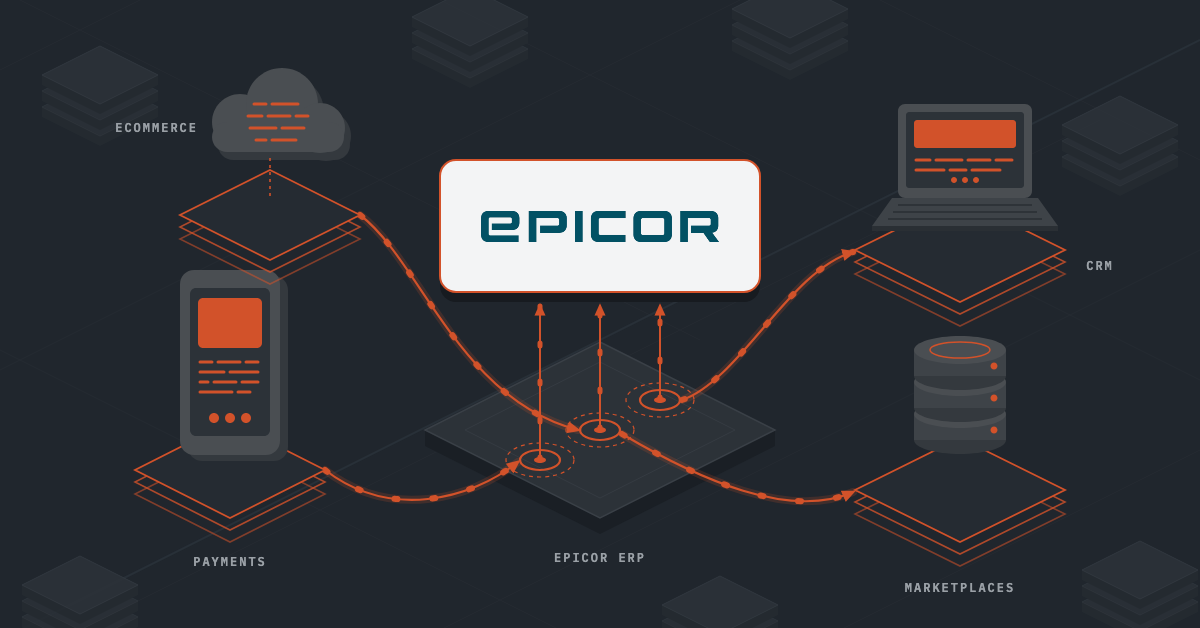
For example, a business might use Shopify or BigCommerce for online sales, Salesforce for customer management, or cloud-based tools for analytics and forecasting. Integrating these applications with the ERP helps keep data flowing between systems without replacing the core platform.
3. Modernizing Without Taking Unnecessary Risks
Moving every business function to the cloud at once can be disruptive, especially for companies with complex operations.
A hybrid approach lets businesses introduce cloud applications gradually. They can test integrations, validate data flows, and train employees in stages while keeping their core ERP operations running.
4. Meeting Security and Compliance Requirements
Some organizations operate under strict rules about where data is stored and how it’s handled. Depending on the industry and applicable regulations, moving all their data to the cloud may not be a straightforward option.
Keeping an ERP on-premises while connecting it to cloud applications can help businesses meet specific data residency and security requirements. The setup still needs appropriate access controls, encryption, and safeguards for data moving between systems.
5. Keeping Critical Operations Running Smoothly
Manufacturers, warehouses, and distribution centers often depend on systems that need to respond quickly. Network delays or internet outages can affect operations when critical processes rely on cloud connectivity.
Keeping certain workloads on-premises can help businesses maintain local operations, while integrations sync the necessary data with cloud applications. The right setup depends on which processes need immediate responses and which can handle delayed synchronization.
6. Simplifying Acquisitions and Business Expansion
When a business acquires another company or expands into a new market, bringing every system onto the same ERP can take time and resources.
Cloud applications can help new business units get up and running without immediately replacing their existing systems. By integrating these applications with the parent company’s ERP software, businesses can exchange essential data and work toward more centralized reporting without forcing an immediate, full-scale migration.
Also read: ERP Integration Use Cases: Backed By Real-Life Case Studies
What Could Go Wrong in Cloud-to-On-Premises ERP Integration?
Connecting cloud applications to an on-premises ERP comes with a few challenges. If the integration isn’t planned well, businesses can run into security gaps, data inconsistencies, slowdowns, and failed transactions.
Here are some common issues to watch out for.
- Security vulnerabilities: Opening inbound firewall ports or exposing internal databases can leave your systems vulnerable to unauthorized access and cyberattacks.
- Network delays and downtime: Unstable connections can delay data synchronization, trigger timeouts, and interrupt transactions, especially during periods of high demand.
- Data format mismatches: Your ERP and cloud applications may structure data differently. Without proper mapping and transformation, records can fail to sync or arrive in the wrong format.
- ERP performance issues: Too many requests from connected applications can put pressure on your ERP and database, slowing down everyday operations.
- Broken integrations: Custom-coded connections can stop working when a cloud application’s API changes or your ERP is upgraded, leaving your team to troubleshoot and fix them.
- Duplicate and conflicting records: Without clear data ownership rules, systems may overwrite each other’s updates or end up with inconsistent inventory, customer details, and order records.
- Failed syncs that go unnoticed: Without proper monitoring and error alerts, failed transactions can remain unresolved until they affect customer orders, inventory records, or financial reports.
Also read: On Premise vs Cloud: Tools, ERPs and Integration Decoded
Best Practices for Connecting Cloud Applications to an On-Premises ERP
The challenges mentioned above are common when connecting cloud applications to an on-premises ERP. To avoid them, here are some key considerations to keep in mind before you begin the integration.
Start with the Right Integration Solution
Your integration approach will affect how easily you can connect applications, handle data, and maintain workflows as your business grows.
Custom scripts may seem like a straightforward starting point, but they can become difficult to maintain as APIs change and new requirements emerge. Look for an integration solution that supports your ERP and cloud applications, offers flexible data mapping, and makes it easier to manage connections without rebuilding them from scratch.
Also, consider the total cost of ownership. Factor in implementation, licensing, ongoing maintenance, support, and the developer time needed to keep everything running.
Before choosing a platform, check where it processes and stores data. If your business has strict data residency or privacy requirements, make sure the deployment model meets them.
Keep the Connection Secure
Your ERP contains business-critical information, so connecting it to cloud applications requires careful planning.
Avoid exposing internal databases directly to external applications. Where appropriate, use an on-premises integration agent that establishes encrypted outbound connections, reducing the need to open inbound firewall ports.
Authentication and access controls matter, too. Each application should only have access to the data and operations it needs. Use suitable authentication methods, such as OAuth 2.0 where supported, and review permissions regularly.
Decide Which System Owns the Data
When your ERP connects to a CRM, ecommerce platform, or other cloud application, you need clear rules for how data is managed.
For example, your ERP might be the source of truth for inventory, pricing, and order records, while your CRM manages leads and sales opportunities. Define these responsibilities before setting up synchronization.
You’ll also need to account for differences in how systems structure data. Field mappings, date formats, units of measure, and other transformations should be handled consistently to prevent errors and conflicting records.
Choose the Right Data Synchronization Method
Not every piece of data needs to move between systems instantly. Inventory availability or order status may require near-real-time updates, while some reports and batch processes can run on a schedule. Choosing the right synchronization method helps balance data freshness, system performance, and network reliability.
For high-volume workflows, asynchronous processing and message queues can help. For example, online orders can be queued and processed by the ERP at a manageable rate instead of overwhelming it during a sales spike.
The key is to identify which processes need immediate responses and which can tolerate a delay.
Clean Up Data Before Going Live
An integration can move data accurately and still produce poor results if the underlying information is inconsistent. Before connecting your systems, review customer records, product SKUs, vendor details, and other critical data. Remove duplicates, correct errors, and standardize formats wherever necessary.
You should also validate incoming data against your ERP’s business rules. Catching an invalid record before it enters the ERP is much easier than tracing the problem across several connected applications later.
Monitor Integrations and Plan for Failures
Even well-designed integrations encounter problems. An API may reach its rate limit, credentials may expire, or a network interruption may prevent a transaction from completing.
Make sure your integration provides visibility into what is happening. Centralized logs, transaction status tracking, and automated alerts help your team identify issues quickly.
You should also have a recovery process. Retry temporary failures safely, isolate messages that repeatedly fail, and make it possible to investigate and reprocess them without losing data or creating duplicate transactions.
Make Future Changes Easier to Manage
Cloud applications receive updates, APIs evolve, and on-premises ERPs need patches and upgrades. Your integration should be designed to accommodate these changes.
Keep connection logic, data mappings, and transformations organized rather than spreading custom code across multiple systems. This makes updates easier to manage when an application changes its API or an ERP upgrade affects an existing workflow.
Test significant changes in a non-production environment before deploying them. A little preparation can help prevent avoidable disruptions to everyday operations.
Final Thoughts
Connecting cloud applications to an on-premises ERP helps businesses adopt modern tools without replacing the systems they already rely on. But getting the integration right takes careful planning. If you’re unsure where to start or need guidance on connecting your existing ERP with newer applications, DCKAP can help.
DCKAP Integrator is an ERP-first integration platform with experience connecting legacy ERP systems with modern applications. Whether you need to connect your ERP with a CRM, ecommerce platform, payment system, marketplace, or another application in your tech stack, DCKAP Integrator helps bring these systems together so your business data flows where it needs to.
Reach out to us to learn how cloud-to-on-premises ERP integration could work for your business.
FAQs
Can cloud ERP systems and on-premises ERP systems work together?
Yes. Businesses can connect cloud ERP systems, cloud-based applications, and on-premises systems as part of a hybrid environment. This gives them greater flexibility to adopt new technologies while continuing to use legacy systems that support critical business operations.
What is the difference between ERP integration and ERP migration?
ERP integration connects existing systems so they can exchange data without necessarily replacing the current ERP. ERP migration involves moving data, applications, or operations to a different ERP system or infrastructure, such as moving from on-premise ERP solutions to cloud ERP software. Integration can be a practical option when a full migration doesn’t align with current business needs.
How much does cloud-to-on-prem systems cost?
The cost depends on the number of applications, data complexity, integration requirements, and ongoing maintenance. Custom development, security measures, and support can also affect the total cost. Businesses should compare the initial setup and long-term maintenance costs with potential solution cost savings from reduced manual work and fewer data errors.
Does cloud-to-on-premises ERP integration provide real-time data access?
It can. Depending on the integration architecture, applications can exchange data in real time or at scheduled intervals. For example, an ecommerce order can be sent to an on-premises ERP as soon as it is placed. Network performance, API limits, and ERP processing capacity determine how quickly the update is completed.
How do you protect sensitive data when connecting cloud applications to an on-premises ERP?
Data protection requires a combination of security measures, including encryption in transit, secure authentication, role-based access control, and regular monitoring. Businesses should also understand where data is processed or stored, how cloud providers handle it, and whether the integration meets their compliance requirements. These measures help protect sensitive data as it moves between systems and vendor’s servers.
Can AI improve cloud-to-on-premises ERP integration?
Yes. Artificial intelligence and machine learning can help identify unusual data patterns, detect potential integration errors, and support data mapping or monitoring. Generative AI can also help technical teams understand logs and troubleshoot workflows. However, AI doesn’t replace sound data architecture, access control, or human oversight, especially when integrations handle sensitive business data.
What is a concrete example of cloud-to-on-premises ERP integration?
Consider a distributor using an on-prem system to manage inventory and pricing and a cloud-based ecommerce platform to sell products online. Integration keeps product availability and pricing aligned with the ERP while sending online orders back to the ERP for processing. Customers get more accurate information through a web browser or mobile application, while employees continue working in their existing systems.
Can businesses scale their operations without replacing their On-Premise ERP solution?
Yes. Connecting on-premises systems with cloud services lets businesses add applications as new business needs emerge. They can introduce CRM tools, marketplaces, analytics platforms, and other cloud-based solutions without immediately replacing their ERP. The ability to scale depends on the ERP’s capacity, integration design, and the connectors available for each application.
Should a business choose cloud ERP solutions or keep its on-premises ERP?
The right choice depends on business needs, existing infrastructure, security requirements, budget, and long-term plans. Cloud ERP solutions can offer easier access through cloud services and less reliance on locally managed infrastructure. On-premises solutions may suit large enterprises that need greater control over their environment or must support specific legacy systems. A hybrid approach can provide a middle ground while businesses evaluate future ERP migration options.
How does cloud-to-on-premises integration support disaster recovery?
Integration can help replicate important business data across connected systems, but it doesn’t automatically provide disaster recovery. Businesses need a separate plan covering backups, recovery procedures, data protection, and acceptable recovery times. They should also confirm which systems hold the authoritative records and how data will be restored after an outage.
What should businesses look for in a cloud-to-on-premises integration platform?
Look for the right solution that supports your ERP and cloud applications, provides secure connectivity, and offers monitoring, error alerts, and tools to manage data mapping. Consider whether it supports both real-time and scheduled data exchange, can scale with your business, and includes implementation and ongoing support from integration experts. These capabilities can help you connect legacy systems with cloud-based ERP solutions and other applications without adding unnecessary complexity.