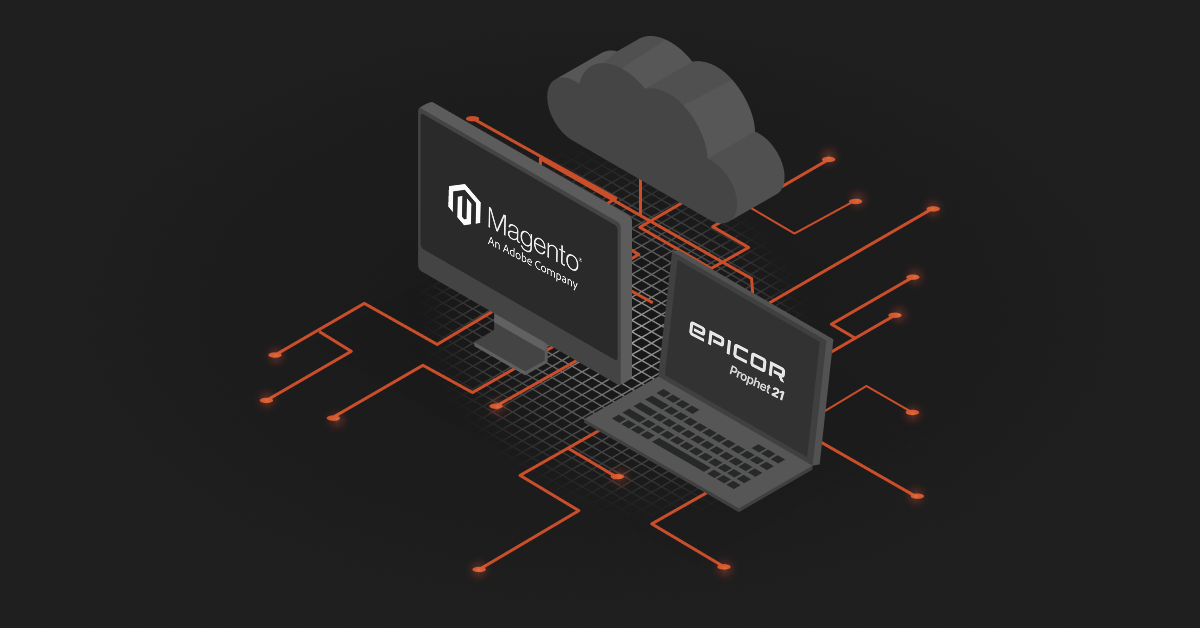
At some point, every growing business hits a slump where what once worked starts slowing you down. If you’re managing a Magento store and using Epicor Prophet 21 (P21) separately, you’re likely relying on people and manual processes to fill the gaps.
Prophet 21 Magento Integration helps you break through that. As order volumes grow, you can’t afford delays between sales and fulfillment, or errors in pricing and stock levels. With integration, the systems scale together, so your growth doesn’t outpace your backend. You spend less time managing problems and more time focusing on new markets, new products, or better customer service.
Methods Of Prophet 21 Magento Integration
When it comes to Prophet 21 Magento Integration, there isn’t just one way to go about it. You have a few solid options depending on your internal resources, business complexity, and how hands-on you want to be. Let’s break it down.
1. Pre-built Managed Connectors and Extensions
Pre-built connectors offer distributors a rapid, turnkey way to link Epicor Prophet 21 with Magento. These ready-made tools install directly into Magento, instantly mapping standard data like inventory, customer accounts, and orders out of the box to minimize upfront development risk and speed up market entry.
Despite the rapid deployment benefits, managed extensions present a lot of limitations regarding deep customization and long-term scalability. Because these connectors rely on rigid, pre-configured data templates, they often struggle to accommodate highly complex, non-standard business logic, such as specialized tax exemptions, multi-warehouse inventory allocations, or the intricate customer-specific contract matrix pricing unique to the distribution industry. Furthermore, if your business relies on heavily customized SQL tables or unique internal workflows within Epicor P21, forcing those processes into a standardized extension can create technical friction.
2. Third-Party Integration Platforms (Outsourced & Hassle-Free)
The second method is going with a third-party integration solution. This is by far the most hands-off and convenient route, especially if you don’t want to spend time building or maintaining the connection yourself.
These platforms are built to handle all the moving pieces of integration like data sync, error handling, updates, support, you name it. If you pick the right provider, you barely have to lift a finger. One strong example of this is DCKAP Integrator. It’s built specifically for distributors and manufacturers with a great grip on P21 Integration. Plus, it’s designed to be flexible and scalable. The team handles everything from setup to ongoing support, so you can focus on running your business instead of worrying about sync errors or development timelines.
3. Custom API integration
Direct API integration provides maximum architectural freedom by connecting Magento straight to Epicor P21 via its native REST endpoints. This allows developers to build specialized workflows for real-time contract pricing and live stock checks, but building from scratch requires immense development overhead and continuous maintenance to prevent custom code from breaking during system upgrades.
As a faster alternative, DCKAP can provide tailor-made APIs for both cloud and on-premises versions of Epicor ERP, completely bypassing the hassle of raw point-to-point programming. This specialized approach delivers unmatched flexibility, control, and scalability, providing a highly seamless integration that maximizes time and cost efficiency for manufacturers and distributors.
Also read: Magento API Integration: A Comprehensive Guide for 2026
Essential Data Workflows for P21 and Magento Integration
Product Data Sync
The product data sync automatically transfers master catalog information from Epicor Prophet 21 to Magento. It synchronizes SKUs, part numbers, descriptions, attributes, and technical specifications, ensuring the digital storefront accurately mirrors the ERP’s primary product registry.
This eliminates manual duplicate data entry across platforms, significantly accelerating time-to-market for new items. For distributors, it ensures online buyers see consistent, technically accurate specifications, which minimizes catalog management overhead and catalog display errors.
Customer Data Sync
The customer data sync maps relational customer records from Prophet 21 to Magento. It synchronizes complex B2B structures, including parent-child corporate accounts, multiple regional ship-to addresses, and individual authorized buyer permissions.
This automation ensures B2B buyers see their correct corporate account structures instantly upon logging in. It reduces administrative friction, prevents shipping errors from manual storefront entries, and removes the need for customer service teams to set up web accounts manually.
Inventory Sync
The inventory sync pushes real-time stock levels from Prophet 21’s regional warehouses to Magento. It calculates multi-location availability and automatically subtracts safety stock thresholds before displaying available quantities online.
High-frequency inventory updates prevent the critical B2B issue of overselling out-of-stock items. Providing accurate stock data and reliable available-to-promise dates builds customer trust and helps optimize fulfillment across distribution networks.
Pricing Sync
This particular sync communicates Prophet 21’s complex contract and matrix pricing rules directly to Magento. It ensures that authenticated B2B buyers see their specific negotiated contract rates rather than standard retail list prices.
Accurate pricing is vital to prevent immediate billing disputes, order cancellations, and post-purchase credit memos. Automating this flow guarantees contract transparency, protects operating margins, and eliminates the manual burden of processing financial corrections.
Order Sync
The order injection automatically routes web orders from Magento directly into Prophet 21 as open sales orders. It transfers item configurations, shipping preferences, and crucial US sales tax details or tax-exemption certificates without human intervention.
Removing manual data entry dramatically speeds up fulfillment cycles and eliminates costly typographical errors. It relies on automated transaction logging so IT teams can instantly trace and resolve any failed order transmissions, protecting revenue streams and keeping the fulfillment pipeline moving.
Order Status and Tracking
The order status and tracking pipeline pulls fulfillment updates from Prophet 21 back to Magento. As warehouse teams pick, pack, and ship orders, the pipeline passes shipping statuses and carrier tracking numbers directly to the customer’s web portal.
Providing automated tracking reduces the volume of repetitive customer service inquiries, freeing up staff for high-value tasks. It satisfies the B2B buyer’s need for delivery transparency, letting procurement managers know exactly when operational materials will arrive at a job site.
Invoice and Financials Sync
The invoice and financials sync updates accounts receivable data, open statements, and historical invoices from Prophet 21 to Magento. It also synchronizes live customer credit limits to control purchasing privileges on the storefront.
This financial integration improves cash flow by empowering buyers to view and pay off outstanding balances via a self-service portal. By keeping credit thresholds accurately synchronized, the system securely authorizes purchases on Net terms without manual credit approval delays.
Best Practices For Prophet 21 Magento Integration
Integrating Magento with Epicor P21 isn’t something you want to rush into or put together just because there’s a tool available. The method you choose, whether it’s a native connector, a third-party integration platform, or custom coding, sets the tone for how smoothly your operations will run. And if you’re planning to outsource the integration, that’s where you need to be extra careful, because you’re handing over control of something critical to your business.
Start With The Right Integration Method
Before anything else, don’t just pick the first method or tool you find. Ask yourself:
- How complex is your data flow? (Is it just orders and inventory, or do you also need customer-specific pricing, returns, multi-warehouse sync, etc.?)
- How much customization will you need?
- Do you have a tech team in-house, or do you prefer a hands-off approach?
If your setup is relatively simple and aligns with what native tools offer, then you can opt for a native connector. But if your requirements are more specific, a third-party platform or custom integration might be a better fit.
If You’re Outsourcing, Check The Integration Provider Thoroughly
When you choose a third-party integration partner, you’re trusting them with your business data, system reliability, and long-term scalability. So don’t just go by a demo or a sales pitch, do your homework. Here’s what to check:
- Industry Experience: Do they understand Magento and P21 inside out, or are they just a general integration platform? Industry-specific knowledge matters more than you think.
- Support Model: Is support included? How fast is their response time? Do they offer onboarding help or ongoing maintenance?
- Customization Capabilities: Can they handle your unique workflows, pricing structures, or data rules? Or will you have to adapt your business to fit their system?
- Transparency: Ask for references or case studies. Look at how they handle data errors, sync failures, or version upgrades.
- Ownership: Do you have access to your integration data and logs? Can your internal team step in if needed?
Choosing the right provider is the most important decision in this entire process, because it’s not just a one-time setup. It’s an ongoing relationship.
Map Your Workflows First
Before you even begin integration, take the time to map your core processes—how orders come in, how inventory updates, how customer pricing works, how returns are handled, etc. If you don’t know what your data flow looks like today, it’s harder to spot issues when something goes wrong after the integration.
Start With Core Features, Then Expand
Don’t try to integrate everything at once. Start with the essentials:
- Order sync
- Inventory updates
- Pricing and customer account sync
Once that’s working smoothly, you can roll out more advanced features like promotions, returns processing, shipping rules, or multi-warehouse logic.
Keep Both Systems Clean And Updated
An integration will only work well if both your Magento store and P21 ERP are well maintained. Outdated versions, inconsistent data, or poorly organized SKUs can cause major sync issues. Make sure your internal teams are keeping things clean, and don’t be afraid to do a little cleanup before the integration starts.
Test Thoroughly Before Going Live
Before switching the integration on for all users, test it thoroughly with sample data. Check every step: order placements, inventory updates, pricing rules, shipping details. And make sure the error-handling logic is solid. This will save you from a lot of headaches later.
Assign A Point Person Internally
Even if you’re outsourcing the integration, someone from your team should own the process internally. This person doesn’t need to be a developer but they should understand your workflows and be able to coordinate with the integration partner to flag issues or changes quickly.
Prophet 21 Magento Integration, when done right, can simplify your entire backend, reduce human errors, and make your business more scalable. But like anything in tech, the quality of your setup depends on the thinking you put in before the first line of code is written or before you sign that third-party contract.
Also read: Exploring Epicor P21 API And Other Alternatives
Prophet 21 Magento Integration Use Cases
1. Unified Customer and Account Management
Prophet 21 Magento Integration allows B2B businesses to maintain a single, accurate view of each customer across both systems. This is especially important when handling complex accounts that come with contract pricing, volume-based discounts, multiple contacts, and separate shipping or billing locations.
With integration, customer data flows seamlessly between Magento and P21, reducing the risk of mismatched records or outdated account details. It also ensures that customers always see the correct information when they log in like payment terms, custom catalogs, or pricing agreements without requiring manual updates or duplicate entries.
2. Real-Time Product And Inventory Synchronization
For businesses managing large inventories across multiple warehouses, keeping product availability up-to-date is a constant challenge. Integration solves this by real-time data synchronization between Epicor P21 and Magento.
When items go out of stock or are replenished, that change reflects immediately on the storefront. It also helps avoid overselling, reduces backorders, and supports warehouse-specific inventory visibility. Beyond just stock counts, integration also keeps product attributes like descriptions, SKUs, units of measure, and categories consistent, so there’s less room for confusion and fewer manual errors.
3. Streamlined Order Processing And Fulfillment
Manual order entry is one of the most time-consuming and error-prone processes in B2B. With Magento P21 integration, orders placed on the Magento storefront are automatically pushed into P21 without the need for manual intervention.
This reduces processing time and eliminates data entry errors. As orders are fulfilled in P21, the shipment status, tracking information, and invoice details can be synced back to Magento. This creates a smooth experience for both internal teams and customers, cutting down on follow-up calls, missed shipments, and invoicing delays.
4. Accurate Pricing And Tax Calculations
B2B businesses often deal with negotiated pricing, tiered discounts, regional taxes, and special offers. Without integration, applying these correctly on the front end can be tricky and inconsistent.
Magento P21 integration allows real-time syncing of pricing structures directly from P21, so customers see the correct price based on their account type, purchase volume, or contract. Tax rules and exemptions can also be pulled from the ERP, ensuring that everything aligns with compliance requirements and internal policies.
5. Simplified Product Configuration And BOM Handling
Many manufacturers and distributors sell configurable products or kits with complex bills of materials (BOMs). Managing these manually across systems is not scalable. Integration allows Magento to pull configuration logic, product dependencies, and component-level details directly from P21.
When a customer builds a product on the storefront, the ERP receives a clean, structured order with all the necessary details for production or assembly. This ensures accuracy in order fulfillment and helps manage inventory tied to components more effectively.
6. Better Reporting And Forecasting
With synchronized data flowing between Magento and P21, businesses gain better visibility into their sales trends, inventory turnover, and customer behavior. This combined data can be used to generate more accurate forecasts, identify high-performing products, and plan procurement more effectively.
It also supports financial reporting by aligning online transactions with backend financials, making it easier for leadership teams to make data-driven decisions.
Also read: Shopify Epicor Prophet 21 Integration: Explained [+ Case Study]
How Magento P21 Integration Helps The People Behind The Business
- Reduces manual work: Teams don’t have to enter the same data in two places or keep switching between platforms to get things done. Less repetition means fewer errors and more time saved.
- Gives accurate, up-to-date information: Employees can rely on what they see whether it’s inventory levels, customer-specific pricing, or order statuses. That builds confidence and reduces guesswork.
- Improves response time: Support and sales teams can respond faster because the data they need is right there, already synced. So, they don’t have to hunt down answers or wait on another department.
- Fewer mistakes during peak hours: With systems in sync, the pressure during high-volume periods doesn’t break things. Orders, stock updates, and payments all flow smoothly.
- Helps every team work smarter, not harder: Instead of constantly fixing problems caused by disconnected systems, teams can focus on the work that actually moves the business forward.
- Reduces unnecessary stress: Seamless Integration cuts down on confusion, miscommunication, and last-minute fire drills, making day-to-day work less reactive and more manageable.
- Improves cross-team collaboration: Everyone’s working off the same accurate information, so it’s easier to stay aligned, make decisions faster, and avoid internal friction.
- Supports growth: As order volumes grow, your team doesn’t have to grow in size at the same pace just to keep up. A connected system handles more, with less effort.
Also read: Magento EDI Integration Explained [Steps + Benefits + Use Cases]
Common Challenges During Magento P21 Integration
- Data doesn’t line up right away: Magento and P21 don’t speak the same language by default. Product names, customer fields, pricing formats, these things often don’t match, and that can slow everything down unless it’s cleaned and mapped properly upfront.
- Too many moving parts: Between your ERP, eCommerce store, inventory, and shipping systems, even a small change in one place can affect everything else. Without a well-thought-out integration plan, this gets overwhelming quickly.
- Hidden costs and long timelines: Custom work often takes longer than expected and costs more than planned. It’s easy to underestimate the effort until you’re deep into the process.
- Lack of internal resources or expertise: Most in-house teams aren’t set up for full-scale integration projects. Even if they’re technically strong, it’s usually not their day job and that slows things down or creates shortcuts that cause issues later.
- Vendor or platform limitations: Some out-of-the-box connectors sound promising but don’t go deep enough for real B2B needs. You might hit a wall when trying to sync custom pricing, contract terms, or complex workflows.
- Ongoing maintenance gets ignored: Integration isn’t “set it and forget it.” Systems change, processes evolve, and if no one’s maintaining the connection, things break silently, sometimes.
- Not enough testing before going live: Skipping end-to-end testing can lead to broken orders, incorrect pricing, or inventory issues that only surface when customers are affected.
Avoid the Usual Pitfalls with DCKAP Integrator
Magento P21 integration doesn’t have to be complex. Most of the usual challenges: data mismatches, disconnected teams, manual entry, often come down to how the integration is approached. Over time, we’ve built systems and processes that help bypass a lot of those hurdles, and we’ve seen how much smoother it can actually be with the right setup.
Deep Experience with Prophet 21
We’ve worked closely with over 100+ businesses integrating Prophet 21 into their digital operations each with its own mix of data structures, pricing strategies, and customer segments. That kind of experience adds up, and it’s helped us build a stronger understanding of the intricacies involved in syncing Magento and P21. We’re familiar with what tends to break, what typically gets overlooked, and how to plan ahead so those things don’t become issues later.
Our Own P21 API Layer for Greater Flexibility
To support more advanced or custom needs, we’ve developed our own API layer that wraps around Epicor’s P21 ecosystem. This gives us a lot more flexibility in cases where native APIs might be limited or when businesses want something more tailored like syncing non-standard data fields or triggering workflows based on very specific logic.
One Platform to Connect All Your Systems
DCKAP Integrator isn’t just built for Magento and P21. It’s designed to bring together your entire tech stack whether that includes CRMs, shipping tools, warehouse systems, or older legacy platforms. That means you’re not constantly relying on custom scripts or juggling five different integrations. Everything lives in one place, and the flow between systems stays consistent.
Built for Teams, Not Just Developers
One of the biggest pain points in any integration is what happens after go-live. Many businesses end up relying on developers every time they need to adjust something or fix a sync issue.
That’s why DCKAP Integrator includes a visual interface, error tracking, and flow customization tools so your internal teams can manage the day-to-day without always needing outside help. And when something more technical is needed, we can step in with the right support.
Business systems change. Sometimes it’s a new channel, a restructured product line, or a shift in operations. Whatever it is, we’ve designed a DCKAP Integrator to scale with you. That includes supporting newer platforms or adapting to evolving ERP setups, without needing to start from scratch every time.
So, if you are looking to integrate your Magento store and P21 ERP, get in touch with us!