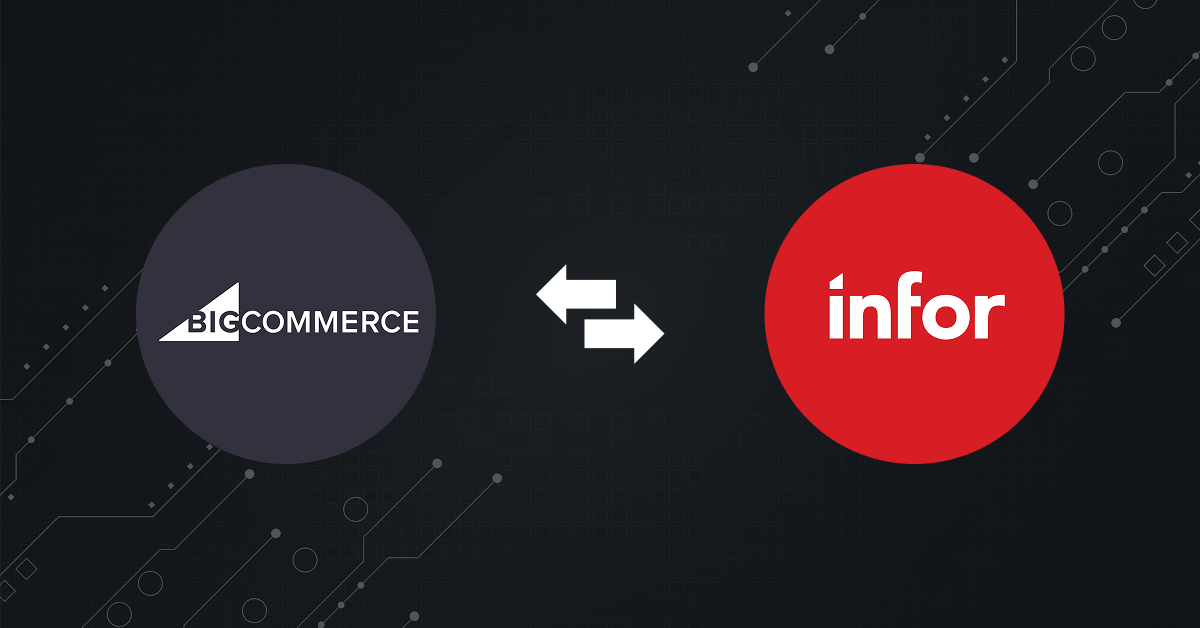
Executing a successful BigCommerce Infor integration comes down to choosing the right integration architecture. The method you choose determines how smoothly your multi-warehouse inventory, complex B2B pricing, and order fulfillment lines communicate. This guide maps out the primary deployment paths, critical data touchpoints, and how to evaluate the right integration strategy for your business.
Methods Of Integrating BigCommerce with Infor
When execution time comes, there are three primary deployment paths to build the data bridge for your BigCommerce Infor integration:
1. Custom Point-to-Point
In this case, your developers write custom code (usually running on an external server or a cloud platform like AWS) to manually tie the two systems together.
Your team has to manually code the infrastructure for everything: retry logic, message queues, data transformation scripts, and error-logging dashboards.
While a point-to-point structure eliminates middleware software licensing costs, it requires a massive amount of technical expertise and ongoing engineering overhead. Because the connection is rigid, any update to either BigCommerce’s API or Infor’s database schema forces your internal team to manually rewrite and patch the integration code to prevent costly operational downtime.
2. Third-Party Middleware
This approach leverages an independent, cloud-native Integration Platform as a Service to act as a centralized data translator. Instead of writing complex code to map an order from BigCommerce to Infor, the middleware uses pre-built connectors or flexible, configurable data workflows. It intercepts, formats, and validates the data payload mid-transit.
This method cleanly decouples your systems. If you upgrade your Infor ERP version or modify your BigCommerce storefront setup, you adjust the mapping layout within the middleware interface without risking a total system collapse or data corruption.
3. Native Integration
Rather than relying on a third-party tool, this method uses the native, architectural capabilities built directly into both ecosystems to form a hybrid connection.
Because BigCommerce does not offer a plug-and-play native app for Infor, it instead acts as an open, high-speed data engine. It uses its enterprise-grade REST/GraphQL APIs and instant webhooks to push out real-time transactional data payloads the moment an event (like a checkout or customer registration) occurs.
Infor handles the heavy lifting on the receiving end through Infor ION and Infor OS. Infor ION is a native integration platform engineered specifically to connect Infor ERPs with non-Infor applications. It safely ingests those BigCommerce API payloads, converts them into secure, standardized XML files called Business Object Documents (BODs), and passes them through its native API Gateway without disrupting core ERP business logic.
How To Choose The Right Method
Choosing the right deployment path depends entirely on three variables: your existing IT resources, your budget architecture, and the complexity of your technology stack.
Here is how to determine which path fits your business:
Go with Third-Party Middleware if:
- You have a multi-app tech stack: You need to sync BigCommerce with Infor plus other independent systems like a CRM, 3PL/Logistics platform, or external PIM.
- Speed-to-market is a priority: You want a lower internal IT burden and prefer using a visual, drag-and-drop interface to map data fields quickly.
- You want low maintenance overhead: You want the platform vendor to handle background API updates and patch management when BigCommerce or Infor shifts software versions.
Go with Native Frameworks (Infor ION) if:
- You are already heavily invested in Infor OS: You already utilize Infor OS/ION infrastructure and have internal technical analysts familiar with managing the system via Infor ION Desk.
- Strict compliance and data governance rule your business: You want all third-party data strictly validated, securely queued, and translated through Infor’s standardized Business Object Documents (BODs) before it touches core business logic.
- You prefer configuration over external tools: You want to keep the integration logic entirely within the ERP’s boundary rather than adding another third-party subscription contract.
Go with Custom Point-to-Point if:
- Your workflows are highly static: Your data mapping needs are incredibly simple, straightforward, and highly unlikely to change over the next 3 to 5 years.
- You have senior developers with deep API expertise: You have a dedicated internal engineering team capable of building and maintaining custom message queues, error logs, and retry frameworks from scratch.
- You want zero ongoing software licensing costs: You are willing to trade high upfront engineering time and ongoing maintenance risks to avoid recurring middleware subscription fees.
How It Drives Efficiency in Your Operations
Here are a few ways the integration benefits your business:
1. Combating Labor Shortages with Automation
With the ongoing labor crunch in the US supply chain and back-office roles, manual data entry is a massive challenge. Automating the flow of data from BigCommerce directly into your ERP removes the need for order-entry clerks. Orders route straight to the warehouse or production floor instantly, eliminating human error, reducing order cycle times, and allowing your existing team to focus on high-value customer service.
2. Precise Multi-Warehouse & Safety Stock Control
Distributors and manufacturers often manage inventory across multiple fulfillment centers, regional hubs, or production plants. This integration ensures that stock counts, assembly allocations, and safety stock levels are synced in real time. Your digital storefront shows exactly what is available to promise, eliminating the risk of overselling, backorders, and fractured customer relationships.
3. Frictionless Management of Complex B2B Buying Rules
B2B commerce relies heavily on custom relationships. Buyers don’t look at generic retail MSRP; they expect their specific contract pricing, tiered volume discounts, and pre-approved credit limits (e.g., Net 30/60 terms). By linking BigCommerce with your ERP, these complex logic matrices are pushed seamlessly to the front end, allowing B2B buyers to self-service online without needing to call a sales representative to verify pricing.
4. Operational Visibility via Transaction Logging
When high volumes of B2B transactions are moving between systems, operational teams need absolute clarity. A properly integrated system utilizes robust Transaction Logging to give your customer service and operations teams real-time visibility into data health. If an order fails a credit check or a custom SKU attribute is mismatched, non-technical teams can immediately locate, troubleshoot, and fix the exception before a shipping delay occurs.
5. Seamless Scaling for Market Demand
Whether you are scaling up to handle a surge in electronic EDI orders, expanding your product catalogs with a deep PIM strategy, or adding new regional distribution centers, the cloud-native bridge handles the data spikes effortlessly. Your infrastructure scales seamlessly without requiring a corresponding increase in administrative or operational headcount.
Challenges and Best Practices of BigCommerce Infor Integration
1. Mismatched Data Schemas
The Challenge: Infor ERPs process data using highly structured, technical fields built for manufacturing or warehousing (like bills of materials or raw dimensions). BigCommerce expects marketing-friendly, consumer-facing data structures. Trying to sync uncleaned legacy data leads to broken pipelines, failed product variations, or dropped customer profiles.
Best Practice: Audit and clean your data before you map. Standardize your SKU structures, eliminate legacy formatting, and clearly define which system owns each data point. Treat Infor as the source of truth for financial, inventory, and pricing data, while using a PIM or BigCommerce to manage rich marketing descriptions.
2. High-Volume Synchronization Lag
The Challenge: In high-volume distribution networks, inventory values shift second-by-second across multiple regional hubs. If your integration relies on slow, bulk-batch processing schedules (like hourly or overnight syncs), your digital storefront will display outdated stock numbers. This causes high-velocity items to oversell, leading to backorders and fractured customer relationships.
Best Practice: Implement segregated, multi-tiered syncing pipes. Instead of running a single, heavy bulk sync for all products, split your data flows. Set up a high-priority, real-time pipe that tracks fast-moving inventory or SKUs that fall below a low-stock threshold (e.g., fewer than 10 units), while letting bulk updates for static catalog data run on a lighter schedule.
3. Breaking on B2B Pricing Logic and Special Characters
The Challenge: B2B orders involve complex multi-tiered contract pricing, custom quotes, and account-specific credit terms. Furthermore, raw data inputs containing special characters (like symbols in customer company addresses or manufacturing parts) can cause the ERP gateway to reject incoming payloads, stalling order fulfillment entirely.
Best Practice: Deploy robust Transaction Logging and input modifiers. Ensure your integration layer includes real-time Transaction Logging with automated error flagging. This gives your operations team a clean dashboard to instantly see why an order stalled (such as an unmapped pricing tier or an unread character format) so they can fix the field before it misses the warehouse shipping deadline.
4. Compressed Project Timelines
The Challenge: Integration testing is frequently cut short when a launch date gets delayed. Teams tend to test only the easy way, meaning they ensure the pipeline works perfectly when everything goes right. In reality, real-world supply chains involve system drops, partial shipments, returns, and split-orders, which break untested systems on day one.
Best Practice: Adopt a phased, Minimum Viable Product (MVP) approach with rigorous edge-case testing. Do not launch everything at once. Test the architecture under stress — simulate network timeouts, force a credit limit failure, and process multi-warehouse split shipments to see how the data reacts. Secure your core flows (orders and inventory levels) first, and introduce advanced custom logic once production is stable.
Top Integration Tool for Distributors and Manufacturers: DCKAP Integrator
DCKAP Integrator is built from the ground up as an ERP-first integration platform specifically for mid-market B2B distributors and manufacturers. While traditional middleware platforms connect systems directly to each other often resulting in data mismatches and isolated silos, DCKAP Integrator operates on a simple principle: when the ERP leads, the integration works better.
By keeping your Infor ERP firmly at the center of your technology stack, it serves as the undisputed single source of truth. Your BigCommerce storefront, CRM, supply chain logistics, and EDI systems are orchestrated cleanly around this central hub. This design guarantees that complex backend logic like customer-specific contract pricing, multi-warehouse inventory levels, and pre-approved credit lines remains fully accurate across all business channels with minimal manual intervention.
Here’s why teams choose DCKAP Integrator:
- ERP-First Automation: Minimizes data gaps by ensuring all external tools sync directly through your core ERP business logic.
- Built for Non-Programmers: You do not need to be a technical expert to use it. The platform features an intuitive dashboard with simple drag-and-drop workflow tools.
- Advanced Mapping & Modifiers: Easily cleanse, format, or restructure complex data payloads mid-transit to perfectly match your distribution rules.
- Detailed Loggers & Real-Time Alerts: Out-of-the-box transaction logging provides full operational visibility. If a rare sync error happens, the system automatically sends a real-time email notification so your team can fix it instantly.
By removing the reliance on multiple custom integration layers, DCKAP Integrator simplifies your tech stack, slashes manual back-office data entry errors, and accelerates order fulfillment times. It provides a reliable, scalable environment that allows your operations to run at peak efficiency while delivering a hassle-free experience for your B2B customers.
If you’re interested to know more about this tool, get in touch with us today and we will show you a live walkthrough.