There are two types of organizations: those who trust their data, and those who don’t.
In one, decisions move fast because reports align across sales, inventory, and finance. In the other, teams pause to question the numbers, reconcile mismatches, and fix errors before taking action.
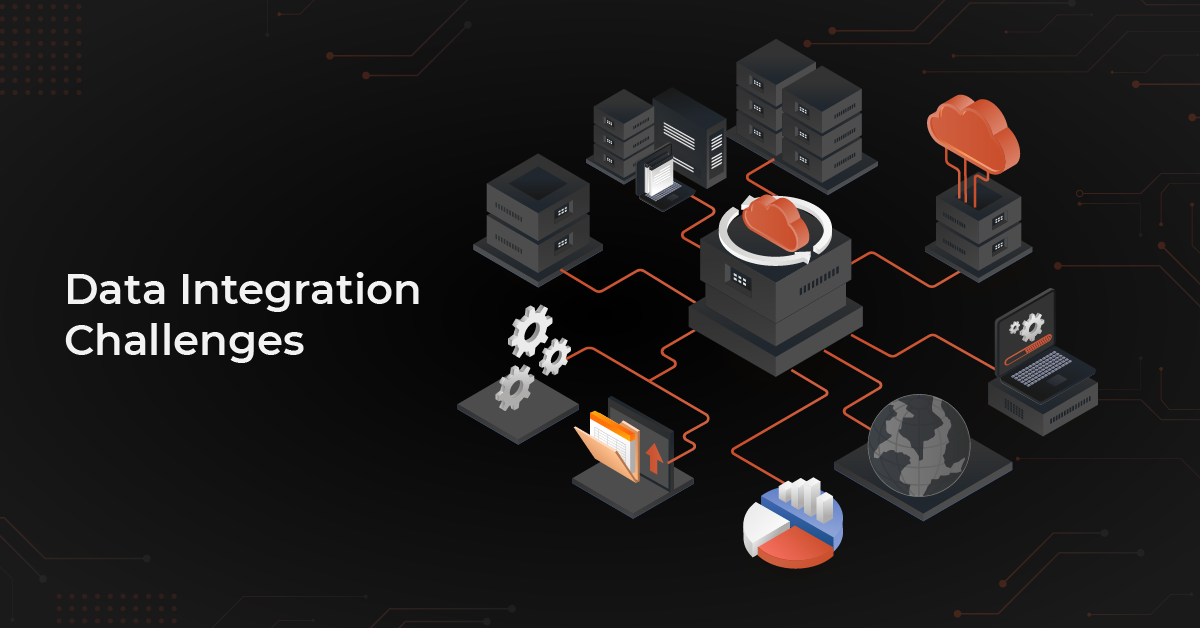
The difference isn’t better software. It’s better data integration and the challenges behind it are more common than most businesses realize.
Major Data Integration Challenges and Solutions
Let’s look at various challenges companies face when it comes to data integration:
- Multiple data sources
- Data silos
- Poor data quality
- Large data volumes
- Different data formats
- Delays in data delivery
- Data security concerns
- Lack of Data Governance and Ownership
- Integration scalability and performance issues
- Legacy system connectivity
1. Multiple Data Sources
- Dealing with diverse data sources can be tricky.
- Organizations obtain information from diverse applications, systems, and databases, leading to data silos.
- Inconsistent formats and structures across various sources complicate integration.
- Handling different data types requires tailored solutions; no one-size-fits-all approach.
Solution: Choose the Right Data Integration Tool
Selecting the right integration software is crucial to avoid multiple data sources. Answer these questions before choosing:
- What data needs integration?
- What is the expected output of your data integration?
- Which applications require integration and how?
- What is the preferred data flow: one-way or two-way?
- Is real-time sync or trigger-action data push needed?
Explore in-app integrations, native tool integrations, or third-party Integration Platform as a Service (iPaaS) providers like DCKAP Integrator, Zapier, Cleo Integration Cloud. Tailor your choice to your specific needs, considering factors like data type and flow frequency.
2. Data Silos
- Data stuck in one place hampers team efficiency.
- Data silos, accessible only to specific departments, hinder collaboration.
- Clear plans for data placement and updates are crucial to prevent information isolation.
Solution: Centralize Data
- Store all corporate data into a cloud-based data warehouse or data lake.
- Grant easy access to individuals or groups while maintaining privacy and security.
- Efficient and accurate data integration is crucial for preventing future data silos.
- Centralize data access and control through a data governance framework.
- Implement robust data access policies.
Additionally, document integration processes meticulously and catalog integrated data. This supports both business users and data scientists in finding the relevant information. As data integration complexity grows, detailed documentation becomes an investment in future ease of use, data recovery, and high availability.
3. Poor Quality Data
- Poor data quality leads to inaccurate data analytics.
- Analytics from invalid or incompatible data can lead to misleading decisions.
- Challenges include replication of data, consolidation into a single platform, and time-consuming processes.
- Once integrations are established, operations run smoothly for efficient data collection.
Solution: Optimize Your Data
Before embarking on data integration, ensure your data is in prime condition. Follow these steps:
- Utilize deduplication tools like Dedupely to clean up duplicates.
- Scan for outdated or invalid data, addressing common problems like bounced emails or invalid phone numbers.
- Optimize data collection channels by removing unnecessary fields in forms and ensuring compliance with data protection policies like GDPR (General Data Protection Regulation).
Cleaning up your databases might be time-consuming, but it’s a one-time effort that enhances data quality, setting the stage for effective integration.
4. Large Data Volumes
- Dealing with large data volumes may require a lot of resources.
- Storing data is affordable, but integrating and managing data quality in vast amounts can be complex.
- Matching values in large data sets can use up system resources and be slow.
- Operations like aggregating and sorting large amounts of data demand significant resources.
Solution: Manage and Maintain your Data
While data integration aids data management, ongoing oversight is vital. Regularly check databases to ensure operational efficiency, confirm team adherence to protocols, assess tool performance, and update your strategy as needed. As your business grows, your data integration strategy should evolve accordingly.
- Leverage cloud platforms that provide scalable and elastic resources.
- Train team members on proper data input and maintenance procedures across various departments. This reduces low-quality, outdated, or duplicate data in the system.
- Utilize distributed computing frameworks like Apache Hadoop or Apache Spark.
- Distributes processing across multiple nodes, managing large volumes efficiently.
Also read: ERP Data Integration With Other Systems
5. Different Data Formats
- Businesses collect data in various formats (CSV, Excel, JSON).
- Storing the same information in different formats leads to storage costs, financial losses, and inconsistent data.
- Different data formats are stored differently, whether on-premises or in the cloud.
- Unstructured data is challenging to define, expands exponentially and unpredictably.
- Data in different formats is difficult to query, edit, retrieve, and integrate.
Solution: Structure Your Data
- Standardize data formats across the organization.
- Utilize data integration tools that support various file formats.
- Implement data transformation processes to convert diverse formats into a unified structure.
6. Delays in Data Delivery
- Delays in delivering data pose challenges for real-time data processing.
- Real-time data collection is challenging, especially for personalized e-commerce ads.
- Relying on manual data collection in real-time is impractical due to resource constraints.
Solution: Adapt a Quicker Solution
- Utilize a platform capable of leveraging trigger events, such as a lead filling out a form.
- Triggered events initiate corresponding actions across apps, employees, and data in or near real-time.
- Implement automated data integration tools to solve the speed challenge.
- These tools efficiently collect data in real-time, preventing the waste of valuable enterprise resources.
7. Data Security Concerns
- Increased risk of security breaches and cyber-attacks as businesses gather more data.
- Involvement of multiple stakeholders introduces the risk of insider threats to data security and privacy.
- Crucial to maintain trust with customers and stakeholders during the integration process.
- Coordinating data ownership and sharing agreements, especially with external sources, is complex.
Solution: Monitor and Implement Data Security Practices
- Choose data integration Platforms that offers end-to-end data security solutions.
- Implement real-time monitoring to detect and prevent unauthorized access.
- Utilize advanced data masking techniques (tokenization, encryption) for PII protection.
- Regularly audit and update protection measures to align with evolving security standards.
- Implement processes for ensuring compliance with data protection regulations.
8. Lack of Data Governance and Ownership
- No clear data owners across departments
- Conflicting definitions (e.g., what counts as “active customer” or “available inventory”)
- Inconsistent reporting across systems
- Compliance risks due to undefined data handling policies
Solution: Establish ownership and standards
- Assign data owners per domain (sales, finance, inventory, etc.)
- Establish a central data governance framework
- Maintain a shared data dictionary and standard definitions
- Implement access controls and audit trails
9. Integration Scalability and System Performance Issues
- Integration pipelines slow down as transaction volume increases
- ERP or eCommerce systems get overloaded
- Nightly batch jobs start exceeding time windows
- Downtime during peak business hours
Solution: Design for scalable architecture.
- Move to scalable cloud-based infrastructure
- Use incremental sync instead of full data loads
- Implement queue-based or event-driven architecture
- Monitor pipeline performance proactively
10. Legacy System Compatibility
- Older ERPs or on-prem systems lack modern APIs
- Custom-built systems with undocumented logic
- Limited technical flexibility
- High dependency on internal IT teams
Solution: Use middleware and API layers
- Use middleware or integration platforms with flexible connectors
- Implement API layers on top of legacy systems
- Gradually modernize architecture instead of full replacement
- Adopt hybrid integration approaches
Also read: CRM Data Integration: How It Works With Other Systems
How to Know If You’ve Outgrown Your Current Setup
If you’re facing several of the challenges listed above, it may not be a temporary issue. It may be a structural limitation in your current integration approach.
You’ve likely outgrown your setup if:
- Your team manually fixes sync errors every week
- Inventory numbers differ between ERP, WMS, and eCommerce
- Adding a new sales channel requires custom coding
- Batch jobs run overnight and still miss data
- Pricing rules break when synced across systems
- IT is constantly reacting instead of improving
At this stage, fixing individual issues won’t solve the bigger problem. The architecture itself needs attention.
What Should You Do Next?
Instead of jumping straight into replacing systems, take a structured approach:
1. Audit Your Current Integration Flow
Map how data moves between ERP, WMS, CRM, eCommerce, EDI, and accounting systems. Identify where delays, duplication, or manual intervention occur.
2. Quantify the Operational Cost
Measure time spent fixing sync issues, correcting invoices, adjusting inventory, or reconciling reports. Integration gaps usually have hidden labor costs.
3. Prioritize High-Impact Fixes
Start with processes that directly affect revenue including order sync, inventory accuracy, pricing consistency, and invoicing.
4. Evaluate Scalability, Not Just Functionality
Ask whether your current setup can handle:
- Higher transaction volumes
- Additional warehouses
- New sales channels
- Future acquisitions
5. Consider a Centralized Integration Layer
Instead of point-to-point connections, move toward a structured integration platform that manages transformations, monitoring, and scalability in one place.
Top Data Integration Solution for Distributors And Manufacturers – DCKAP Integrator
Once you’ve identified your integration gaps, prioritized critical processes, and clarified your architectural needs, the next step is choosing a platform that can bring everything together reliably.
For distributors and manufacturers managing ERP integrations, warehouse systems, pricing rules, and multiple sales channels, the solution needs to be structured and dependable. DCKAP Integrator is designed with that reality in mind, helping businesses connect their core systems in a way that reduces manual effort, improves visibility, and supports long-term scalability.
This ERP Integration tool ensures a smooth data flow, synchronizing all systems and minimizing data discrepancies. Manual data entry becomes obsolete, resulting in time savings, reduced errors, and decreased reliance on constant developer assistance.
Here is why it is the best choice for you:
- Connect and integrate data seamlessly, breaking down silos between different business systems, ensuring a unified view of information.
- Retrieve high-quality, consistent, and standardized data from various sources, ensuring data integrity and reliability.
- Gain access to real-time insights, allowing for up-to-the-minute analysis and making better business decisions.
- Leverage robust automation capabilities to streamline workflows, reducing manual efforts and enhancing operational efficiency,
- Scale your data integration efforts effortlessly, adapting to the changing needs of your business without compromising performance.
- Equip your teams with accurate and timely data, empowering them to make informed decisions that drive business success.
- Enhance data accuracy across your organization, fostering improved communication and collaboration among teams.
- Enjoy a user-friendly interface and intuitive design, making it easy for users to navigate and utilize the full potential of the integration tool.
DCKAP Integrator stands out with its flexible pricing models, tailored to suit businesses of all sizes.
Discover the perfect plan for your organization! Click here to explore our pricing options and take the first step towards enhancing your data integration journey.
FAQs
What is data integration, and what kind of apps can be integrated?
Data integration involves combining and unifying data from different sources to provide a comprehensive view. Various software applications can be integrated, including ERP systems, CRM (customer relationship management) platforms, ecommerce solutions, and more. There are different platforms for data integration, ranging from traditional ETL (Extract, Transform, Load) tools to modern cloud-based Integration Platform as a Service (iPaaS) solutions.
What are common use cases for data integration challenges?
Data integration issues often arise in scenarios involving merging information from different sources, streamlining workflows, and ensuring consistency across different systems.
Is data integration a viable solution for outdated data formats?
Yes, data integration tools can handle the transformation of data from outdated formats used by legacy systems into more contemporary and standardized formats for improved accessibility and usability.
How does data integration impact customer satisfaction?
Seamless data integration positively influences customer satisfaction by ensuring accurate, timely information delivery, leading to an enhanced customer experience.
What role do data pipelines play in addressing integration challenges?
Data pipelines act as conduits for smooth data flow, connecting disparate systems and facilitating the seamless transfer of information, mitigating integration challenges.
What considerations are crucial when selecting a data integration tool for use cases?
When choosing a tool, factors like adaptability to various data structures, scalability, and support for automated workflows are essential to effectively address diverse use cases.
How does data integration address challenges pose by unstructured data?
Data integration involves careful planning and employs techniques like machine learning to structure and integrate unstructured data, ensuring it can be effectively utilized for business intelligence purposes.
Can data integration tools handle big data from disparate sources?
Yes, modern data integration tools for business intelligence are designed to handle a growing volume of data from diverse sources, leveraging artificial intelligence to streamline the integration process.