Comparing DCKAP and Kore.Ai is a bit like comparing a highway system to a self-driving car. Both are essential in the broader journey but they serve completely different roles.
Yet, many teams evaluating these tools fall into the trap of thinking one can replace the other. This misconception often stems from surface-level similarities, rather than a deeper understanding of their purpose.
In this blog, we’ll go beyond the buzzwords and break down how DCKAP and Kore.ai differ, so you can choose the right tool for the right job.
DCKAP vs. Kore.Ai: Key Differences At a Glance
| Aspect | DCKAP Integrator | Kore.AI |
| Who it’s for | B2B companies (distribution, manufacturing) that need connected systems | Enterprises looking to deploy AI across customer and internal operations |
| What it does | Integrates ERPs (as the central source of truth), CRMs, eCommerce, and other systems to enable seamless data flow | Builds and deploys AI agents and virtual assistants to automate conversations and workflows |
| Core problem it solves | Disconnected systems and manual data syncing | High volume of manual support tasks and operational inefficiencies |
| Where it sits | Backend integration layer (middleware between systems) | User-facing AI + automation layer |
| Type of work | Data synchronization, system integration, workflow orchestration | Conversational AI, task automation, workflow execution |
| How it works | Rule-based integrations and APIs | AI-driven, NLP-powered interactions |
| User interaction | No direct user interaction (runs in the background) | Direct interaction via chat, voice, apps, and websites |
| Technical complexity | Requires technical setup and integration expertise | Low-code/no-code, but still has a learning curve |
| Pre-built capabilities | Connectors and templates for common business systems | Industry-specific AI solutions and pre-built use cases |
| Best use case | When you need your ERP to act as the central system within your tech stack for reliable data flow across multiple systems | When you want to automate customer or employee interactions |
| Not suitable for | Building AI assistants or handling conversations | Backend system integration or data synchronization |
| Business impact | Improves operational efficiency and data consistency | Reduces support costs and enhances user experience through automation |
Also read: 8 Best EDI Integration Tools [+Top Choice for Distributors]
DCKAP Vs. Kore.Ai: Detailed Breakdown
DCKAP Overview
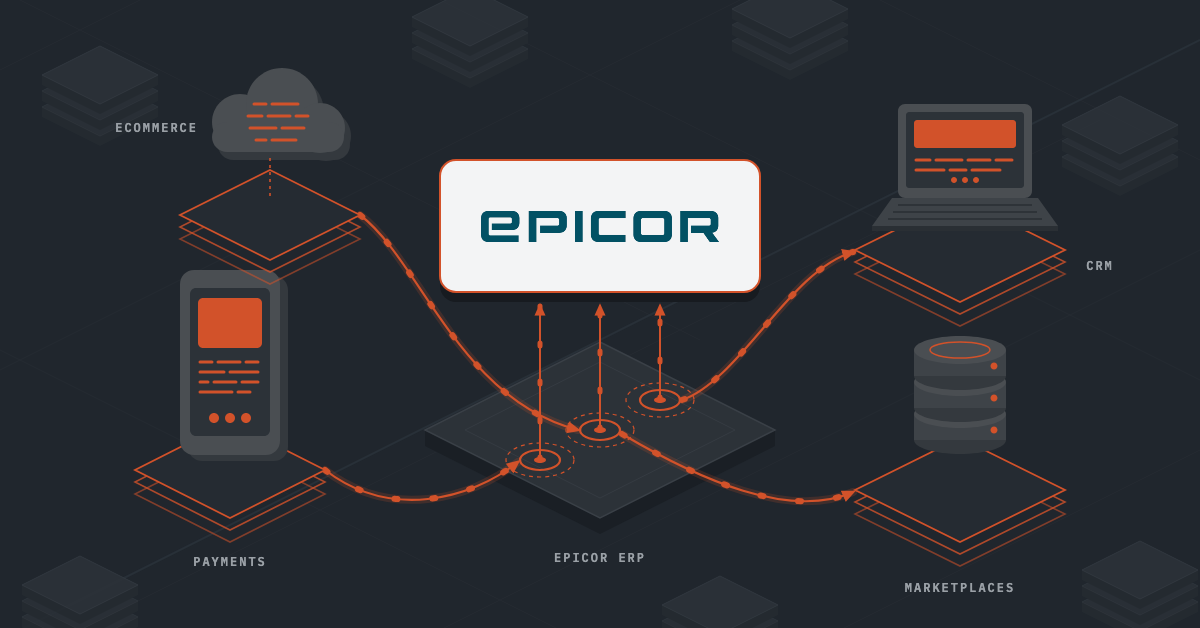
DCKAP Integrator is an ERP-first integration platform built specifically for manufacturers and distributors. Its core philosophy is to make the ERP the central source of truth, ensuring all systems in the tech stack stay aligned with accurate, real-time data.
With this approach, it reduces manual data handling, minimizes errors, and frees up teams to focus on more high-value work instead of repetitive tasks.
Key Features
- ERP-First Approach: Positions the ERP as the single source of truth, keeping all connected systems aligned and up to date.
- Advanced Mapping & Modifiers: Enables flexible data transformation and customization to match complex business requirements.
- Workflow Automation: Automates data flows and processes between systems, reducing manual intervention.
- Real-Time & Batch Sync: Supports both real-time updates and scheduled batch syncing based on business needs.
- Custom APIs for Flexibility: Allows custom API integrations when pre-built connectors aren’t available.
- Error Handling & Monitoring: Provides visibility into integration issues with logging and tracking for faster resolution.
- Ongoing Support: Offers continuous support from onboarding through long-term usage.
Pros
- Strong ERP-centric architecture: Ensures consistent, reliable data across all connected systems.
- Built for distribution and manufacturing: Aligns well with real-world B2B workflows and system requirements.
- Strong at connecting legacy and modern systems: Many business users highlight its ability to link older ERPs with newer platforms like eCommerce or CRM systems effectively.
- Reduces manual work and improves efficiency: Automates data syncing (orders, inventory, pricing), saving time and minimizing human errors.
- Reliable customer support: Consistently praised for responsive and hands-on support during setup and ongoing usage.
- Handles complex data flows well: Bi-directional sync and workflow automation make it suitable for real-world B2B operations.
- Improves data visibility and consistency: Centralized integration helps maintain accurate, up-to-date data across systems.
Cons
- Not suited for non-ERP-centric businesses: Works best when ERP is the core system, less relevant otherwise.
- Limited to backend integration: Does not handle user-facing experiences like AI assistants or automation interfaces.
Pricing
DCKAP’s pricing model, with its Launch, Growth, and Scale tiers, ensures customers pay only for what they use, and no more.
Kore.ai Overview
Kore.ai is an enterprise AI platform built to create and manage virtual assistants that can handle conversations, automate tasks, and support business operations. It’s primarily aimed at organizations looking to introduce AI into customer service, internal support functions, and workflow automation at scale.
Rather than being a simple chatbot builder, it positions itself as a full-stack solution for conversational AI combined with enterprise integrations.
Key Features
- Multi-Agent Orchestration: Coordinates multiple AI agents to handle complex workflows and decision-making across functions.
- Omnichannel Deployment: Deploys AI assistants across 30+ channels, including chat, voice, mobile apps, and social platforms.
- DialogGPT for Conversations: Enables contextual intent detection and more natural, multi-turn conversations.
- Advanced Analytics: Tracks user interactions and agent performance to identify gaps and improve outcomes.
- AI Observability Tools: Provides monitoring and debugging capabilities to optimize workflows and maintain performance.
- Pre-Built Applications: Offers ready-made solutions for industries and teams like banking, healthcare, HR, IT, and recruiting.
Pros
- Speeds up AI adoption for enterprises: Provides a structured way to roll out AI assistants across multiple teams without building everything from scratch.
- Handles more than just basic chatbots: Capable of supporting complex, multi-step interactions tied to real business workflows.
- Strong integration ecosystem: Works well in environments where multiple systems need to be connected to a single conversational layer.
- Flexible deployment across channels: Allows businesses to meet users where they are including, web, mobile, chat, or voice.
- Supports cross-functional use cases: Can be applied to customer support, IT helpdesks, HR queries, and more within the same platform.
- Pre-built accelerators reduce initial effort: Industry templates and use cases can shorten the time to first deployment.
Cons
- “No-code” doesn’t mean “no complexity”: While marketed as low-code, building production-ready assistants often requires significant effort, planning, and technical involvement.
- Learning curve can be underestimated: New users may find the platform overwhelming, especially when dealing with conversation design, integrations, and testing.
- UI/UX can slow teams down: The interface isn’t always intuitive, which can impact productivity during development and iteration.
- Performance isn’t always consistent: Latency and response delays can show up, particularly in integration-heavy or voice-based scenarios.
- Requires ongoing tuning and maintenance: NLP models, workflows, and search need continuous refinement to perform reliably at scale.
- Not plug-and-play for complex use cases: Pre-built solutions help, but rarely eliminate the need for customization.
- Can raise scalability and architecture concerns over time: As implementations grow, maintaining performance and structure can become more challenging.
Pricing
Kore.ai does not offer transparent, publicly listed pricing. To get an accurate estimate, businesses need to get in touch with their team based on specific requirements and use cases.
The pricing model itself can be a bit complex, as it varies across different offerings:
- Automation AI is billed in 15-minute usage sessions
- Contact Center AI and Agentic AI are typically billed per seat
Because of this mixed pricing structure, forecasting costs can be challenging. As adoption increases, so does the spend, more customer interactions, additional voice channels, longer conversations, and a higher number of agents all contribute to rising costs.
Also read: Inventory Management for eCommerce In 2026
Where They Overlap and Where They Diverge
Both Kore.ai and DCKAP work toward a similar goal: improving operational efficiency through automation but they approach it in fundamentally different ways. Here’s how:
The Common Ground: Process Automation
They are both used to reduce manual effort and streamline business processes.
- Kore.ai focuses on automating interactions, handling customer queries, employee requests, and workflow execution through AI-driven conversations.
- DCKAP Integrator focuses on automating data movement ensuring systems stay in sync without manual intervention.
In both cases, the outcome is the same: faster operations, fewer errors, and more efficient teams.
How They Differ in Practice
While the goal overlaps, the execution is completely different:
- DCKAP Integrator operates in the background, managing data flow between systems like ERP, CRM, and eCommerce platforms.
- Kore.ai operates at the front, enabling users to interact with systems through conversational AI and automated workflows.
So, in short, DCKAP Integrator automates how systems talk to each other while Kore.ai automates how people interact with systems
Final Thoughts
This distinction is what prevents misalignment. Choosing between these tools isn’t about comparing features, it’s about understanding whether your challenge is rooted in data integration or user interaction and automation.
If your priority is building a connected system where your ERP acts as the single source of truth and all your business applications stay in sync, then DCKAP Integrator is likely the better fit.
If that aligns with your goals, it’s worth exploring how it can fit into your current tech stack and operational workflows.
FAQs
How do I choose between integration software and AI software?
The right choice depends on your primary need. If your challenge is connecting systems and managing data flow, integration software like DCKAP Integrator is the better fit. If you want to automate customer interactions or internal workflows using artificial intelligence, then Kore.ai is more suitable.
What are the common use cases for these tools?
DCKAP Integrator is commonly used for syncing orders, inventory, and customer data across systems. Kore.ai is used for automating customer support, employee helpdesks, and business workflows through AI-powered conversations.
What challenges should businesses expect when implementing these tools?
Common challenges include integration complexity, data inconsistencies, learning curves, and ongoing maintenance. AI tools may also require continuous training and optimization to perform effectively.
Do I need both integration software and AI platforms?
In many enterprise setups, yes. Integration software ensures that all systems are connected and data is accurate, while AI platforms use that data to automate interactions and decision-making. Together, they create a more efficient and scalable system.
Who are the major players or vendors in integration and AI automation software?
In the integration space, key players include platforms like DCKAP Integrator, MuleSoft, and Boomi. In the artificial intelligence and conversational AI space, major vendors include Kore.ai, IBM Watson Assistant, and Google Dialogflow. Each category serves a different purpose.