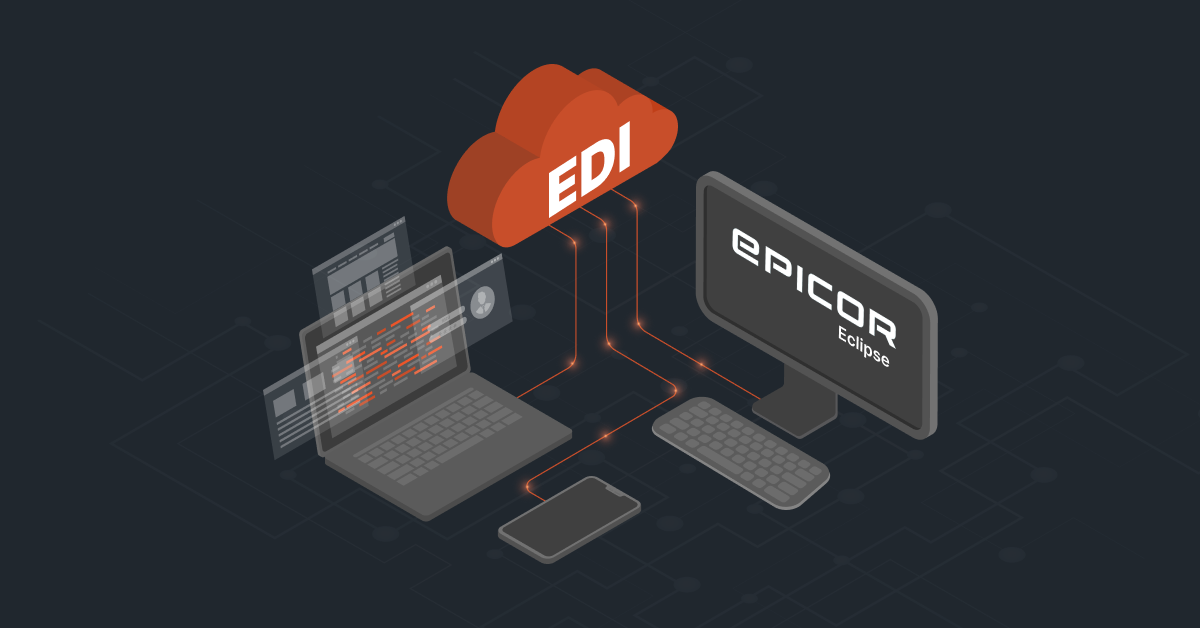
EDI is a key part of how B2B businesses exchange information with their trading partners. But the real value comes when those EDI transactions can move seamlessly into the Epicor ERP and become part of your everyday workflows.
Epicor Kinetic EDI integration connects these two sides, allowing orders, shipping information, invoices, inventory data, and other documents to move between your trading partners and Kinetic with less manual work.
Epicor Kinetic EDI Integration: Methods, Protocols, and Data Standards
When you integrate Epicor Kinetic with EDI, there are three things you need to understand: how the integration is set up, how EDI files are transferred, and what data standards are used.
Epicor Kinetic is built around REST APIs and a service-oriented architecture, so it can work with both direct EDI setups and middleware-based integrations. Here is what each approach looks like.
1. Integration Methods
There are a few common ways to connect Epicor Kinetic with a trading partner’s EDI system:
- Middleware / iPaaS: A middleware or EDI integration platform sits between the trading partner and Epicor Kinetic. This is usually vendor-operated. It receives the EDI file, translates it into a format Kinetic can work with, and uses Kinetic’s REST APIs to send or retrieve the data. This approach is useful when you need to connect multiple trading partners, ERPs, or other business systems.
- Native Epicor EDI (HQXchange / Epicor EDI Suite): Epicor’s first-party, embedded EDI solution. It eliminates external middleware by integrating directly into Kinetic’s core architecture. HQXchange manages mapping, translation, and communication protocols (AS2/SFTP) natively, binding directly to Kinetic’s Business Objects and offering unified monitoring via tools like IntelligentXchange (IX). This requires in-house technical expertise and resources to efficiently manage EDI mapping, data translation, data transformation, and other EDI processes.
- Direct EDI: In a direct setup, an EDI translator handles the conversion and mapping of EDI documents and connects directly with Epicor Kinetic. This creates a more point-to-point integration, with the EDI software responsible for the translation and communication.
- VAN (Value-Added Network): This is another vendor-operated model. A VAN works like a secure mailbox between trading partners. Your partner sends EDI documents to the VAN, where they are stored until your EDI system or integration platform retrieves them. The VAN handles the exchange, while the integration layer handles the translation and ERP connection.
| Note: Native Epicor EDI is a type of direct EDI because it connects directly with Epicor Kinetic and typically requires internal technical expertise. The key difference is that, with direct EDI, you can choose any EDI translator, while native Epicor EDI uses Epicor’s own EDI capabilities for translation. Organizations can choose either approach based on their requirements and available expertise. If they do not have the necessary in-house resources, however, a VAN or third-party middleware solution may be a better option. |
2. EDI Integration Protocols
Once you decide how the integration will be set up, you need a way to securely move the EDI documents between systems. The most common protocols you can expect are:
- AS2 (Applicability Statement 2): A widely used protocol for exchanging EDI documents directly over HTTPS. It uses digital certificates to encrypt and secure the exchange and can return an MDN (Message Disposition Notification) to confirm that the document was received.
- SFTP / FTPS: These are secure file-transfer protocols used to send and receive EDI files through secure folders or servers. They are also commonly used when connecting to a VAN or an EDI provider.
- HTTPS / REST APIs: These are typically used for communication between the integration layer and Epicor Kinetic. Once the EDI document has been translated, the integration platform can use Kinetic’s REST APIs to send data into or retrieve data from the ERP.
3. EDI Data Standards and Formats
The next piece is the format of the actual EDI data. Your trading partner will usually specify which EDI standard and document types they expect you to support.
- ANSI X12: This is the most common EDI standard in North America. Some of the documents you are likely to encounter include EDI 850: Purchase Order, EDI 810: Invoice and EDI 856: Advance Shipping Notice (ASN).
- EDIFACT: This is another widely used EDI standard, particularly for international transactions. Your trading partner may require EDIFACT instead of X12 depending on the market and industry.
- JSON / XML: These are not EDI standards themselves. They are structured data formats that can be used when the translated EDI data is passed between your integration platform and Epicor Kinetic through its APIs.
Also read: Traditional EDI Providers vs. ERP-Native Solutions Explained
What the Epicor Kinetic EDI Integration Process May Look Like
Once you understand the Epicor EDI integration methods, protocols, and data standards, it is easier to see how everything comes together. Take a simple example where a trading partner sends a Purchase Order (EDI 850) to your business.
The Trading Partner Sends the EDI Document
The process starts when your trading partner sends an EDI 850 Purchase Order. Depending on the setup, the document can be transferred using a protocol such as AS2 or SFTP.
The important part is that the EDI document can move securely from the trading partner to your EDI system or integration platform.
The EDI Data Is Translated
The EDI system or middleware receives the document and translates the ANSI X12/ EDIFACT data into a structured format that the integration layer can work with, such as JSON or XML.
This is also where data mapping happens. For example, your trading partner may use its own product or customer codes, while Epicor Kinetic uses your internal product and customer information. The integration layer maps these values so the data makes sense to Kinetic.
The Data Moves into Epicor Kinetic
Once the data has been translated and mapped, the integration platform uses Epicor Kinetic’s REST APIs to send the information into the ERP.
Kinetic can then process the information as part of your normal business workflow. In this example, the Purchase Order data moves from the trading partner’s EDI system into Kinetic without your team having to manually enter the order.
The Transaction Is Tracked
Throughout the process, the integration platform can track the movement of the data and provide logs and alerts. This gives your team visibility into whether the document was received, translated, and successfully passed to Kinetic.
If something goes wrong, such as a product code that does not match your Kinetic data, the integration can flag the issue so it can be corrected and the transaction can be processed again.
What Impact Can Epicor Kinetic EDI Integration Have on Your Business?
Connecting Epicor ERP system with your trading partner systems changes how orders, shipping information, invoices, and other data move across your business. But you can look at the three most important ways Epicor Kinetic EDI Integration impacts your business:
1. Operational Impact
The biggest change is in the day-to-day order process. Instead of your team manually entering information from an EDI document into Kinetic, the data can move automatically between the two systems.
- Faster order processing: Purchase Orders (EDI 850) can move from your trading partner into Kinetic without manual data entry, helping your team process orders faster.
- Fewer data entry errors: Product numbers, quantities, customer details, and shipping information do not have to be manually re-entered, reducing the chances of mistakes.
- Smoother fulfilment: Shipping information such as Advance Shipping Notices (EDI 856) can be sent automatically when an order is shipped, giving trading partners better visibility into incoming shipments.
- More focus on exceptions: Instead of spending time entering and checking every order, your team can focus on transactions that actually need attention, such as an unmapped product or missing information.
2. Financial Impact
The benefits also extend to the financial side of the business. When orders and invoices move faster, there is less manual work and less risk of delays.
- Lower administrative costs: Automating repetitive order and document processing reduces the time spent on manual entry, paperwork, and follow-ups.
- Fewer compliance-related costs: Automated EDI helps you meet trading partner requirements for documents such as purchase orders, ASNs, and invoices, reducing the risk of errors and potential chargebacks.
- Faster invoicing: Once shipment information is processed in Kinetic, invoices (EDI 810) can be generated and sent to the trading partner as part of the automated workflow.
- Easier scaling: As order volumes and trading partners increase, you can handle more transactions without having to increase manual processing at the same rate.
3. Technical Impact
There is also a change in how your systems communicate behind the scenes. Instead of relying on manual transfers or multiple disconnected processes, EDI data can move through a more structured integration layer.
- API-based integration: Epicor Kinetic’s REST APIs provide a standard way for the integration platform to send and retrieve data without directly working with the ERP database.
- Connected systems: EDI data can move between Kinetic and other systems such as your WMS, 3PL, ecommerce platform, or trading partner systems, helping keep important information in sync.
- Better visibility: Integration logs give your team a record of transactions and make it easier to identify where a transaction failed or needs attention.
- Easier maintenance: Using standard EDI protocols, data formats, and APIs can reduce the need for custom point-to-point connections and make the integration easier to maintain as your systems evolve.
Also read: Understanding QuickBooks EDI Integration [Methods + Types + Top Tool]
Common EDI Documents for Distributors and Manufacturers
If you are integrating EDI with Epicor Kinetic, these are some of the ANSI X12 documents you are most likely to come across. The exact documents you need will depend on your trading partners and business processes.
EDI 810 – Invoice
Sent by the seller to request payment for goods or services. It typically references the original purchase order and shipment information.
EDI 820 – Payment Order / Remittance Advice
Sent by the buyer to provide payment or remittance details, including which invoices are being paid.
EDI 830 – Planning Schedule with Release Capability
Used to share demand forecasts and planned material requirements with suppliers. This helps manufacturers and distributors plan purchasing and production.
EDI 840 – Request for Quote (RFQ)
Sent by a buyer to request pricing and other details for products or services before placing an order.
EDI 843 – Response to Request for Quote
Sent by the supplier in response to an EDI 840, providing pricing, availability, delivery information, or other quote details.
EDI 846 – Inventory Inquiry / Advice
Used to share inventory information between trading partners, such as available quantities, stock levels, and warehouse availability.
EDI 850 – Purchase Order (PO)
Sent by a buyer to place an order. It can include products, quantities, pricing, delivery details, and other order information.
EDI 852 – Product Activity Data
Used by distributors and retailers to share information such as sales activity, inventory movement, and product demand with suppliers or manufacturers.
EDI 855 – Purchase Order Acknowledgment
Sent by the supplier to confirm that a Purchase Order has been received and indicate whether it is accepted, rejected, or accepted with changes.
EDI 856 – Advance Shipping Notice (ASN)
Sent before a shipment arrives to provide details about what is being shipped, including products, quantities, packaging, carrier, and tracking information.
EDI 860 – Purchase Order Change Request
Sent by the buyer when changes need to be made to an existing Purchase Order, such as quantities, delivery dates, or shipping information.
EDI 865 – Purchase Order Change Acknowledgment
Sent by the supplier in response to an EDI 860 to confirm whether the requested changes have been accepted or rejected.
EDI 940 – Warehouse Shipping Order
Used when a distributor or manufacturer works with a 3PL or external warehouse. It tells the warehouse what needs to be picked and shipped.
EDI 945 – Warehouse Shipping Advice
Sent by the warehouse or 3PL in response to an EDI 940 to confirm what was actually shipped, along with relevant shipment details.
EDI 997 – Functional Acknowledgment
A system-generated acknowledgment confirming that an EDI document was received and that its basic structure could be processed. It does not necessarily mean that the business transaction itself was accepted.
Also read: EDI vs APIs in B2B Supply Chain Integrations
A Simpler Approach to Epicor Kinetic EDI Integration
Setting up an EDI connection is one thing. Keeping it running as you add trading partners, change requirements, and connect more systems is another. This is where DCKAP can help. With extensive experience across the Epicor ecosystem, DCKAP understands both the ERP and EDI sides of the integration.
Instead of your team manage all the moving parts, DCKAP provides a full-service EDI integration solution that takes care of the integration and the ongoing management around it.
With DCKAP, you get:
- End-to-end EDI integration: Connect Epicor Kinetic with your trading partners and other business systems.
- Managed EDI services: Let the DCKAP team handle the day-to-day complexity of EDI, so your internal team does not have to.
- Trading partner management: Manage connections, exchange of business documents, mappings, and changes as your partner network grows.
- Monitoring and support: Keep track of transactions and quickly identify issues that need attention.
- ERP-first integration: Connect with Epicor Kinetic through modern APIs and keep your ERP at the center of your integration architecture.
- Epicor experience: Work with a team that has decades of experience across Epicor products, rather than figuring out each integration from scratch.
And it does not stop at choosing one integration approach. If you have an on-premises legacy system environment, DCKAP can support API customizations where required. If your business needs a VAN, that is available too. And if you need a combination of integration approaches, DCKAP can support a hybrid setup based on your business requirements.
Want to know how DCKAP can help with your Epicor Kinetic EDI integration? Get in touch with the team to discuss your requirements.
FAQs
Can I use a VAN for EDI integration without middleware?
If you use only a basic VAN service without any middleware or ERP-side automation tools, the connection stops at the VAN mailbox. You get secure document exchange and delivery, but human intervention is required to move that data into Epicor Kinetic.
How does modern Electronic Data Interchange improve supply chain operational efficiency?
Manual order entry creates bottlenecks and data entry errors across supply chain operations. Integrating electronic data interchange directly with modern ERPs automates the complete data flow, from inbound Purchase Orders (EDI 850) to outbound Invoices (EDI 810). This automation drastically speeds up lead times, eliminates typos in business data, and boosts data accuracy to ensure companies meet strict retail partner guidelines and optimize daily operations.
What is Epicor Prism EDI Agent?
The Epicor Prism EDI Agent is an embedded, conversational AI assistant within Epicor’s modern AI framework (Epicor Prism).It is not an integration protocol, a translation engine, or a replacement for middleware. Instead, it acts as an intelligent exception management and operational visibility layer sitting on top of your Kinetic EDI infrastructure.
Can API management replace traditional EDI technologies for large enterprises?
API management and traditional EDI serve complementary roles rather than replacing one another. While large enterprises rely heavily on API endpoints for real-time internal data exchange between business applications (such as syncing Kinetic with a CRM or WMS), industry standards across global supply chain networks still mandate ANSI X12 or EDIFACT protocols over AS2 or SFTP. Combining API integration with standard EDI bridges modern, real-time cloud capabilities with legacy B2B communication requirements.
What unique challenges do companies face during EDI operations?
The primary unique challenges revolve around partner-specific mapping rules, master data hygiene, and exception handling. Every customer maintains distinct implementation guides, requiring unique data flow mappings between their formatting and internal ERP ( Enterprise Resource Planning) schemas. Key focus areas during implementation include setting up robust cross-referencing for customer part numbers and establishing automated transaction logging so teams can quickly resolve data validation issues without delaying fulfillment.
What is the difference between full-service VAN and full-service EDI Integration middleware?
A full-service VAN can handle transport and file translation, but it falls short of what full-service EDI integration middleware achieves inside your enterprise. While a full-service VAN handles trading-partner-facing logistics, full-service EDI middleware manages internal business logic, system orchestration, and deeper automation.