A CRM does make work easier.
But when information has to be copied into the ERP, checked against inventory, or confirmed with accounting, the process quietly becomes heavier than it should be.
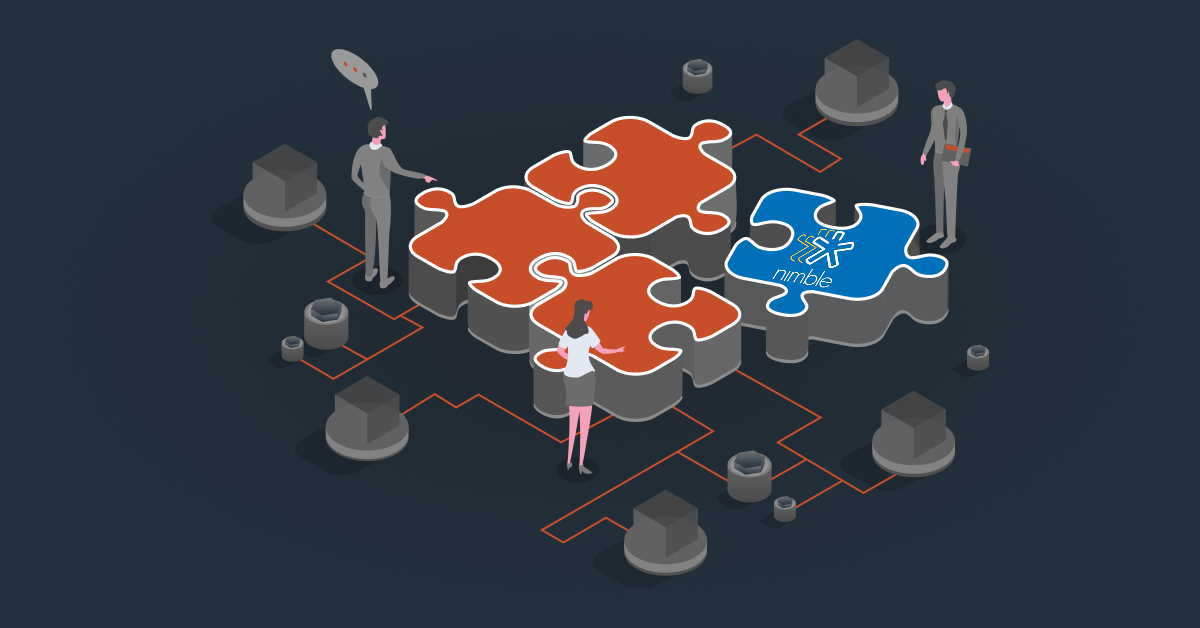
That’s usually when Nimble CRM integration helps.
Methods of Nimble CRM Integration
Common ways to integrate include options like:
Third-Party Integration Platforms (Middleware)
One of the most common ways to set up Nimble CRM integration is through third-party integration platforms. These tools act as the bridge between Nimble and other systems like ERP, accounting software, marketing tools, or eCommerce platforms.
For manufacturers and distributors who don’t want the technical burden in-house, platforms like DCKAP Integrator works best. Instead of just giving access to automation tools, the integration is structured, managed, and supported properly. It removes the ongoing technical hassle while still giving full visibility and control which is critical when syncing CRM with ERP, orders, inventory, and financial data.
Native Integrations
Nimble also offers built-in integrations with tools like Gmail, Outlook, and Office 365. These are quick to set up and usually don’t require technical expertise.
They work well for syncing emails, calendars, and basic contact data. However, they are limited in scope and don’t typically handle deeper operational integrations like ERP, inventory, or accounting systems.
API-Based Custom Integrations
Nimble provides API access for businesses that want fully customized integrations. This allows developers to build direct connections between Nimble and ERP systems, accounting platforms, or proprietary software.
This option offers maximum flexibility, but it requires internal technical expertise for development, monitoring, and long-term maintenance. For businesses without a dedicated IT team, this can become resource-intensive.
CSV Import / Manual Data Sync
The most basic option is importing and exporting data through CSV files. This is often used for initial migrations or one-time updates.
It doesn’t provide real-time synchronization and still requires careful data handling internally. For ongoing operations, this is usually a temporary solution rather than a scalable integration strategy.
What Can You Integrate with Nimble CRM?
If you’re running a manufacturing or distribution business, Nimble CRM is probably not the only system you’re using.
There must be several tools working on their own. And that’s the problem. To avoid that, here are some Nimble CRM integrations that you should consider for smoother workflows:
1. ERP Integration
This is usually the most important integration. Your ERP handles orders, pricing rules, inventory levels, invoicing, and fulfillment while Nimble handles relationships and pipelines. If these two aren’t connected, your business teams will work without the operational visibility, which is crucial.
When integrated, a closed deal in Nimble can flow directly into ERP. Sales can see order history. Leadership can compare pipelines with actual revenue. For most businesses, this is the integration that makes the biggest operational difference.
2. eCommerce Store Integration
This is another very important integration to consider. If you’re accepting orders online through Shopify, BigCommerce, Magento, or any B2B portal, that data shouldn’t stay separate. Online orders, customer activity, and buying patterns tell you a lot.
When eCommerce is integrated with Nimble, you don’t just see transactions. You see behavior tied to real accounts. You know who is reordering, who has slowed down, and who might need outreach. It connects digital buying activity with actual relationship management.
3. Accounting Software Integration
Accounting systems hold critical information like payment history, open invoices, credit limits. Sales conversations are affected by this more than people realize. When Nimble is connected to accounting software, reps can see financial standing before pushing new orders. That protects cash flow and avoids uncomfortable surprises later.
4. Inventory Management Systems
Inventory changes constantly in distribution and manufacturing. If stock levels aren’t visible alongside opportunities, it creates risk. Items get promised that aren’t available. Delivery timelines get adjusted after the fact. When inventory data syncs with Nimble, decisions are made with real numbers, not assumptions.
5. Marketing Automation Tools
If you’re running email campaigns or lead generation efforts, that data should flow into Nimble automatically. New leads shouldn’t be manually transferred. Campaign engagement shouldn’t stay locked inside marketing software. When integrated, marketing and sales stay aligned. You can see which campaigns actually lead to revenue and not just clicks.
6. Customer Support or Ticketing Systems
Support interactions matter. If a customer has an open issue, sales should know before starting a new conversation. When support systems are integrated with Nimble, account visibility improves. Conversations become more informed. And teams avoid stepping on each other’s work.
Also read: CRM Data Integration: How It Works With Other Systems
Benefits of Nimble CRM Integration
Here’s what you get after integrating Nimble CRM:
Conversations Become Smoother
Right now, if someone asks about an order, payment, or stock level, there’s usually a pause. You check one system, then another. Maybe you message someone internally. Then you respond. When Nimble is connected to the rest of your systems, that pause gets shorter. The information is already there. You sound more confident. Things move faster without extra effort.
Sales and Operations Start Working Together
In many manufacturing and distribution businesses, sales is doing its thing in the CRM, and operations is managing orders somewhere else. Both teams are working hard. They’re just not always looking at the same information.
Integration connects those dots. What sales sees reflects what’s actually happening on the operational side. That alignment reduces confusion more than people expect.
Onboarding New Sales Reps Becomes Easier
When systems are disconnected, new reps have to learn where all the required data is.
Integration simplifies that. All the information stays in one connected flow or within a single system of record. Training becomes easier because the system mirrors how the business actually works.
Reporting Stops Being a Monthly Headache
Most reporting stress comes from pulling data from different systems and trying to make it match. When Nimble is integrated, pipeline, orders, and invoices are connected. The reports make sense the first time you run them. No double checking needed.
Problems Surface Earlier
When systems talk to each other, gaps become visible faster. Instead of discovering issues weeks later, you see patterns sooner. Whether it is Delayed shipments, Stalled deals or unusual buying patterns. That gives you time to adjust before it becomes expensive.
Faster Quote-to-Cash Cycle
In B2B businesses, speed matters. When CRM, ERP, and finance systems are integrated:
- Quotes convert into orders faster
- Orders sync directly to fulfillment
- Invoices generate without delay
This shortens the sales cycle and improves cash flow.
Also read: Top 10 CRM Software for Distributors [+Why You Need One]
Common Challenges in Nimble CRM Integration (And How to Avoid Them)
1. Challenge: Data Doesn’t Match Between Systems
Customer names are formatted differently. Product SKUs don’t align. Pricing rules vary. One system allows certain fields that the other doesn’t. When integration starts without cleaning this up, mismatches happen immediately.
Solution:
Before integrating, review and standardize your data. Clean customer records. Align product codes. Confirm pricing logic. Integration works best when both systems are organized first — not after.
2. Challenge: Unclear Data Ownership
- Who controls pricing?
- Which system is the source of truth for inventory?
- Where should updates originate?
If this isn’t defined early, systems start overwriting each other.
Solution:
Decide upfront which system owns what. For example, ERP might be the source for pricing and inventory, while Nimble owns contact and activity data. Clear rules prevent conflicts later.
3. Challenge: Over-Automating Too Quickly
It’s tempting to automate everything at once like leads, orders, invoices, inventory updates, notifications. But when too much is automated without testing, small errors spread quickly.
Solution:
Start with core workflows. Test them and confirm if they’re stable. Then expand gradually. Integration should grow in phases, not all at once.
4. Challenge: Lack of Ongoing Monitoring
Many businesses set up integration and assume it will run perfectly forever. But systems update, APIs change, data structures evolve. Without monitoring, small sync issues can go unnoticed.
Solution:
Have a clear monitoring process. Either assign someone internally or work with a managed integration provider who keeps an eye on performance and resolves issues proactively.
5. Challenge: Not Planning for Future
An integration might work fine at current volume. But when orders double or product lines expand, the workflow may struggle. If scalability isn’t considered early, you end up rebuilding later.
Solution:
Design integration with future growth in mind. Think about order volume, additional sales reps, expanded SKUs. A properly structured integration should handle growth without constant redesign.
6. Challenge: Trying to Build Everything In-House Without Resources
Custom API integrations give control, but they require technical expertise and ongoing support.
Without dedicated resources, maintenance becomes inconsistent.
Solution:
Be realistic about internal capacity. If your team isn’t structured to manage integrations long term, a managed integration platform makes more sense. It reduces internal strain while keeping systems aligned.
Also read: How to Set up a Successful CRM-ERP Integration: Benefits, Challenges, and Best Practices
The Smarter Way to Connect Nimble CRM to Your Systems
Now that we’ve talked about challenges and how to avoid them, let’s look at the tools that actually make integration work, especially for manufacturing and distribution businesses.
In this context, one standout third-party solution is DCKAP Integrator.
Most businesses prefer keeping a core operational system at the center, which is usually the ERP. But if your sales and customer data in Nimble CRM is what drives everything, DCKAP Integrator can structure the integration around that. It’s flexible like that.
The goal is simple: no duplicates, no back-and-forth syncing, no confusion about which system has the right numbers.
A few things that make it strong:
- Advanced mapping and modifiers: You’re not stuck with rigid, one-size-fits-all connections. Fields can be mapped the way your business actually works.
- Custom workflows: The workflow builder is intuitive. You can automate exactly what needs to move and when.
- Error alerts and monitoring: If something breaks, you know immediately. You’re not finding out at month-end.
- Managed platform with real support: This isn’t just software. There’s a team behind it handling implementation, optimization, and ongoing support.
- Transparent pricing: No surprise layers as you scale.
What matters most is customization.
Every manufacturer or distributor runs differently. Different pricing logic, different approval flows, different customer hierarchies. DCKAP Integrator doesn’t force you into a template. It adapts to your process and builds a single source of truth around it.
So whether Nimble CRM is your central hub or part of a larger ecosystem, the integration is designed around your business logic. If you want to see how this would work specifically for your Nimble CRM setup, get in touch with us. We’ll walk you through it.
FAQs
When should you consider Nimble CRM integration?
If your team is jumping between apps all day, that’s usually the first sign. When customer relationship management starts feeling messy like contact details sitting in one place, email history somewhere else, spreadsheets floating around, it’s time to think about integration. The same goes if your team is doing too much manual data entry or repeating the same repetitive tasks every week.
Another sign is when different departments are looking at different numbers. Sales says one thing, customer service says another. No one is fully sure which system is right.If you’re losing hours just updating contact lists, tracking follow-up actions, or checking progress across tools, your Nimble CRM probably needs to be connected properly.
How does Nimble CRM integration help small businesses?
For small businesses, time is everything. Integration reduces repetitive tasks, cuts down manual data entry, and keeps your contact list updated automatically. When a website form is filled, when an email is opened, when a deal moves forward, those actions can trigger updates inside Nimble.That means fewer missed follow-ups, better visibility into clients and prospects, and clearer analytics without extra effort.
What are some alternative integration tools you can use?
Here are a few common options: Zapier, Make (formerly Integromat), Celigo, Workato, Boomi,Tray.io, MuleSoft, ,
Which integration setup is right for your business?
That depends on how your business runs. Some businesses want Nimble CRM to be the main system where everything flows in from sales automation, email automation, customer interactions, to reporting. Others prefer another system as the core and sync CRM around it. The right integration is the one that creates a single, reliable source of truth. No more complexity. No more syncing problems. Just clean, consistent data across departments and users.