For most business owners, eBay is a powerful channel to sell excess inventory, refurbished products, or slow-moving stock without affecting their core B2B pricing. But if your team is still manually entering eBay orders into your ERP system and updating tracking information by hand, you’re creating extra work instead of improving efficiency.
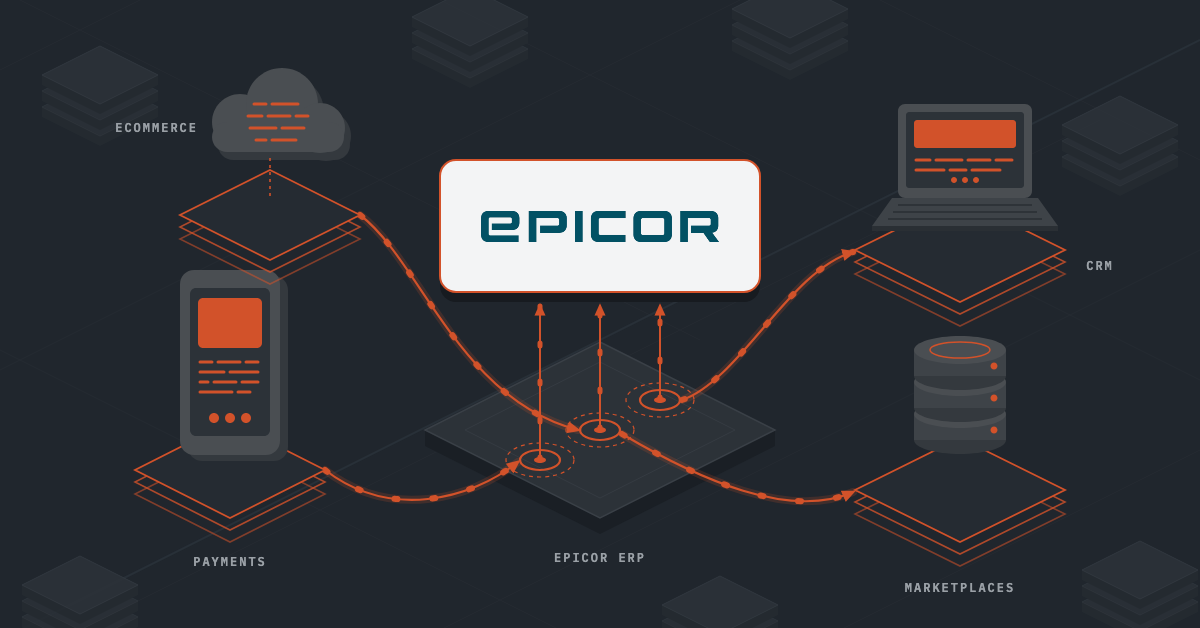
With the right eBay Integrations, orders, inventory, and shipping updates flow automatically between eBay and your business systems, helping you save time, reduce errors, and turn eBay into a smooth extension of your operations.
Methods of eBay Integrations
The right method depends entirely on your existing technology stack, internal IT resources, and how much control you need over your data. Here are your options:
1. Middleware
An integration platform, or middleware, acts as a live digital connector that links eBay directly into your core ERP system (or any other target system). Because an online marketplace and enterprise warehouse software speak completely different digital languages, this software sits quietly between them to translate and route data in real time.
The biggest operational advantage here is visibility. High-quality middleware provides robust, human-readable transaction logging. If a price sync fails or an eBay customer submits an invalid shipping address, your operations team can immediately see the error in a clean dashboard and fix it, without needing a developer to dig into raw API code.
2. eBay Merchant Integration Platform (MIP)
MIP is eBay’s own enterprise-grade, feed-based connection mechanism designed specifically for high-volume merchants. Instead of syncing data transaction-by-transaction through standard apps, MIP relies on secure file transfers (SFTP) using standard CSV or XML data feeds.
It is engineered for raw speed, capable of onboarding and updating more than 50,000 SKUs in under 30 minutes. If you are a manufacturer offloading enormous product catalogs with deep structural variations, MIP allows you to manage product data, inventory availability, and order fulfillment in bulk files that align easily with batch processing systems.
3. Native ERP Connectors
Many modern, cloud-native ERP systems offer native multi-channel extensions or pre-built marketplace connectors within their own ecosystems. Because these modules live directly inside your single source of truth, data transformations happen seamlessly within a unified software footprint.
This method reduces the need to vet and manage third-party software contracts. It is an excellent route if your business processes are relatively standard and your primary goal is to leverage general cloud-native ERP benefits like real-time multi-location inventory tracking without adding extra architectural layers.
4. Custom API Development
For enterprises with deeply unique business logic, highly specialized warehouse management workflows, or legacy on-premise systems, building a direct, bespoke connection using eBay’s official REST APIs is the ultimate customization route. This gives your team absolute control over every data field mapping and synchronization interval.
However, it comes with a major caveat: compliance and maintenance. Every time eBay updates its API security standards, changes data handling rules, or updates category taxonomies, your internal developers must manually update the code. Without ongoing development support, custom integrations are brittle and prone to breaking during peak sales seasons.
Also read: On Premise vs Cloud: Tools, ERPs and Integration Decoded
What to Integrate eBay with
To create a seamless operational loop, eBay must be linked directly into these core internal tools:
ERP Software
Your ERP is where your business tracks sales, finances, invoices, and orders. With eBay Integrations, every sale on eBay can automatically create a sales order and update your financial records without anyone having to enter the information manually. That means fewer mistakes and less time spent on bookkeeping.
Warehouse Management
When an order comes in from eBay, your warehouse team needs to know exactly what to pick, pack, and ship. By connecting eBay to your warehouse system, inventory levels stay accurate and fulfillment happens faster. It also helps prevent overselling products that are no longer available.
Product Information Management (PIM)
Most B2B business owners manage thousands of products with detailed specifications, images, and technical information. An eBay integration can automatically publish and update product listings using the data you already maintain internally, so customers always see accurate information without your team updating listings one by one.
Shipping and Logistics
Once an order is packed and a shipping label is created, the tracking information can be sent directly back to eBay. Customers receive updates automatically, and your team doesn’t have to spend time copying and pasting tracking numbers between systems.
CRM Software
Customer service becomes much easier when your CRM and eBay work together. Your team can view order history, customer interactions, and support requests from one place instead of switching between multiple platforms whenever a buyer has a question.
Returns Management
Returns are part of doing business online. When a buyer starts a return on eBay, the request can automatically flow into your returns process. Your warehouse, customer service, and finance teams all stay aligned, making refunds and inventory updates much smoother.
Procurement and Purchasing
Many distributors use sales activity to determine when it’s time to reorder inventory. By connecting eBay sales data to purchasing systems, low stock levels can trigger replenishment decisions faster, helping you avoid stockouts on products that continue to sell well.
Business Intelligence and Analytics
The real value of eBay sales data comes from understanding what’s driving profit. When eBay is connected to your reporting tools, you can see which products sell fastest, which generate the highest margins, and where demand is growing. That makes it easier to make smarter inventory, pricing, and production decisions.
Also read: 8 Essential eCommerce Integrations In 2026
Common eBay Integration Challenges and How to Solve Them
eBay Integrations can automate product listings, inventory updates, order processing, and shipping notifications. However, eBay has its own rules, data requirements, and platform behaviors that can create challenges if your systems aren’t prepared. Here are some of the most common integration issues and how businesses typically solve them:
1. eBay Changes Categories and Product Requirements
eBay regularly updates its product categories and listing requirements. A category that worked yesterday may require additional product information tomorrow. If your integration isn’t designed to handle these changes, product updates can fail or listings may lose visibility in search results.
Solution: Use an integration solution that stays aligned with eBay’s latest category and product requirements. This helps ensure your listings remain compliant and continue updating successfully.
2. Managing Complex Product Compatibility Data
This is especially important for automotive, industrial, and equipment manufacturers. Many products need compatibility information showing which vehicles, machines, or systems they work with. The way this information is stored internally often differs from how eBay expects to receive it.
Solution: Choose an integration platform that supports eBay’s compatibility data structure and can automatically map fitment information from your product catalog to your listings.
3. Listing Content Can Trigger Compliance Reviews
Certain words, brand references, or product descriptions can sometimes trigger eBay compliance checks, causing listings to be delayed or removed. This becomes more common when uploading large catalogs through an automated integration.
Solution: Implement validation rules that review product titles, descriptions, and attributes before they are published to eBay. This helps reduce listing errors and compliance issues.
4. International Shipping Orders Can Cause Address Errors
International orders processed through eBay’s global shipping programs often contain unique address formats and reference codes. Some ERP, warehouse, or shipping systems may incorrectly flag these orders as invalid, causing them to get stuck before fulfillment.
Solution: Configure your systems to recognize eBay’s approved shipping addresses and allow special reference codes to pass through without being blocked.
5. Connection Issues Can Interrupt Data Flow
eBay integrations rely on secure connections between systems. If those connections expire or become invalid, product updates, inventory changes, and order synchronization can stop without warning. This is especially important for businesses operating multiple eBay storefronts.
Solution: Use an integration platform that automatically monitors and renews connection credentials to maintain uninterrupted communication between systems.
6. Delayed Tracking Updates Can Impact Seller Performance
eBay expects tracking information to be uploaded quickly after an order ships. If your integration only sends tracking updates once or twice per day, eBay may view shipments as late even when they were dispatched on time.
Solution: Use real-time or near real-time shipping updates so tracking numbers are sent to eBay immediately after labels are created or orders are shipped.
Also read: PIM Integration Explained [Methods, Top Integrations + Best Practices]
Key Things to Consider Before Setting Up eBay Integrations
Before connecting eBay to your ERP, warehouse, inventory, or other business systems, it’s important to make sure your processes and data are ready. Here’s what you need to consider:
1. Choose the Right Integration Method
Not all eBay integrations work the same way. Some businesses use a direct connector between eBay and their ERP or inventory system. Others use an integration platform that can connect eBay with multiple systems and marketplaces.
If eBay is your only marketplace, a direct integration may be enough. If you plan to sell across multiple channels, a more flexible integration platform may be the better long-term choice.
2. Make Sure Your Product Data Is Ready
Your eBay listings are only as good as the data behind them. Before launching an integration, review your product descriptions, images, specifications, dimensions, and SKU information. Incomplete or inconsistent product data can lead to listing errors, poor search visibility, and a frustrating customer experience. The cleaner your product data is, the smoother your eBay integration will be.
3. Decide How Inventory Will Be Managed
One of the biggest challenges with eBay is keeping inventory accurate. Before connecting your systems, determine how much inventory should be available on eBay and how often stock levels should be updated.
Many manufacturers and distributors also reserve inventory for wholesale customers, so not every unit in stock should necessarily be listed on the marketplace. Clear inventory rules help prevent overselling and stock shortages.
4. Plan How Orders Will Flow Through Your Business
When an order is placed on eBay, what happens next? Before setting up the integration, map out how orders will move from eBay into your ERP, warehouse, or fulfillment system. You should also decide how tracking information will be sent back to eBay after shipment. A well-designed workflow reduces manual work and helps ensure orders are fulfilled on time.
5. Understand eBay Fees and Accounting Requirements
eBay deducts marketplace fees and payment-related costs before sending payouts. Before launching your integration, work with your accounting team to determine how sales revenue, fees, taxes, and payouts will be recorded in your ERP or financial system. This helps avoid reconciliation issues and manual adjustments later.
6. Create a Process for Handling Integration Errors
Even well-built eBay integrations can occasionally run into issues. A listing may fail to update, an order may not sync properly, or customer information may be incomplete. Choose a solution that provides clear error reporting and transaction logs, and make sure someone on your team is responsible for monitoring and resolving issues when they occur.
7. Protect Pricing and Channel Strategy
Many manufacturers and distributors have pricing policies that support their dealer networks and wholesale customers. Before connecting eBay, establish pricing rules for the marketplace. This ensures promotional pricing, wholesale discounts, or ERP price changes do not accidentally appear on eBay and create conflicts with other sales channels.
Also read: What is B2B API Integration? Explained + Methods
Choose Hassle-Free eBay Integrations with DCKAP Integrator
DCKAP Integrator helps distributors and manufacturers connect eBay with the systems they already use every day, including ERP, warehouse, inventory, shipping, and accounting platforms.
Instead of manually updating inventory, entering orders, or uploading tracking numbers, the tool automates the flow of information between eBay marketplace and your business systems. Because your ERP remains the central source of truth, product data, inventory levels, and order information stay consistent across your operations. The platform also offers a low-code interface, allowing business users to manage integrations without relying heavily on developers.
1. Easily Map Product Data to eBay Requirements
One of the biggest challenges with eBay Integrations is making sure your product data matches eBay’s listing requirements. DCKAP Integrator includes visual mapping tools that help you connect your internal product fields to eBay’s categories and item attributes. The platform can automatically format and transform data as it moves between systems, helping reduce listing errors and making large catalog uploads much easier. This is especially useful for B2B businesses managing thousands of products with detailed specifications.
2. Quickly Identify and Fix Sync Errors
Even well-designed seamless integrations occasionally run into issues. A product may be missing information, an order may contain invalid data, or a system connection may temporarily fail. DCKAP Integrator provides a transaction logging dashboard that shows exactly what happened during every data exchange. Instead of searching through technical error messages, your team can quickly identify the issue, make corrections, and restart the sync from a single dashboard.
3. Prevent Performance and API Issues
eBay and other connected systems have limits on how much data can be processed at once. DCKAP helps manage these data flows intelligently. Time-sensitive information such as orders, inventory updates, and shipping details can be synchronized immediately, while larger updates like product catalogs, pricing changes, and reports can be scheduled during off-peak hours. This helps maintain system performance while reducing the risk of synchronization delays.
4. Connect Your Entire Order-to-Delivery Process
A successful eBay Integration involves more than simply syncing products and inventory. DCKAP Integrator creates a connected workflow across your entire business. When an order is placed on eBay store, it can automatically create a sales order in your ERP, update inventory levels, notify your warehouse team, and trigger fulfillment processes. Once the shipment is processed, tracking information can be sent back to eBay automatically, keeping customers informed without requiring manual updates from your team.
With DCKAP Integrator, eBay becomes a connected part of your business instead of a separate system that requires manual work. By automating product updates, inventory synchronization, order processing, and shipping notifications, manufacturers and distributors can reduce operational overhead, improve accuracy, and scale their eBay sales more efficiently. To know about this tool, get in touch with us!
FAQs
Can I integrate eBay with ecommerce platforms like Shopify or WooCommerce?
Yes. Many businesses use eBay alongside their Shopify store or WooCommerce website to reach more customers. An eBay integration allows products, inventory, orders, and shipping information to stay synchronized across both platforms, so you can manage everything from one place instead of maintaining separate stores.
Can I connect eBay with Amazon for multichannel selling?
Yes. Many manufacturers and distributors sell through both eBay and Amazon. Rather than managing each marketplace separately, a multichannel integration can sync inventory, product listings, and orders across both sales channels, reducing duplicate work and helping prevent overselling.
Will an eBay integration update product listing automatically?
Yes. Product titles, descriptions, images, pricing, inventory, and other listing details can be updated automatically from your central product database. This makes it much easier to maintain accurate eBay product listings, especially when managing thousands of SKUs.
What are some best practices for eBay marketplace integration?
Some recommended best practices include:
- Keep your product data clean and consistent.
- Sync inventory in real time whenever possible.
- Reserve safety stock to avoid overselling.
- Monitor integration logs regularly.
- Test product listings before publishing large catalogs.
- Keep your integration software updated as eBay changes its requirements.
How long does it take to set up eBay integrations?
The setup timeline depends on the complexity of your systems. A simple integration may be completed within a few weeks, while larger projects involving ERP customization, multiple warehouses, or multichannel workflows can take several months. Proper planning and clean product data can significantly reduce implementation time.