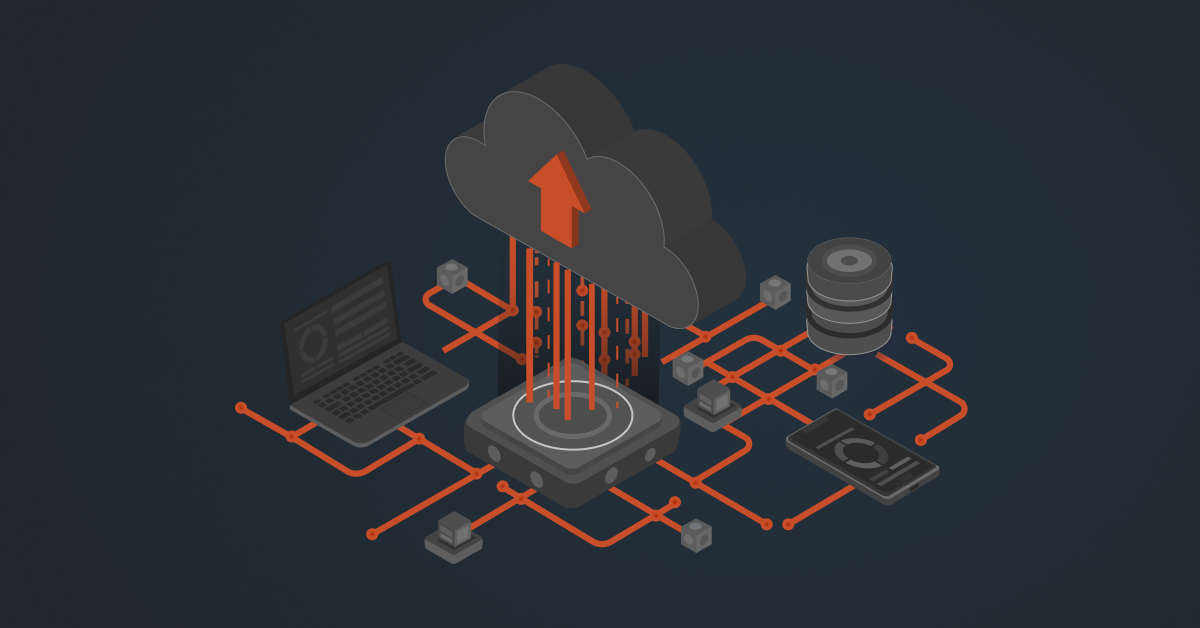
Supabase gives your distribution business a fast, flexible data layer. But when it works separately from your core ERP, WMS, and ecommerce portal, you can end up with delayed inventory updates, scattered transaction data, and more manual work.
Supabase integrations help connect these systems and keep data moving in real time. With two-way data flow across your tech stack, you can create smoother B2B customer experiences while reducing manual work and avoiding extra pressure on your back-office systems.
Ways to Integrate Supabase With Your Tech Stack
There are three common ways to set up Supabase integrations: using Supabase’s native capabilities, connecting through middleware, or building a custom integration. The right approach depends on your systems, data volume, and the technical resources available to your team.
1. Native Supabase Capabilities
Supabase includes several built-in features that can help applications communicate with your database and other services. APIs give your applications direct access to database data, while webhooks can trigger actions when records are created, updated, or deleted.
Edge Functions let developers add custom logic, and Foreign Data Wrappers can connect Supabase with external databases and services. Realtime subscriptions can also push database changes to connected applications as they happen.
2. Middleware Integrations
Middleware adds a layer between Supabase and the rest of your tech stack. Platforms such as DCKAP Integrator, Boomi, Celigo, Zapier, and Make can connect Supabase with ERPs, WMS platforms, EDI systems, CRMs, and other business applications.
These tools can handle data mapping, transformation, workflow automation, and error monitoring, making them useful when you need to connect multiple systems without building and maintaining every integration from scratch.
3. Custom Integrations
Custom integrations give your development team more control over how Supabase connects with other systems. Developers can use direct PostgreSQL connections, Supabase SDKs, custom APIs, microservices, or ETL pipelines to move and transform data.
This approach can make sense when you have high data volumes, complex business rules, or requirements that standard integration tools cannot easily handle. The tradeoff is that your team members are responsible for building, monitoring, maintaining, and updating the integration over time.
Also read: iPaaS Middleware vs Building Custom Integration Code: Which One’s For You?
Systems You Can Integrate With Supabase
Supabase can connect with the systems that run your distribution business and act as a fast, flexible data layer for applications that need to access that information. Here are some of the key integrations and where Supabase fits in.
ERP Systems
ERP systems such as NetSuite, Infor CloudSuite Distribution, Epicor Prophet 21, Microsoft Dynamics 365, and SAP hold critical data such as products, pricing, customers, inventory, and financial information. Instead of having every customer or application query the ERP directly, Supabase can store the data needed by external applications and serve it quickly. This reduces traffic on the ERP and can also help limit the need for additional ERP API or user access.
WMS and Supply Chain Systems
Inventory levels, warehouse availability, order status, and shipment updates can flow into Supabase and then be shared with ecommerce sites, customer portals, or sales apps. With Supabase Realtime, these applications can receive updates as data changes instead of constantly checking the system for new information.
B2B eCommerce and Field Sales Apps
Supabase can serve as the data layer behind B2B portals, custom storefronts, and applications used by sales reps. Customer-specific catalogs, pricing, permissions, orders, and account information can be stored and accessed through Supabase. Its Row Level Security can also control which data each customer or user can access, helping ensure that buyers only see information meant for their account.
PIM Systems
PIM platforms such as Akeneo, Salsify, inRiver, and Plytix contain detailed product information that needs to reach ecommerce sites and other customer-facing applications. Supabase can store and serve this product data alongside other business information. It also supports pgvector, which can be used to build smarter product search and help applications find related or compatible products based on product descriptions and specifications.
EDI and Trading Partner Networks
EDI systems exchange documents such as purchase orders, order acknowledgments, ASNs, and invoices between distributors and their trading partners. Supabase can act as a staging and data layer for these transactions, capturing incoming data, validating it, and preparing it for other business systems. It can also maintain transaction logs, making it easier for teams to see what happens when an EDI transaction fails and retry it without disrupting the core ERP.
CRM and CPQ Systems
Supabase can connect with CRMs such as Salesforce and HubSpot, as well as CPQ tools used for quotes and pricing. Customer information, order history, quote details, and account data can be made available to sales teams without giving the CRM direct access to the ERP database. Webhooks can also trigger actions when events such as a new order or quote request occur, helping keep sales workflows updated automatically.
Payment and Billing Systems
Supabase can also connect with payment gateways such as Stripe and Authorize.net, as well as ACH and trade-credit systems. Payment status, authorization results, and transaction information can be linked with order data so the next step in the process can happen automatically. For example, once a payment clears or a credit approval is confirmed, the order can move forward for fulfillment.
Also read: A Practical Guide to System Integration for B2B Businesses
Common Challenges With Supabase Integrations [+ How To Solve Them]
Connecting Supabase with an ERP, CRM, WMS, or ecommerce platform can make data move much faster across your tech stack. But the integration still needs to be designed carefully. Here are some common challenges to watch for.
1. Bi-Directional Sync Loops
Challenge: When two systems can update the same data, it is easy to accidentally create a loop. For example, an inventory update from the ERP reaches Supabase, and Supabase sends that same update back to the ERP. This can result in duplicate updates, incorrect data, or unnecessary API traffic.
Solution: A clear ownership rule for each type of data can prevent this. For example, the ERP can remain the source of truth for pricing and inventory, while Supabase manages data created by customer-facing applications. Adding information about where an update came from can also help the integration recognize and ignore its own updates.
2. Too Many Database Connections
Challenge: High-traffic applications, background processes, and integration platforms can all create database connections at the same time. If too many connections are opened, performance can suffer and requests may start failing.
Solution: Connection pooling can help manage these connections more efficiently. It is also better to process large data updates in batches instead of sending thousands of individual requests. This is especially important for catalog, pricing, and inventory syncs.
3. Security Rules and Integration Access
Challenge: Supabase’s Row Level Security (RLS) is useful when different customers or users should only be able to access specific data. But complex security rules can affect query performance, and they can also prevent trusted backend integrations from accessing the data they need.
Solution: The solution is to keep customer-facing security rules simple and make sure the fields used by those rules are properly indexed. Backend integration processes should use secure server-side credentials with carefully controlled access rather than exposing administrative access to customer-facing applications.
4. Schema Changes and Failed Data Syncs
Challenge: An integration can break when the structure of data changes in one of the connected systems. For example, an ERP or PIM might rename a field or change the format of a value, causing an incoming payload to fail.
Solution: Keeping a record of incoming transactions makes these problems much easier to troubleshoot. A transaction log can store the original payload, its status, and any error that occurred. With an integration platform that supports monitoring and retries, teams can fix the mapping and resend a failed transaction instead of starting the entire process again.
5. API Limits and Large Data Volumes
Challenge: Not every integration workload should be handled through a real-time API call. Large catalog updates, thousands of order confirmations, or large product files can put unnecessary pressure on APIs and serverless functions.
Solution: For heavier workloads, asynchronous processing and background queues can move the work out of the immediate customer request. Large files can also be uploaded directly to cloud storage instead of passing them through the application layer. This keeps everyday transactions responsive while larger jobs run in the background.
Also read: Find The Top B2B Integration Software For Your Business
A Real-World Example of Supabase Integration
The challenges around Supabase integration become easier to understand when we look at a real-world example. CFM Equipment Distributors, an HVAC distributor, was facing data access and API limitations with its Epicor P21 ERP. The team relied heavily on manual CSV exports and had difficulty running reports, building dashboards, and connecting P21 with its B2B ecommerce platform.
DCKAP helped address this by using Supabase as a secondary data layer. Instead of having every application and query directly access P21, DCKAP Integrator moved key business data from P21 to Supabase through scheduled integration pipelines.
The setup included pipelines for:
- Customer and shipping data
- Customer contacts and ship-to information
- Products and inventory
- Orders and quotes
- Invoices
- Customer-specific pricing
These pipelines ran in batches, with data syncing every five minutes. DCKAP also used API management techniques to help avoid P21 rate limits and provided stable IP access for the integration.
With the data available in Supabase, CFM could run queries and build dashboards without constantly accessing P21. It also created a foundation for its B2B ordering portal and future applications. The example shows how a Supabase database can work as a practical data layer when businesses need to extend their ERP without putting additional load on the ERP itself.
Make Supabase Integration Easier With DCKAP Integrator
Connecting Supabase with your ERP, WMS, ecommerce platform, CRM, or other business systems can get complicated when you have custom workflows and different data structures to manage. DCKAP Integrator helps simplify these integrations through a managed integration layer built for ERP-driven businesses.
It can handle data mapping, transformation, API and EDI connections, workflow management, monitoring, and ongoing integration support. This makes it easier to connect Supabase with both modern applications and niche or legacy business systems without building and maintaining every connection in-house.
For distributors and manufacturers with complex ERP workflows, DCKAP Integrator can help keep data moving between Supabase and the rest of your tech stack while your team focuses on running the business.
Have a specific Supabase integration in mind? Talk to the DCKAP Integrator team about your workflow and requirements.
FAQs
What are the best practices for Supabase integrations?
Some of the best practices include defining which system owns each type of data, using secure authentication and Row Level Security, monitoring data syncs, handling errors and retries, and avoiding unnecessary direct queries to core business systems. For larger integrations, using middleware can also make monitoring and maintenance easier.
What are the common use cases for Supabase integrations?
Common use cases include connecting Supabase with ERP, WMS, CRM, PIM, ecommerce, EDI, and payment systems. Businesses can use these integrations to sync inventory, product data, customer information, orders, pricing, and other operational data across systems.
Is Supabase an open-source platform?
Yes, Supabase is an open source platform built around PostgreSQL, with additional services for databases, authentication, storage, APIs, and real-time functionality. This makes it flexible for developers who want control over how their applications and integrations are built. Each Supabase project includes a full Postgres database along with services such as APIs, Auth, Realtime, Storage, and Edge Functions.
How should organizations manage access to Supabase integrations?
Organizations can assign different roles to team members at the organization or project level. This means Supabase users do not necessarily need full access to every project or setting. Supabase supports roles such as Owner, Administrator, Developer, and Read-Only, with project-scoped access available on eligible plans.