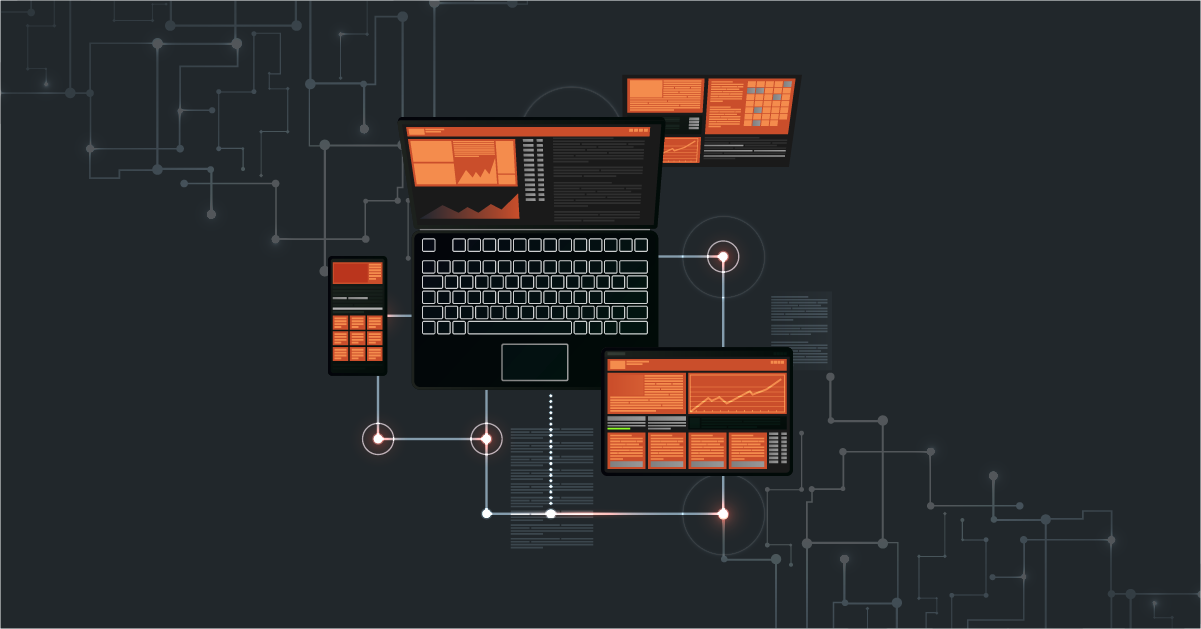
An integration platform is like a central hub that connects different software and systems so they can work together smoothly. It makes it easier to share and use data between them.
Integration platforms bridge the gaps businesses face, enabling seamless collaboration between various applications. They connect, exchange data, and regulate workflows using APIs and webhooks.
In this blog, we will take a closer look at different integration types and various reasons for utilizing an integration platform and help you determine the right choice for your business.
How Do Integration Platforms Work?
integration platforms are like translators and messengers between different systems. They make sure data moves smoothly, from one application to another even if those systems were never built to “speak the same language.”
Here’s how they usually do it:
EDI (Electronic Data Interchange)
EDI is one of the oldest yet most important methods of integration, especially for manufacturers, distributors, and retailers. It’s used to exchange documents like purchase orders, invoices, and shipping details between trading partners.
Even though it’s been around for decades, EDI is still widely used because it’s secure and standardised. Most integration platforms today can handle both traditional EDI formats and modern API-based communication, helping you connect with older systems as well as new ones.
APIs (Application Programming Interfaces)
APIs are sets of rules and protocols that enable one software application to interact with and request data or services from another. They act as intermediaries, allowing applications to communicate and share information in a standardized manner.
A single, standardized application programming interface that offers access to various functions or data sources within a system or across multiple systems is called a unified API.
By providing a defined structure for requests and responses, API integration platform makes it possible for different systems to exchange data seamlessly. Businesses can use APIs to pull data from one application and push it into another, ensuring real-time synchronization and efficient data sharing.
Webhooks
Webhooks are HTTP callbacks or user-defined HTTP endpoints that enable one application to notify or trigger events in another. Unlike APIs, which involve a request-response model initiated by the client application, webhooks initiate communication from the server application when specific events occur.
This means that when a predefined event happens in one application (e.g., a new customer registration), it can automatically send a notification or data payload to another application (e.g., a CRM system).
Webhooks are valuable for real-time updates and event-driven integrations, as they eliminate the need for continuous polling by the receiving application.
Together, APIs and webhooks form the foundation for modern software integrations, allowing businesses to create interconnected ecosystems of applications that share data, automate processes, and enhance operational efficiency.
File-based Integrations (CSV, XML, Excel, or flat files)
Some systems still use files to share data. For example: uploading a daily CSV report of sales or inventory.
Integration platforms can automatically pick up these files (from email, SFTP, or shared folders), read the data, and send it to another system in the right format.
This approach is slower than APIs but useful when working with older software or when large data batches are exchanged at once.
Database connections
Many platforms can connect directly to your database to read or write information.
This works well when you need deeper, more customised access to data like pulling product details from a local SQL database and pushing them into an online catalog.
Connectors and pre-built adapters
Most modern integration platforms come with pre-built connectors for popular systems like Shopify, Salesforce, SAP, or NetSuite.
These connectors already know how to “talk” to those systems, so you don’t need to build everything from scratch. You simply plug them in and set up your workflows.
Custom scripts or logic
Sometimes, a business needs specific rules like changing a date format or combining two fields before sending data.
Integration platforms usually allow you to add small custom scripts or logic for this. That’s how they make sure the data being shared always fits what each system expects.
Related reads: Decoding API Integration [with Types, Use Cases & FAQs]
10 Signs You Need an Integration Platform
As a decision-maker in a business, you may have asked yourself, “Why use an integration platform?”, “What is the need for it”, “What is it that I can’t achieve without an integration platform or Cloud Integration Tools ? or Benefits of Cloud integration ”
Here are 10 challenges that business risk when not using an integration platform:
1. Data Silos
Without integration platforms, Data is scattered across different systems, creating isolated data silos.
This isolation makes it challenging to access and share data across the organization. As a result, decision-makers lack a comprehensive view of critical information, leading to missed opportunities and potential errors.
2. Manual Data Entry
In the absence of integration platforms, employees often resort to manual data entry.
These manual processes are time-consuming and prone to human errors, as every inch of data needs to be manually transferred from one system to another. Such errors can lead to data inconsistencies and operational inefficiencies.
3. Inefficient Workflows
In businesses without integration, workflows tend to be fragmented and disjointed. Data doesn’t flow seamlessly from one department or system to another.
Employees may need to duplicate efforts, enter data multiple times, or switch between different applications, slowing down processes and reducing productivity.
This fragmentation can result in bottlenecks, delays, and increased operational costs as employees spend more time coordinating tasks across disconnected systems.
4. Limited Automation
Data Integration platforms play a crucial role in automating repetitive tasks and processes. In the absence of integration platforms, automation is limited, as systems cannot easily communicate and trigger actions.
Businesses miss out on the benefits of automation, such as cost savings and increased efficiency. Repetitive tasks that could be automated continue to be done manually.
5. Lack of Real-Time Information
Without integration, data updates are often not in real-time. Systems may operate on separate schedules for data synchronization.
As a result, decision-makers may base their actions on outdated information, which can lead to poor choices and missed opportunities. Real-time data is crucial for responding swiftly to changing conditions.
6. Difficulty in Scaling
As businesses grow and diversify, their IT ecosystems become more complex. Without Application integration platforms, managing multiple disconnected systems can become a nightmare for IT departments. Scaling up becomes challenging because each new component must be manually integrated.
This complexity results in higher IT costs, longer project timelines, and difficulties in adapting to changing business needs. Scaling becomes a hindrance rather than an opportunity.
7. Customer Frustration
In customer-centric industries, customers expect quick and accurate responses. Disconnected systems can lead to customer frustration. Support teams are required to be available 24/7 which leads to overutilization of resources while having a negative impression from customers.
Delays in responses, order processing, inaccurate information, and inconsistent customer experiences can erode trust and result in lost business opportunities.
8. Security Risks
Inadequate integration can introduce security risks as sensitive information is dispersed across various systems.
Data may be exposed to vulnerabilities when transmitted between systems or stored in disparate locations. Without a centralized security framework, data management and data monitoring can become complex.
9. Higher IT Costs
Managing multiple disconnected systems often leads to higher IT maintenance and support costs.
Organizations need to allocate resources to maintain, update, and troubleshoot each system separately, which can strain the IT budget.
10. Competitive Disadvantage
In today’s fast-paced business environment, companies that do not leverage integration may find themselves at a competitive disadvantage.
Integration enables agility, faster decision-making, and a better customer experience. Competitors who embrace integration are often more efficient and responsive, giving them a distinct advantage in the market.
Advantages of Using The Right Integration Platform
- Data Centralization: Integration platforms can aggregate and centralize data from various sources, creating a single source of truth. This ensures big data consistency, accuracy, and accessibility, allowing end-users to rely on up-to-date information for strategic planning and day-to-day operations.
- Automation and Workflow Optimization: Integration platforms automate data transfer and workflow processes, connecting disparate systems seamlessly. This reduces manual intervention, minimizes errors, and accelerates business processes. Employees can focus on value-added tasks, improving productivity and efficiency.
- Real-Time Data Synchronization: Integration platforms enable real-time data synchronization between systems, ensuring that data is always current. Decision-makers have access to the most recent data, enabling them to make informed choices promptly. This agility is crucial in fast-paced industries.
- Scalability and Flexibility: Integration platforms are designed to scale with business growth and adapt to changing needs. Businesses can easily add new integrations or components without the need for extensive custom coding, reducing IT complexity and costs.
- Enhanced Customer Experiences: Integration platforms enable businesses to provide seamless and personalized customer experiences by connecting customer-facing systems. Customers receive quicker responses and tailored services, leading to higher satisfaction, loyalty, and a competitive edge.
- Data Security and Compliance: Integration platforms often come with built-in security features, encryption, and compliance tools. Businesses can better safeguard sensitive data, reduce the risk of data breaches, and ensure compliance with industry regulations and standards.
- Cost Reduction: Integration platforms streamline operations and reduce IT overhead by eliminating the need for custom integration projects. Businesses save resources, time, and money, allowing them to allocate resources to more strategic initiatives and innovation.
- Competitive Advantage: Integration platforms empower businesses to respond quickly to market changes and customer demands, driving innovation. Companies gain a competitive edge by being more agile, efficient, and customer-centric, which is vital in staying ahead in today’s dynamic business landscape.
- Easier Vendor Selection: Integration platforms provide a standardized way to connect with third-party vendors and services. Businesses can choose from different vendors and services, knowing that integration will be smoother and less resource-intensive.
- Improved Collaboration: Integration platforms facilitate collaboration by connecting different departments and teams. This leads to better communication, sharing of insights, and collaborative decision-making, ultimately driving business success.
Types of Integration Platforms
The types of integration platforms cater to different integration needs and use cases. The choice of platform depends on factors like the organization’s IT infrastructure, scalability requirements, budget, and the specific nature of the integration projects. Here are the types of integration platforms.
Cloud-based Integration Platforms
Cloud-based integration platforms operate in the cloud and facilitate the connection of various software applications and systems over the Internet. They offer scalability, flexibility, and cost-efficiency.
On-Premises Integration Platforms
On-premises integration platforms are installed and operated within a company’s physical infrastructure. They provide complete control over integration processes but may require higher initial investment and maintenance.
Hybrid Integration Platforms
Hybrid integration platforms combine both cloud-based and on-premises solutions, offering flexibility and allowing organizations to leverage the advantages of both approaches. This is particularly useful for businesses with a mix of cloud and on-premises applications.
What to consider before choosing the right integration platform for your business
Before making the decision, here are a few important things to think about:
1. Start with your real needs
Think about what systems you need to connect: your ERP, eCommerce, WMS, CRM, or supplier portals. Also, consider what might come next in a year or two. Once you’re clear on that, it becomes much easier to see which platforms truly support your setup and which ones are just offering generic features.
2. Check the available connectors
Every integration platform comes with its own list of connectors for systems like SAP, Oracle, Shopify, NetSuite, etc. Make sure the ones you rely on are supported. If not, see how flexible the platform is when you need to build custom connectors. This can save a lot of time later.
3. Know what fits your business (Cloud, on-premise, or hybrid )
Some platforms are completely cloud-based, while others support hybrid or on-prem setups. If your data can’t leave your local servers or you work with legacy systems, a hybrid model might work better. If everything is already cloud-based, a full cloud platform is usually easier to manage.
4. Can it handle your growth?
Your data flow may be small now, but it’ll grow as your business scales. The platform you choose should handle higher volumes easily without slowing down or costing a fortune to upgrade later. Ask how it performs during peak seasons or large data transfers.
5. Support for real-time and batch data
Some data needs to move instantly (like stock updates), while other processes can run in batches (like daily reports). A good integration platform should handle both. Make sure it allows you to choose when each type of transfer is needed.
6. Easy data mapping and transformation
Data from different systems rarely matches perfectly. The platform should make it simple to map fields for example, linking “Customer Name” in your CRM to “Client Name” in your ERP. Look for tools that make this process visual and easy to manage without heavy coding.
7. Monitoring and error tracking
When something goes wrong, you shouldn’t need a developer to figure it out. The platform should have clear dashboards and alerts that help you find and fix issues quickly. This matters a lot when multiple systems depend on each other every minute.
8. Security and compliance
Data security should never be an afterthought. Check whether the platform encrypts data, offers access control, and meets standards like ISO or GDPR. If you handle financial or personal data, this is even more important.
9. Flexibility for future changes
Your systems might change over time, a new ERP, a new eCommerce platform, or a new logistics partner. The integration platform should be flexible enough to support these changes without needing to start from scratch.
10. Easy for your team to use
Not everyone in your company is a developer. The best platforms have simple, visual dashboards where non-technical users can monitor or manage workflows, while still giving developers room for advanced configurations. Try to find a balance that works for your team.
11. Pricing and long-term cost
Don’t just look at the subscription price. Check what’s included like the number of connectors, users, transactions, or environments. Sometimes a lower upfront price ends up costing more later. Ask for a full breakdown so you can plan your budget better.
12. Vendor support and reputation
Good support makes a huge difference. See if the vendor has worked with businesses like yours. Look for customer reviews or ask for references. The right partner will not only sell you a product but also help you make it work in the long run.
13. Test before you commit
If possible, run a small proof of concept. Test it with your real systems and data. See how smoothly it runs, how easy it is to make changes, and how well their support team responds. This short trial can reveal a lot more than any sales pitch.
14. Know how easy it is to exit
No one likes vendor lock-in. Before signing anything, ask how easy it is to move your data or workflows to another platform if you ever need to. It’s better to have that flexibility from the start than to feel trapped later.
Related reads: Top 7 Seamless Integrations for Wholesale Distributors – (Types & Solutions)
How DCKAP Integrator Stands Out as the Top Integration Platform for Distributors and Manufacturers
DCKAP Integrator is the best integration platform for B2B businesses seeking seamless connectivity, automation, and data synchronization across their various systems.
It is an ERP-First Integration platform that can connect your entire tech stack with your ERP and make it a single source of truth. It is also popular for being easy-to-use while being a robust tool offering limitless integration.
Here’s why DCKAP Integrator is a standout solution for distributors:
Comprehensive Integration
DCKAP Integrator connects and synchronizes data between essential business systems, including ERP, eCommerce, CRM, PIM, EDI databases, 3PL, and more. This eliminates the need for businesses to constantly switch between different platforms, providing a unified experience.
ERP Compatibility
DCKAP Integrator is compatible with popular distributor ERPs such as Oracle Netsuite, Epicor Prophet 21, DDI Inform, Infor, Distribution One, Microsoft Dynamics 365, Sage, and many others. This wide range of ERP support ensures that businesses can integrate their systems, regardless of their existing infrastructure.
Simplicity and Ease of Use
DCKAP focuses on building simple and user-friendly integrations. This means that businesses can efficiently set up and manage their integrations without requiring extensive machine learning or technical expertise.
Elimination of Data Silos
DCKAP Integrator’s capability to access, manage, and standardize data from various sources helps businesses eliminate data silos. This ensures that consistent and high-quality data is available across the organization, leading to better decision-making.
Bidirectional Data Flow
The platform enables automatic bidirectional data transfers, allowing data to flow seamlessly between systems in real-time. This feature streamlines operations, improves efficiency, and provides valuable real-time insights.
Single Source of Truth
By removing data silos and ensuring consistent data, DCKAP Integrator helps businesses achieve a single source of truth for customer insights. This unified data source enhances accuracy and enables a more complete understanding of customer behavior and preferences.
Scalability
DCKAP Integrator offers a scalable architecture, meaning it can grow and adapt alongside your business. As your organization evolves and incorporates new systems and technologies, the platform remains flexible and capable of accommodating these changes.
DCKAP Integrator is a standout integration platform due to its ability to connect various systems, its compatibility with popular ERPs, and its focus on simplicity and ease of use.
This solution is well-suited for business users looking to maximize efficiency, profitability, and the consistency of customer experiences across their sales channels. Don’t believe it? Give it a try. Sign up for the demo today and give your business the best gift ever.
FAQS
What is integration?
The integration process refers to combining or connecting different systems, applications, or components to work together seamlessly. It enables the exchange of data and functionality between disparate technologies to improve efficiency and streamline processes.
What is API integration?
API integration involves connecting different software applications and systems through their application programming interfaces (APIs) to enable data sharing and functionality. The choice of the best API integration platform depends on specific business needs and requirements. However, one of the best API integration platforms for distributors is the DCKAP Integrator.
Why use an integration platform?
Integration is vital for businesses because it allows them to streamline operations, improve efficiency, and enhance decision-making. It ensures that data is synchronized across systems, reducing errors and manual data entry.
Is an integration platform suitable for small businesses?
Yes, integration platforms are suitable for businesses of all sizes. They can be scaled to meet the specific needs and budget constraints of small businesses, helping them compete more effectively in the digital landscape.
What is an embedded integration platform?
An embedded integration platform is a software solution that allows organizations to seamlessly incorporate integration capabilities into their own applications or services. It enables applications to connect and share data with other systems, both within and outside the organization.
What is an iPaaS platform?
iPaaS, or Integration Platform as a Service, is a cloud-based platform that facilitates the integration of applications and relevant data. It provides tools and services for designing, deploying, and managing integrations. Some iPaaS vendors include DCKAP Integrator, MuleSoft, and Jitterbit.
What are the benefits of iPaaS solutions?
iPaaS, or Integration Platform as a Service, offers several benefits, including simplified integration between cloud and on-premises applications, reduced development time and costs, scalability to adapt to changing business needs, improved data accuracy and quality through automated processes, enhanced visibility into data flows and integration, support for hybrid IT environments.
What is a legacy system?
A legacy system refers to older, often outdated, computer systems, software, or technology infrastructure that is still in use within an organization. These systems may have been in operation for many years and may not be easily compatible with modern software and hardware.
How does data integration help ecommerce platforms stay strong in the competitive markets?
Data integration platforms enable ecommerce businesses to connect various systems and data sources, such as supply chain management, data warehouse management, customer databases, and sales channels. This integration allows for real-time updates, streamlined operations, and enhanced customer experiences, helping ecommerce platforms remain competitive by offering efficient services and staying agile in a dynamic market.
How enterprise integration enable digital transformation in SaaS companies?
Enterprise integration is a linchpin in the digital transformation journey of SaaS companies. It empowers them to optimize operations, deliver superior customer experiences, drive innovation, and maintain agility in a dynamic market. SaaS vendors offer a wide range of software solutions, including customer relationship management (CRM), productivity tools, email services, collaboration platforms, project management software, and more. As SaaS continues to evolve, robust integration capabilities will remain a cornerstone of success.